
Существует одна фраза, которая 100% знакома каждому интернет-пользователю. Набор слов, который они читали уже сотни, если не тысячи раз, но который всегда вводит их в замешательство:
The page cannot be found. The page you’re looking for might’ve been removed, had its name changed, or is temporarily unavailable.

В голове сразу возникают панические мысли: «Разве я допустил какую-то ошибку при вводе? Возможно, полетел сайт, но как это понимать, если он работал пару минут назад?»

Для веб-разработчиков однако, 404 ошибки — это не просто маленькие неприятности, а основные причины бессонных ночей. Небольшие простои или битые ссылки могут привести к тому, что посетители просто перестанут заходить на ваш сайт, а множество нерабочих страниц очень негативно скажется на вашей работе с точки зрения SEO.
Смотрите также:
- Как создать простую страницу ошибки 404 для темы WordPress
- Ошибка 500 Internal Server Error: разбираемся и устраняем проблему
- О типичных ошибках в разработке под WordPress и о том, как их исправить
- Отображаем ошибку, если файл превышает допустимый размер при загрузке на WordPress
- Перенаправление на заданную страницу в зависимости от роли пользователя WordPress
К счастью, существует большое количество плагинов WordPress, которые специально созданы для решения этой проблемы. Но прежде чем перейти к обсуждению потенциальных кандидатов, давайте немного рассмотрим саму ошибку.
Информация о 404 ошибке
Мы перейдем к нашему списку рекомендованных инструментов очень скоро, но сначала стоит упомянуть некоторые полезные ресурсы:
- Статья Creating an Error 404 Page на WordPress Codex должна быть первым ресурсом, к которому вы должны обратиться. Здесь вы узнаете информацию о том, как битые страницы обрабатываются в самом WordPress.
- У Yoast представлен хороший обзор факторов, которые нужно учитывать при создании 404 страницы. Он делают акценты на нескольких важных аспектах, таких как использование Google Analytics и Webmaster Tools для устранения неполадок.
- На странице поддержки Google Webmaster вы также найдете несколько полезных советов и трюков, например руководство Мэтта Катта о 301 редиректе.
- Наконец, на сайте Moz.com обязательно стоит просмотреть статьи HTTP status codes и Best practice in redirection.
После того, как мы более-менее разобрались с самой сутью ошибки, давайте перейдем к выбору плагина для устроения этой проблемы.
1. 404 Page by SeedProd

Несмотря на то, что сам плагин совсем новый, его автор уже успел себя зарекомендовать, выпустив два других популярных инструмента: WordPress Notification Bar и Coming Soon Page&Maintenance Mode. Их послужной список служит хорошим предзнаменованием для дальнейшего развития и этого плагина.
404 Page позволяет вам создать пользовательскую страницу, которая заменит дефолтную страницу «Not Found» от вашей темы. Плагин должен работать с любой WordPress темой, поддерживает HTML5 и CSS3, и совместим с MultiSite и BuddyPress.
Существует премиум версия плагина: 404 Page Pro. Pro-версия предлагает довольно таки инновационное решение для превращения 404 страниц в посадочные страницы, путем интеграции с различными электронными маркетинговыми инструментами, такими как MailChimp, Aweber и Infusionsoft.
Pro-версия также предлагает готовый адаптивный дизайн, локализацию на более чем 18 языках и многие другие функции. Цена от $29 до $199.
Возможно, это подход, который подойдет не для каждого сайта, но для дальнейших выводов этот вариант стоит рассмотреть.
2. All 404 Redirect to Homepage
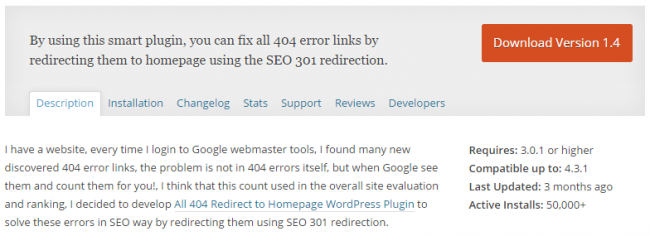
Название говорит само за себя. All 404 Redirect to Homepage просто перенаправляет с помощью 301 редиректа страницы с 404 ошибкой.
Автору предложили создать этот плагин после начала работы с Google Webmaster Tools, который считает количество страниц с 404 ошибкой и включает эту цифру при подсчете рейтинга сайта.
Почему именно такой метод перенаправления? С точки зрения SEO, редирект 301 перенаправляет пути от битых страниц к другим. Он говорит поисковой системе: «Эй, то, что вы ищите, можно найти здесь! Забудьте о том, что на другой странице».
Примеры его использования включают изменение доменов, когда вы хотите сделать плавный переход на новый сайт, или если у вас есть несколько адресов, через которые вы собираете трафик. Сам Google является отличным примером того, как можно использовать редиректы. Такие сайты, как google.net, gooogle.com, gogle.com, и даже 466453.com перенаправляют пользователей к google.com.
Обратите внимание, что также рекомендуется использовать 301 редирект между www и non-www URL, чтобы избежать трудностей с дублированием контента.
3. 404 to 301
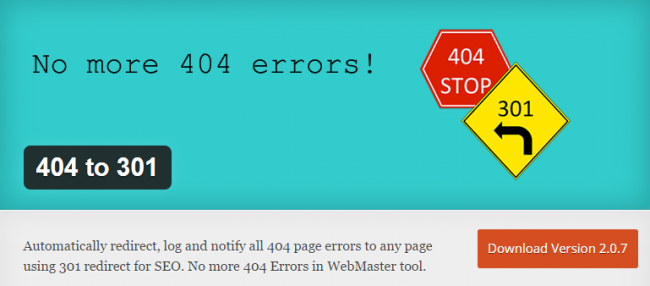
Подобно All 404 Redirect to Homepage, плагин 404 to 301 перенаправляет все 404 ошибки на любую страницу, которую вы выберете.
Плагин также поддерживает 302 и 307 редирект, но мы рекомендуем использовать именно 301, который отлично подходит для подавляющего большинства ситуаций.
Плагин также позволяет отключить перенаправление вообще, а только вести журнал событий. Вы можете сделать это, выбрав вариант “No Redirect”. Вы будете получать уведомления по электронной почте, таким образом, будете в курсе всех событий. Журнал сохраняет URL-адреса, с которых посетители перешли, IP-адреса, дату, тип браузера и ОС для того, чтобы точно определить и в дальнейшем устранить все уникальные ошибки.
Вы можете самостоятельно выбрать на какую конкретно страницу нужно сделать редирект. Отдельные посты также можно выбирать в качестве пункта назначения.
404 to 301 заявляет о себе, как о «невероятно легком и приятном инструменте для разработчика» и имеет большой репозиторий на GitHub, что всегда является хорошим знаком. Команда разработчиков также весьма активна, когда дело доходит до вопросов поддержки и исправления ошибок.
4. Custom 404 Pro
Как и многие другие варианты, Custom 404 Pro позволяет заменить страницу с 404 ошибкой на кастомную. Плагин предлагает три варианта:
- Выберите пользовательскую страницу с вашей панели администратора WordPress.
- Введите пользовательский URL-адрес.
- Ограничьте себя только ведением журнала всех 404 ошибок.
Плагин 404 Pro, который, не смотря на название, абсолютно бесплатный, обладает одной очень интересной и полезной функцией. Он записывает ключевые слова, которые привели пользователей на страницу с ошибкой, а также включает в себя пользовательские фильтры, чтобы собрать другие интересные данные в случае, если вы хотите разбираться с этим более детально
Автор плагина, Кунал Нагар, предпочитает, чтобы пользователи использовали GitHub для решения вопросов о 404 Pro, а не форумы поддержки в WordPress. Автор также отличается тем, что очень быстро устраняет все неисправности и быстро отвечает на вопросы относительно поддержки.
5. 404 Error Logger
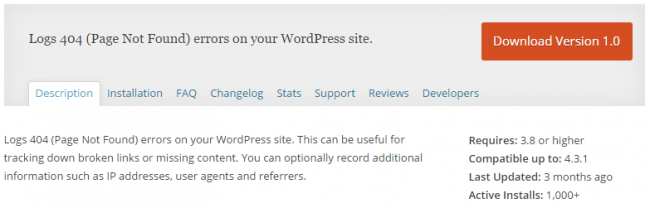
404 Error Logger отличается от других плагинов в этом списке тем, что не помогает исправить 404 ошибки. Он просто работает в фоновом режиме и делает полезные записи. С 404 Error Logger у вас есть возможность записывать такие данные, как IP-адреса, типы браузеров, операционные системы и ссылки URL. Вы можете использовать всю эту информацию для дальнейшего решения проблемы с помощью другого плагина или самостоятельно, сделав некоторые изменения в файле .htaccess.
Есть также одна интересная опция, которая позволяет проводить whois IP поиск, используя инструмент DuckDuckGo. Журналы также могут быть экспортированы в CSV, если вы предпочитаете просматривать их в Excel.
Пользователи предупреждены, что плагин не будет работать в сочетании с плагинами, которые собирают информацию о переходах на страницу с 404 ошибкой, но он отлично работает вместе с W3 Total Cache и WP Super Cache.
6. Redirection

Redirection на сегодняшний день является самым популярным плагином из этого списка, с более чем 400.000 активных установок. Это определенно выводит его на передний план.
Основные функции включают в себя 301 переадресацию 404 статусов, мониторинг 404 ошибок и ведение журналов, способность перенаправлять все URL-адреса — не только ошибки “Not found” — и возможность настройки перенаправления в зависимости от login-статуса или реферера.
Плагин также может быть настроен для того, чтобы автоматически перенаправлять почту при изменении URL-адреса, использовать 302 или 307 редирект и полностью локализован на более чем 20 языках (в том числе испанский, французский, немецкий, русский и японский). Разработчик Джон Годли, также предпочитает вести свою службу поддержки через Github.
7. SEO Redirection Plugin
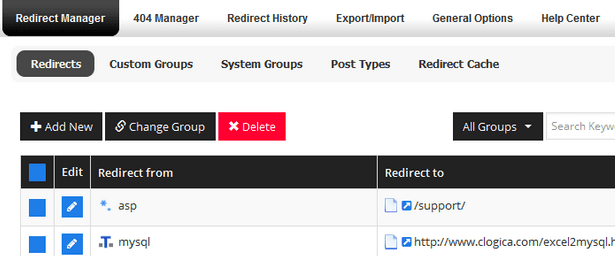
SEO Redirection Plugin — наш второй премиум плагин, а также второй плагин автора Fakhri Alsadi в списке. Этот плагин в основном добавляет все необходимые функции, которые отсутствуют в All 404 Redirect to Homepage. Существует платная и бесплатная версия.
Бесплатная версия включает в себя все функции, которые мы привыкли встречать в подобных плагинах: 301, 302 и 307 редиректы, возможность перенаправить все папки сразу и ведение подробных журналов.
Премиум версия включает в себя дополнительные интересные функции, такие как кэш перенаправления, возможностью добавления 404 правил для автоматической обработки перенаправления, импорт и экспорт правил перенаправления и GUI на базе Bootstrap.
Заключение
301 редирект считается лучшим способом решения проблемы с 404 ошибкой, поэтому большинство плагинов, перечисленных здесь, имеют очень похожий набор функций.
Некоторые люди всегда хотят работать с многофункциональными вариантами, но если вам нужен простой редирект и вы не хотите углубляться в журналы, то вам подойдет любой «базовый» плагин.
Если вы тот человек, который любит управлять всеми аспектами производительности вашего сайта на микро-уровне, вам больше подойдет Redirection или 404 Page Pro.
В любом случае, с таким огромным количеством инструментов для решения данной проблемы, вы всегда найдете для себя подходящий вариант. Каждый сайт время от времени сталкивается с подобным техническим вопросом, так что лучше приготовится ко всему заранее.
Как вы боретесь с подобными проблемами? Есть ли у вас любимый плагин? Обязательно делитесь с нами в комментариях!
Источник: elegantthemes.com
Смотрите также:

Изучает сайтостроение с 2008 года. Практикующий вебмастер, специализирующий на создание сайтов на WordPress. Задать вопрос Алексею можно на https://profiles.wordpress.org/wpthemeus/
Если вы заботитесь о своем сайте, вы должны принять меры, чтобы избежать ошибок 404, поскольку это влияет не только на ваш сайт SEO плохо, но и влияет на ваш бизнес, что приводит к меньшему количеству продаж. 404 (страница не найдена) ошибки являются общими и мы все ненавидят его, даже поисковые системы сделать то же самое!
Есть множество плагинов WordPress там, которые могут помочь вам с такой ситуацией с помощью навигации посетителей сайта на нужную страницу вашего сайта.
В этом посте мы собрали список 10 бесплатных WordPress 404 страницу плагинов, которые помогут вам исправить такие страницы ошибок и сделать ваш сайт динамичным и дружественным к пользователю.
Давайте рассмотрим их один за другим.
Если вы заботитесь о своем сайте, вы должны принять меры, чтобы избежать ошибок 404, поскольку это плохо влияет не только на ваш сайт, но и влияет на ваш бизнес, что приводит к меньшему количеству продаж.
Есть множество плагинов WordPress, которые могут помочь вам с решением проблемы с помощью навигации посетителей сайта на нужную страницу вашего сайта.
В этом посте мы собрали список 10 бесплатных WordPress плагинов, которые помогут вам исправить такие страницы 404 ошибок и сделать ваш сайт динамичным и дружественным к пользователю.
Давайте рассмотрим их один за другим.
1. Redirection

Redirection является WordPress плагином для управления 301 редиректом, отслеживанием ошибок 404, и в целом. Это особенно полезно при переносе страниц со старого сайта, или при изменении каталога установки WordPress.
Этот плагин включает в себя множество функций, таких как, отслеживание 404 ошибок, полные журналы для всех переадресованных URL, методы перенаправления, полную поддержку регулярных выражений и многое другое.
2. 404 to 301

404 до 301 — простой, но удивительный плагин, который обрабатывает все ошибки 404 для вас. Он будет перенаправлять все 404 ошибки на любую страницу, которые вы установили, используя 301 (или любой другой) статус. Это означает, что на вашем сайте не будет больше 404 ошибок! Вы не увидите никаких отчетов об ошибках 404 в панели управления для веб-мастеров.
3. Forty Four

Плагин создает дизайн пользовательских 404 страниц, которые вы можете легко изменить на внешний вид. Такая страница не загружает ненужные скрипты, CSS, изображения и другие ссылки на страницу 404. Посетители не должны слишком долго ждать загрузки страницы, если она не доступна! Используя этот подход, вы уменьшите запросы и время загрузки.
4. Quick Pagepost Redirect Plugin

Используя этот плагин, вы просто поместите URL запроса и URL назначения и плагин будет включит перенаправление. Этот тип редиректа отлично подходит для фиксации опечаток при создании страницы, перенаправляя старые URL-адреса на новый URL-адрес, так чтобы не было 404 ошибок.
5. 404 Redirection

Этот простой плагин постоянно перенаправляет все не существующие страницы на основной URL блога. Может быть несколько причин, почему вы можете захотеть сделать это, но основная цель состоит в том, чтобы перекачать Google Page Rank (TM) из-за отсутствия страниц на главную страницу.
6. Safe Redirect Manager

Safe Redirect Manager — HTTP-менеджер редиректа для WordPress. Простой в использовании интерфейс позволяет организовать перенаправление на новый URL, с кодами статуса HTTP по вашему выбору. Плагин использует функцию wp_safe_redirect, которая позволяет переадресовывать только на белый список хостов в целях безопасности. Плагин автоматически обрабатывает Whitelisting хосты для вас.
7. SEO Redirection

С помощью этого плагина вы можете создавать и управлять перенаправлениями для вашего сайта, вы можете настроить все виды переадресации, включая 301,302 или 307 редирект, вы можете также отслеживать 404 страницы ошибок и перенаправить их в один щелчок мыши, мы сосредоточились на простоте в этом плагине для удовлетворения всех уровней пользователей.
8. Simple 301 Redirects

Simple 301 Redirects обеспечивает простой способ перенаправления запросов на другую страницу на вашем сайте или в другом месте в Интернете. Это особенно удобно при переносе сайта на WordPress и не возможности сохранить свою структуру URL. Создав 301 редирект со старых страниц на ваши новые страницы, любые входящие ссылки будут беспрепятственно проходить, и их рейтинг страницы будет передаваться вместе с ними.
9. Custom 404 Pro

Этот плагин позволяет пользователям заменить 404 страницу по умолчанию на свою из раздела страницы в панели администратора. Также вы можете указать полный URL для перенаправления.
10. 404 Page

404 плагин позволяет быстро и легко настроить страницу 404 для вашего сайта. Плагин работает с любой темой WordPress, которую вы установили на своем сайте.
Этот плагин имеет множество функций, таких как: легкое добавление пользовательских CSS и HTML, замена вашей темы 404 страницы, поддержка шорткодов, социальных профилей и кнопок социального обмена.
404 errors happen — it’s how you handle them that counts.

While 404 pages are often used to provide visitors with a clever message saying they reached a broken link, this doesn’t guarantee the visitor will take action to go to another page on your website.
WordPress 404 plugins can help automatically handle your 404 errors. These plugins redirect visitors to a relevant page, log all your 404 errors, and give you creative control to customize your 404 page.

In this post, we’ll cover how 404 errors occur and how 404 redirect plugins can help your business provide a better visitor experience.
Why is your WordPress Website showing a 404 error?
A 404 error page displays when a specific page can’t be found on your website. This page usually alerts the website visitor that the requested page is no longer available or does not exist.
A default 404 page looks something like this:
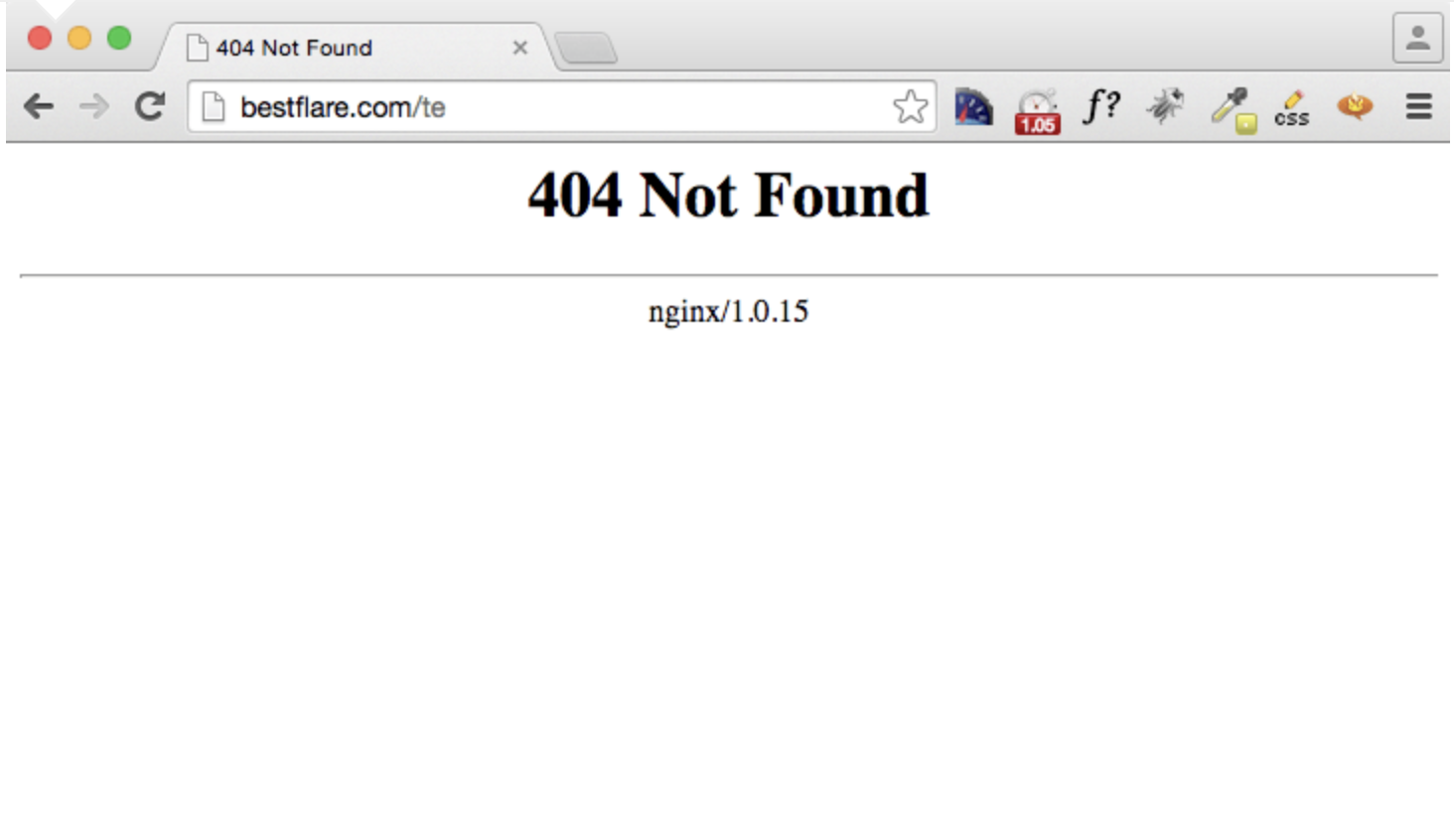
Image Source
Changes in your website’s permalink structure can lead to 404 errors. For example, if you change your URL from https://yourwebsite.com/blogpost to https://yourwebsite.com/blogtopic/blogpost, you end up with links that don’t point to a specific address, so your visitors see a 404 page and not the intended content.
A missing or corrupt .htaccess file creates 404 errors, too. In WordPress, this file rewrites your URLs to make them readable by people and search engines. When you create a custom taxonomy or new custom post type, you can get a 404 error if you don’t update the .htaccess file.
The good news is that you don’t have to interrupt the visitor experience with a 404 page. Let’s explore how to remedy this issue.
How to Fix 404 Errors in WordPress
If your 404 errors are due to permalink changes, there’s a quick fix. You’ll just flush (or refresh) your permalinks on your website.
Go to Settings > Permalinks in your WordPress admin dashboard. Then, scroll down without making any changes and click Save Changes.
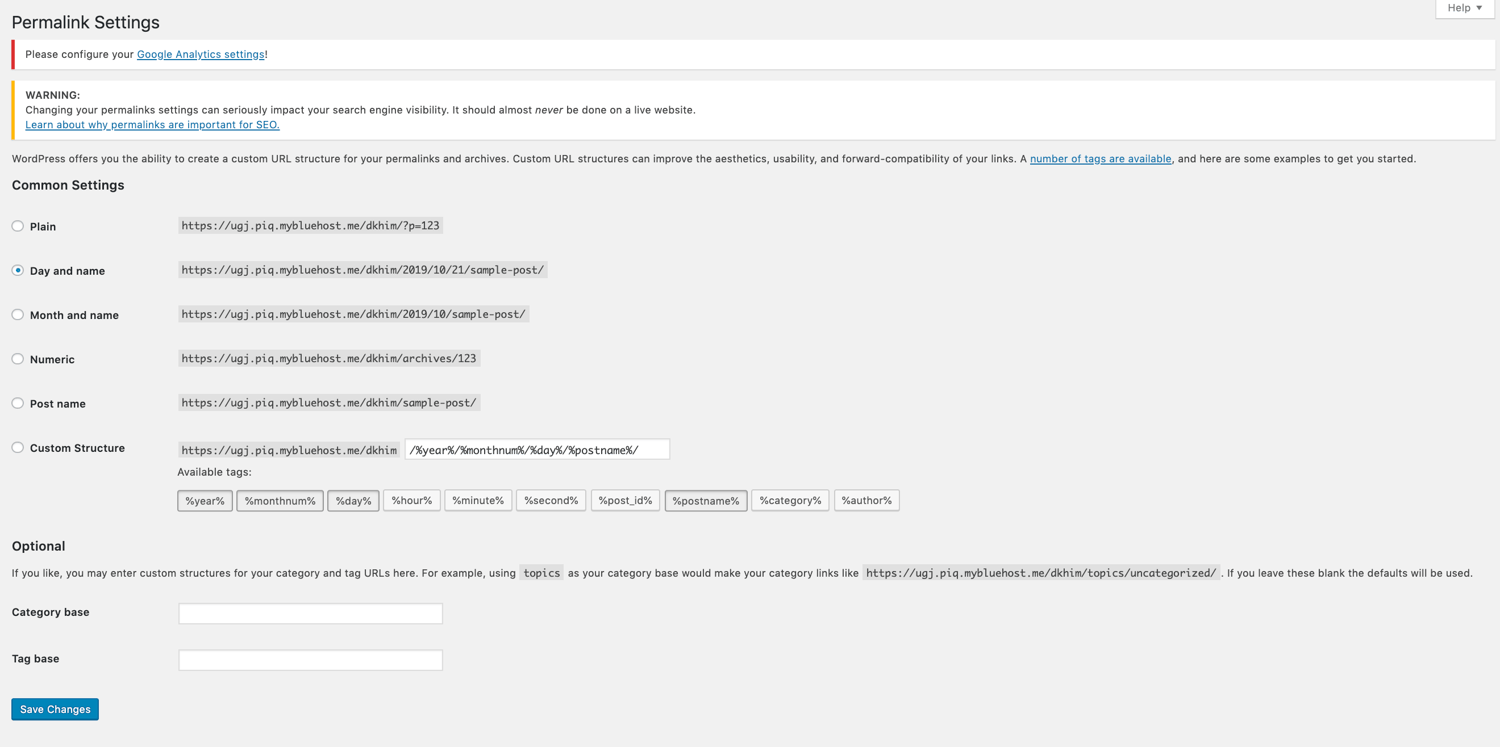
WordPress will automatically update your .htaccess file. Now, check your website for any remaining 404 errors. If they still remain, your next option is to use a 404 redirect plugin.
- Redirection
- 404 to 301
- 404 Solution
- WP 404 Auto Redirect to Similar Post
- 404 SEO Redirection
- All 404 Redirect to Homepage
- 5sec Proper 404
- 404page
1. Redirection
Price: Free

Redirection is a simple and easy-to-use WordPress plugin that’s compatible with nearly any website. You can use it to set up a couple of redirects to a handful of outdated pages, or you can set up an in-depth and complicated redirect structure that includes thousands of redirects within it.
This plugin can be used for both 404 pages and 301 redirects. Both of which are useful when looking to enhance your visitor experience and improve the overall ranking of your site.
You can also set up conditional redirects that will forward a visitor to another page only if that visitor meets certain criteria. This allows you to truly personalize the website experience depending on how the visitor has interacted with your site in the past.
What we like about this plugin:
Redirection is a trustworthy and reliable plugin. It’s been on the market for over ten years and has hundreds of five-star reviews. It’s simple to use, easy to get started, and a breeze to manage over time.
What we don’t like about this plugin:
If you look at the reviews, most are overwhelmingly positive. However, some users reported malfunctions with their database shortly after downloading this plugin. Keep this mind and definitely investigate more if needed, but this shouldn’t completely deter you from downloading this plugin.
2. 404 to 301
Price: Free
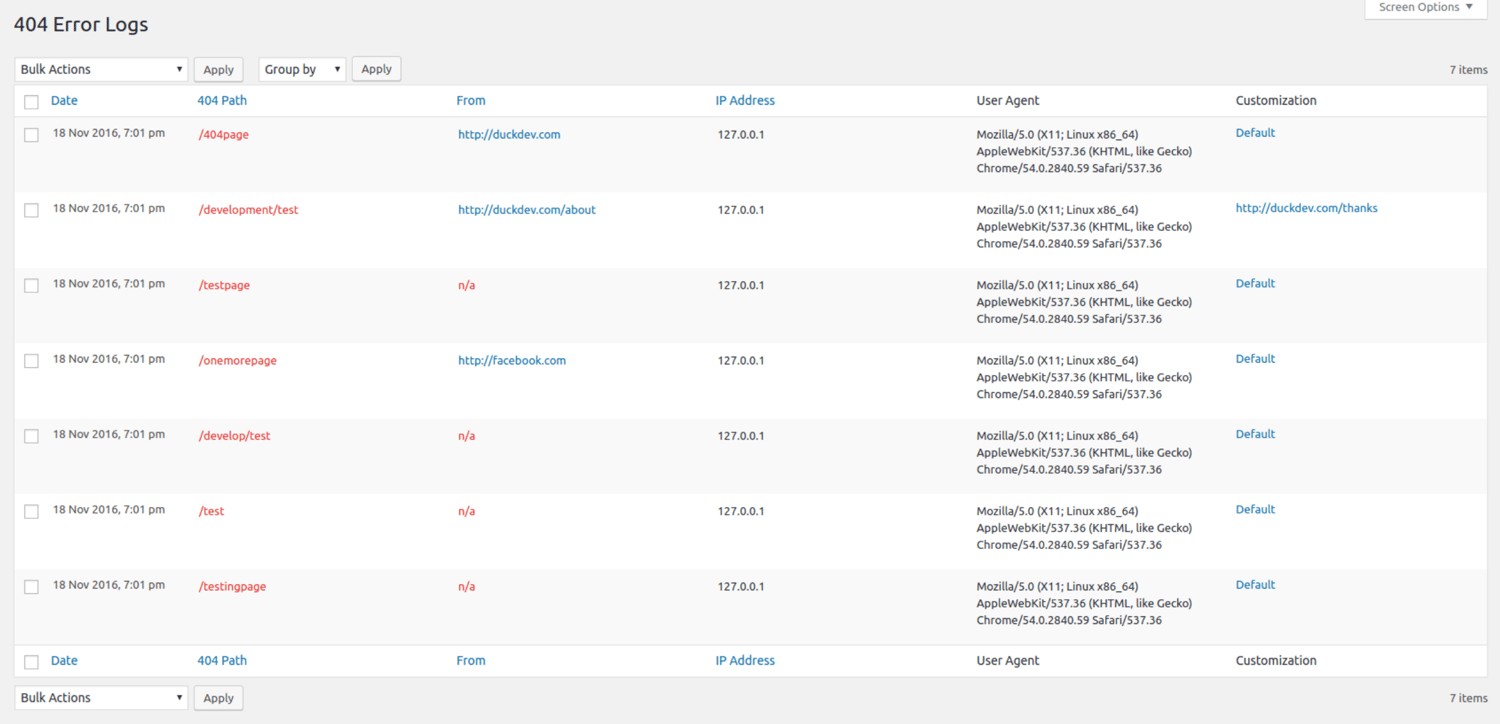
404 to 301 is a simple plugin that will redirect all 404 errors. For each 404 error, you can set a global redirect or custom individual redirect.
This tool also saves you time by finding the broken links on your website. Then, it keeps a log of each 404 error so you can easily track and fix them. Plus, you can receive email notifications about any 404 errors.
What we like about this plugin:
Along with setting custom and global redirects, this plugin tracks down broken links on your site that you may not know about, in turn making it easier to reduce the total number of 404 errors that visitors encounter.
What we don’t like about this plugin:
Although there is a space for you to report bugs and errors, some users have experienced a lack of support with this plugin. This may be an issue if you run into compatibility problems between the plugin and your site. That being said, if you are having issues with getting support with this plugin, you can always uninstall and move on to another option on this list.
3. 404 Solution
Price: Free
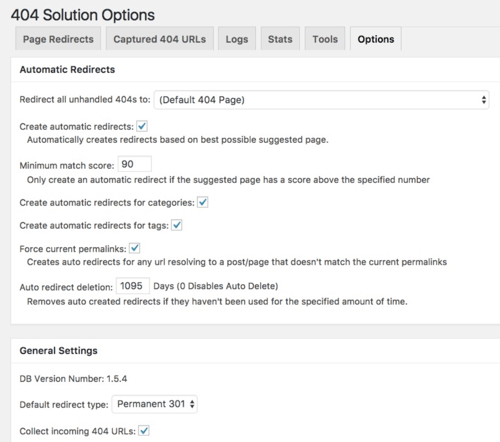
The 404 Solution plugin gives your visitors a better site experience by redirecting 404 URLs to any existing page. To save time, the tool displays a list of page suggestions to help you redirect to a relevant page. It also automatically removes redirects when the URL matches a new page or post.
What we like about this plugin:
Suggestions for relevant page redirections are great, but where this plugin really shines is the automatic removal of redirects when you repurpose URLs and point them to new pages.
What we don’t like about this plugin:
There isn’t much to dislike here and not many users have reported problems with this plugin. All around, this is a very strong option, but one potential issue you may face is a lack of features if you’re searching for a highly-advanced 404 redirect plugin. In which case, while simple and reliable, this option may not be best for you.
4. Custom 404 Pro
Price: Free
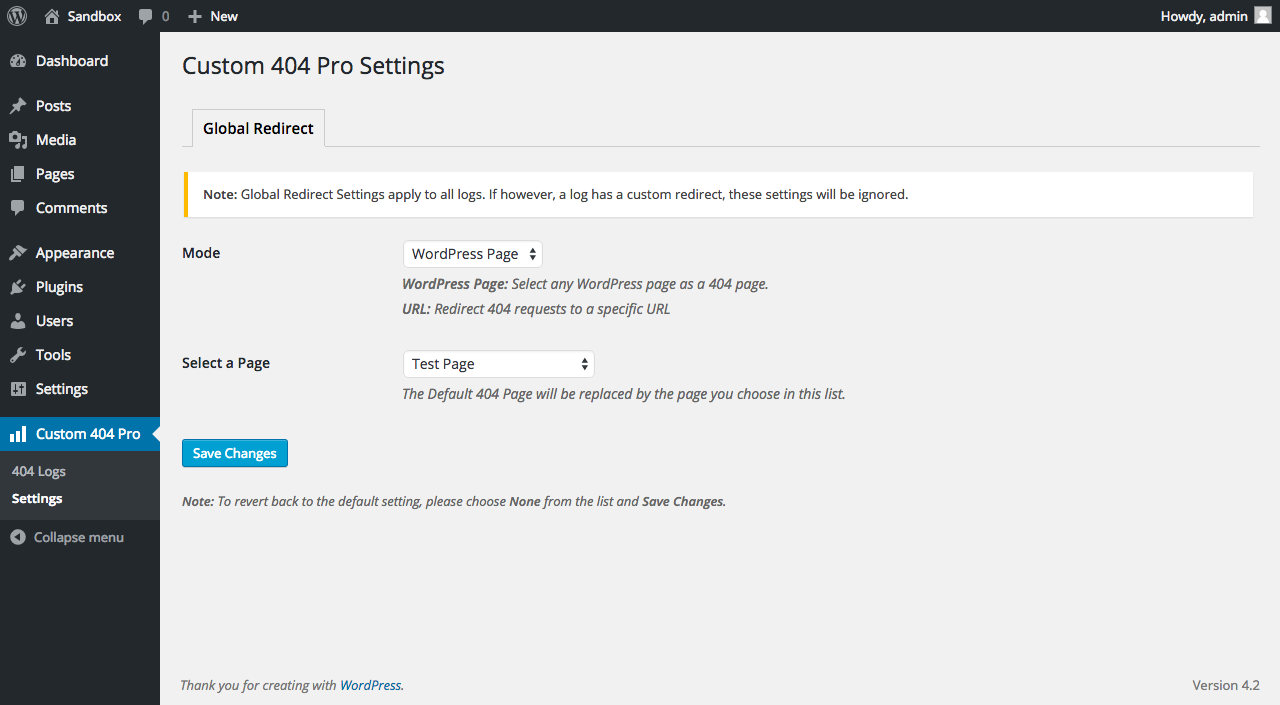
The Custom 404 Pro plugin is lightweight and easy to install. It lets you redirect 404 errors to existing pages or specific URLs. It also goes beyond common 301 redirects to include support for 302, 307, and 308 redirects.
What we like about this plugin:
Along with 404 redirects, Custom 404 Pro also logs errors when they occur and regularly sends an email containing this information to site admins, in turn making it easier for teams to find and eliminate 404 pages.
What we don’t like about this plugin:
There doesn’t seem to be too much documentation available to support this plugin. However, there is a Github page that you can use to reach out for help.
5. All In One SEO (AIOSEO)
Price: $50/year for Basic Plan, $100/year for Plus Plan, $200/year for Pro Plan, $300/year for Elite Plan
As the name makes clear, AIOSEO is all about SEO. This popular plugin provides a host of features to boost site SEO — among them is a robust 404 redirect option.
Administrators can easily redirect multiple URLs to the same page, and the plugin also keeps a log within WordPress dashboards that list redirect information including visitor, browser, and referrer details.
What we like about this plugin:
The automatic redirect function of AIOSEO lets site owners point users and search engines toward new content when old pages go offline, in turn helping boost engagement and drive improved SEO.
What we don’t like about this plugin:
If you’re looking for a simple, straightforward, and free plugin, this is not the choice for you. However, if you’re looking for a slew of SEO features and tools that can improve the ranking of your site — and you don’t mind paying an annual fee — then AIOSEO is an excellent choice for your URL redirection needs.
6. All 404 Redirect to Homepage
Price: Free
 Manually creating redirects for individual URLs is a time-consuming task. This plugin saves you time by redirecting all 404 pages to your homepage. So, when visitors land on a broken link, they will be redirected back to your homepage. It takes less than five minutes to install and configure this plugin.
What we like about this plugin:
Simplicity is the big benefit here. While other plugins offer more customization around where visitors are sent when they’re redirected, All 404 Redirect to Homepage sends everyone to the same place, meaning you don’t need to spend time thinking about which page is the best destination for redirects.
What we don’t like about this plugin:
Some users reported issues with redirect loops on their pages. Fortunately, the developers have added documentation for how users can navigate this roadblock. Simply disable the plugin and check the validity of the page. Once the page is valid, the redirect should work as intended.
7. SeedProd
Price: $40/year for Basic Plan, 100$/year for Plus Plan, $200/year for Pro Plan, $240/year for Elite Plan

SeedProd is a comprehensive landing page builder for WordPress that also includes custom 404 page support. If you’re feeling creative, you can build your own 404 page from scratch — complete with images, videos, and buttons — or you can streamline the process with one of SeedProd’s pre-built 404 page templates.
What we like about this plugin:
Along with custom 404 pages, SeedProd also integrates with most email marketing tools, allowing your 404 pages to help drive new subscriber traffic.
What we don’t like about this plugin:
There’s a lot to like about SeedProd, but similar to our thoughts on AIOSEO, this plugin may not be the best option for your site if you’re looking for quick, simple, and free. While the 404 page templates will save you some time, you’ll still have to go through the process of designing the entire page effectively from scratch, which may be a turn-off for some users.
8. 404page
Price: Free

Unlike the above-mentioned tools, the 404page plugin does not create redirects or additional server requests. This plugin allows you to set up a helpful custom 404 error page to keep visitors on your site. Just activate the plugin and change your permalink settings to Plain in your WordPress dashboard.
What we like about this plugin:
While redirects are helpful, they may take visitors somewhere they don’t want to be. 404page doesn’t move users when they encounter an error — instead, you get to build a custom page that offers relevant information and features, such as links to your homepage or contact page, search bars, or even product offers.
What we don’t like about this plugin:
As we highlighted earlier, this plugin doesn’t create redirects. If that’s a must-have, we recommend choosing another option on this list.
Which WordPress 404 redirect plugin works best?
he answer depends on what you need. If you’re looking for an end-to-end WordPress website builder that also happens to include solid 404 page functionality, choose something like SeedProd
If you need a quick and simple solution for 404 page redirects, consider a plugin like All 404 Redirect to Homepage or the 404 solution. And if you really want to streamline 404 handling by creating a custom 404 page to help keep visitors engaged, opt for 404page.
How to Create an Effective WordPress 404 Page
It’s important to redirect your visitors to a relevant page. If none exists, you still can capture your visitors’ attention with a custom 404 page. That way, you don’t lose quality traffic, and you provide helpful information to your visitors. Here are a few tips to build an effective 404 page.
- Clearly state that the page they’re looking for doesn’t exist.
- Add a search box to help visitors find what they need.
- Keep the branding of your 404 page consistent with other pages on your website.
- Encourage visitors to read your latest blog posts.
- Add humor, like a funny image, to engage your visitors.
Need a little inspiration? Check out these 404 pages here.
Working With 404 Errors & 301 Redirects
Several 404 errors can interrupt the visitor experience, leading to high bounce rates. Rather than fixing each error one by one, an effective solution is to use a redirect plugin for WordPress. These plugins keep track of your 404 errors and redirect broken links to related pages. So, take the next steps to improve your website.

Если вы знакомы с Интернетом, вы должны знать об ошибках 404. Эти страницы раздражают, когда вы ищите контент в Интернете. Вы увидите слова: «Страница не может быть найдена. Страница, которую вы ищете, могла быть удалена, изменила ее название или временно доступна ». Обычно это происходит, когда нет URL-адреса для доставки.
На всякий случай, если вы никогда не видели такое сообщение или хотите увидеть страницу 404 на своем собственном веб-сайте, введите URL-адрес страницы, которую вы ищете, а затем введите строку тарабарщины. Вы увидите, о чем я говорю. Это происходит из-за сбоя во взаимодействии клиент-сервер, который может произойти по многим причинам:
- Страница, которую вы ищете, может больше не существовать.
- Ссылка на страницу, которую вы ищете, может быть неработающей.
- Возможно, вы просто ввели неправильный URL.
Активный веб-сайт не может полностью избежать этих ошибок, но можно сделать многое, чтобы свести их к минимуму.
Ошибки 404 и влияние на SEO
Страница 404 вредна для вашего SEO. Посетитель теряется, потому что ссылки на вашем сайте не поддерживаются должным образом. Одна или две неработающие ссылки, которые иногда появляются в поисковых системах, не имеют большого значения. Но у вас есть более серьезная проблема, если поисковая система часто сталкивается с этими ошибками на вашем сайте. Повышенный показатель отказов окажет негативное влияние на ваше SEO, и вашему сайту может потребоваться время, чтобы оправиться от этого.
Если вы используете плагин Google Analytics, вы можете легко увидеть ошибки, поскольку они помечены. Но поисковые системы также сталкиваются с ошибкой 404, которой никогда не делают обычные посетители, потому что они сканируют что угодно на вашем сайте. Таким образом, даже скрытые ссылки являются источником 404 ошибок для поисковых систем. Xenu или Screaming Frog могут помочь найти эти ошибки и исправить их.
Вы также должны искать битые изображения или битые вставки видео. Их сложно найти с помощью инструментов для веб-мастеров или Google Analytics, но Xenu и Screaming Frog также могут вам помочь. Вы также можете выполнить поиск в журналах сервера, выполнив поиск 404 плюс «.jpg» и «.png». Они не причинят большого вреда, но это не очень хорошее впечатление для посетителей.
Исправление ошибок 404
Есть много способов перенаправления и исправления ошибок 404, и вы можете попробовать эти шаги последовательно:
- Вы можете вручную проверить неработающие ссылки и исправить перенаправления, выполнив поиск в конфигурации вашего .htaccess или NGINX сервера, но это требует от вас некоторых технических навыков. Или несколько настроек в файле 404.php могут помочь. Это лучший способ исправить ошибку 404, но если вам неудобно работать с кодом, вы должны пропустить этот шаг.
- Если URL-адрес изменен, перейдите на правильный URL-адрес. Если файл статический, проверьте, существует ли файл, открыв FTP и проверив.
- Если он существует, но его появление в браузере является проблемой, то это проблема сервера или WordPress. Для этого создайте 2 отдельных файла – файл HTML и файл PHP и загрузите их. Если у вас есть доступ к этим файлам, значит, проблема с сервером, а проблема в WordPress.
- WordPress использует массив перезаписи, который управляет постоянными ссылками. Нестандартные плагины, изменения в каталоге или пользовательские типы сообщений могут нарушить постоянные ссылки, вызывая ошибку 404. Чтобы установить это правильно, просто перейдите в раздел «Постоянные ссылки» и снова сохраните структуру постоянных ссылок в папке wp.admin. Откройте «Постоянные ссылки» в разделе «Настройки» и «Сохраните изменения». Постоянные ссылки будут обновлены. Это исправление в основном сделает всю работу.
- Если у вас установлены плагины или любой плагин, который создает постоянные ссылки, отключите их и проверьте.
- Проверьте массив перезаписи WP с помощью плагина Debug This. После активации этот плагин покажет правила перезаписи, а также фактическую перезаписываемую строку PHP.
- Отключите плагины один за другим и определите плагин, который вызывает ошибки.
- Нет необходимости полностью удалять старый контент. Вместо этого вы можете создать настраиваемую страницу по этому URL-адресу и направлять посетителей на другие похожие страницы или сообщения на вашем веб-сайте.
Существует множество плагинов, которые помогают находить, отслеживать и перенаправлять неработающие ссылки. Я перечислил здесь несколько популярных из них, которые достаточно хорошо справляются со своей задачей.
Проверка неработающих ссылок
Broken Link Checker – это бесплатный плагин из репозитория WordPress. Это один из первых плагинов, который приходит на ум, когда вы хотите избавиться от этих надоедливых страниц.
После установки он просканирует ваш сайт на предмет любых ссылок, которые не работают. В зависимости от размера вашего сайта это может занять время. Вы можете выбрать получение уведомления о неработающих ссылках на свою электронную почту или в виджете проверки неработающих ссылок на панели инструментов. Вы также можете запретить поисковым системам переходить по этим неработающим ссылкам.
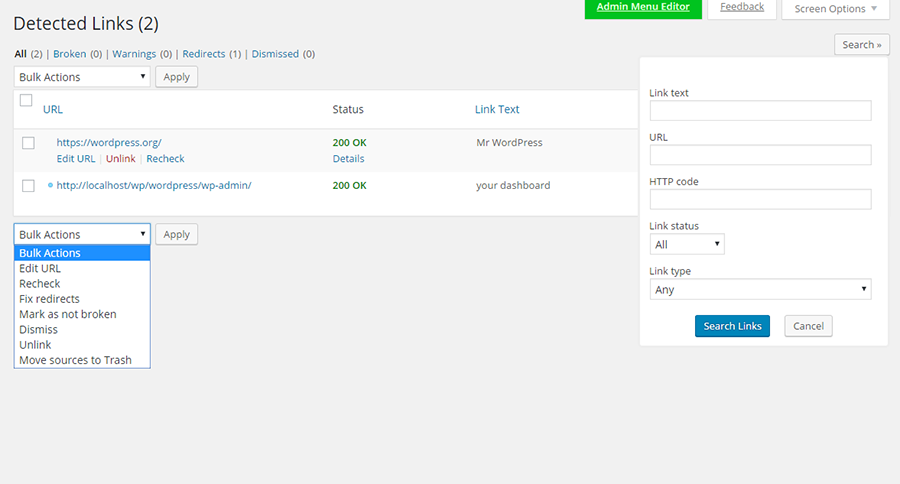
Вы можете увидеть в действии средство проверки неработающих ссылок, открыв средство проверки ссылок в разделе «Настройки». Параметр «Создать настраиваемый фильтр» можно использовать, чтобы сделать видимыми только некоторые ссылки, например, ссылки для определенной категории сообщений. Что вы решите делать со ссылкой, можно решить с помощью опций, которые открываются при наведении курсора на каждую ссылку.
Вы можете изменить URL-адрес, и все экземпляры этого URL-адреса будут исправлены. Вы можете удалить ссылку, при этом текст останется без изменений. Если ссылка в порядке, но отображается как неработающая, вы можете изменить ее вручную. Опция “Закрыть” оставит ссылку неизменной до следующего изменения статуса. Вы можете отключать плагин после каждого использования и повторно активировать его для периодического сканирования, если это необходимо.
Страница 404 от SeedProd
Какой бы ни была тема вашего веб-сайта, вы можете использовать страницу 404 от SeedProd для разработки и настройки своей пользовательской страницы 404. Вы можете полностью заменить страницу 404 своей темы и полностью настроить новую страницу 404. При необходимости вы даже можете использовать HTML5 и CSS3 для настройки.
Фоновое изображение может быть растянуто на весь браузер, а плагин поддерживает несколько сайтов, а также BuddyPress.

В премиум-версии вы можете собирать потенциальных клиентов, нажав на информацию электронной почты. Информация может храниться в вашей базе данных WordPress и быть экспортирована любому поставщику услуг электронной почты. MailChimp, Aweber, Get Response, Constant Contact и Campaign Monitor интегрированы, а также шрифты Google и Typekit.
Встраивайте видео, просто набрав URL, включите Gravity Forms и собирайте информацию о посетителях с помощью этого плагина. Посетители могут продолжить поиск страницы, которую они искали, на вашем веб-сайте.
Стоимость лицензий колеблется от 29 долларов за использование на одном сайте в течение одного года до 199 долларов за неограниченное количество сайтов в течение всей жизни. Покупка сопровождается гарантией возврата денег.
Все 404 перенаправляют на домашнюю страницу
Все 404 Redirect to Homepage будут перенаправлять все ссылки с ошибкой 404 на домашнюю страницу с использованием перенаправления SEO 301 – это перенаправление сообщает посетителю, что страница была перемещена навсегда. Вы также можете перенаправить его на любую настроенную страницу.
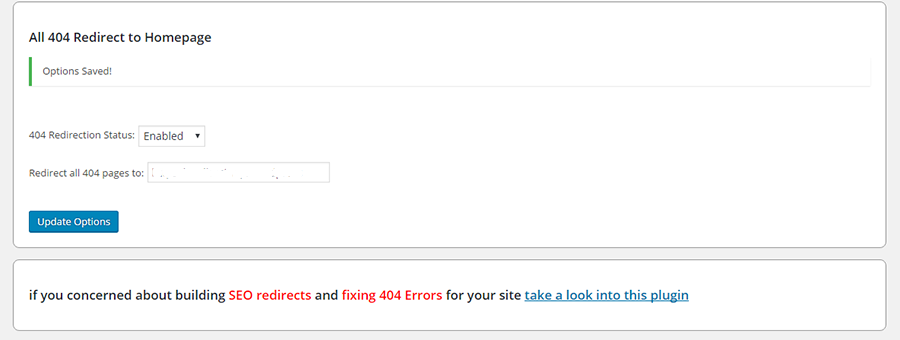
Это простой плагин, в котором вы должны включить статус перенаправления, заполнить URL-адрес страницы, на которую должен быть перенаправлен 404. И как только вы нажмете кнопку обновления, настройки будут сохранены в базе данных.
404–301
С 404 по 301 работает почти так же, как и предыдущий плагин, перенаправляя все ошибки 404 на любую страницу, которую вы установили с помощью перенаправления 301, 304 или 307. Эти числа указывают, была ли страница перемещена временно или навсегда. После установки этого плагина вы обнаружите, что панель инструментов вашего веб-мастера почти всегда будет сообщать об ошибках Nil.
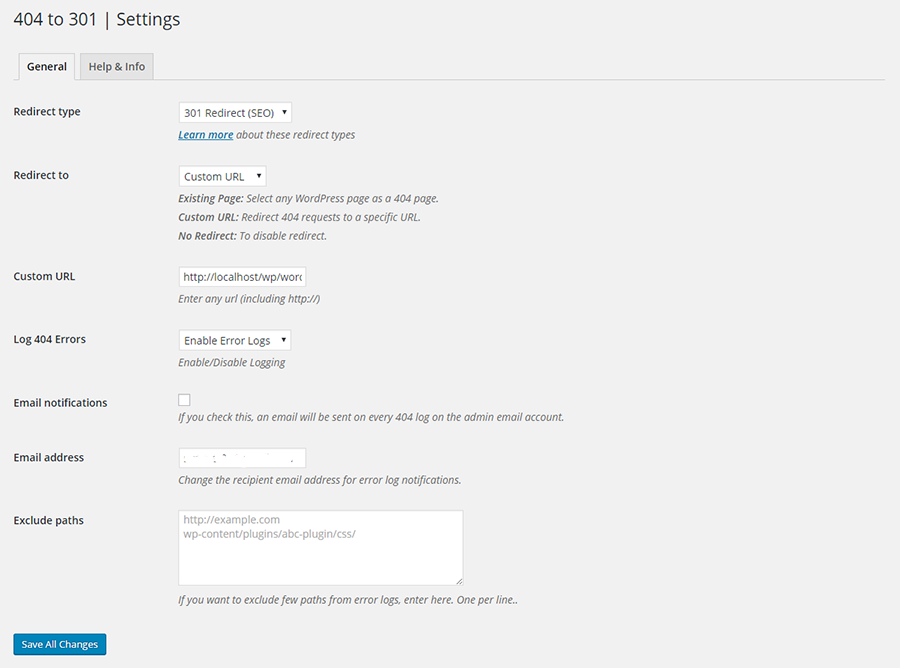
Вы можете выбрать мониторинг ошибок, а также включить уведомления по электронной почте об ошибках 404. Если вы просто хотите отслеживать или вести журнал, вы можете отключить параметр «Перенаправление». Плагин легкий, готов к переводу и совершенно бесплатный, с пожизненными обновлениями. Разработчики и другие пользователи могут получить доступ к плагину на GitHub.
Пользовательский 404 Pro
Вы можете использовать Custom 404 Pro, чтобы заменить стандартную страницу ошибки 404 на настраиваемую страницу, которую вы можете создать в разделе Pages вашей панели администратора. Или вы можете просто указать полный URL-адрес для перенаправления 404.
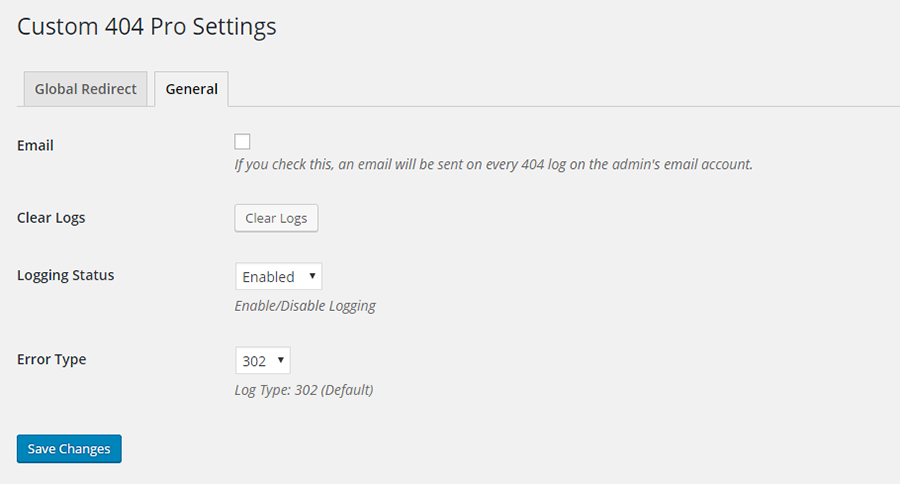
Могут быть записаны данные 404, а также ключевые слова, по которым посетитель попал на страницу 404. Поддержка этого плагина доступна на GitHub.
Регистратор ошибок 404
404 Error Logger – это простой и эффективный плагин, который регистрирует все ошибки, возникающие на вашем сайте WordPress. Имея всю эту информацию, вы можете определить неработающие ссылки и недостающий контент. При желании вы также можете записывать дополнительную информацию, такую как IP-адрес, пользовательские агенты и источники перехода. И вы можете заблокировать IP-адреса, если хотите.
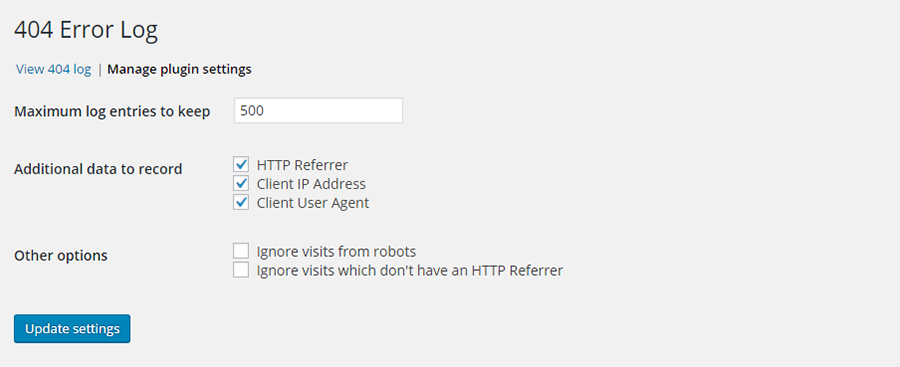
Этот плагин не будет работать, если вы используете плагин кеширования, который кэширует все ошибки 404.
Перенаправление
Перенаправление помогает отслеживать ошибки 404 с помощью перенаправления 301. Это популярный плагин в репозитории WordPress, с более чем 500 000 активных установок. Вы можете перенаправить все URL-адреса, а не только страницы с ошибками. Это особенно полезно, если вы перемещаете свой веб-сайт или меняете каталог, в котором установлен WordPress.
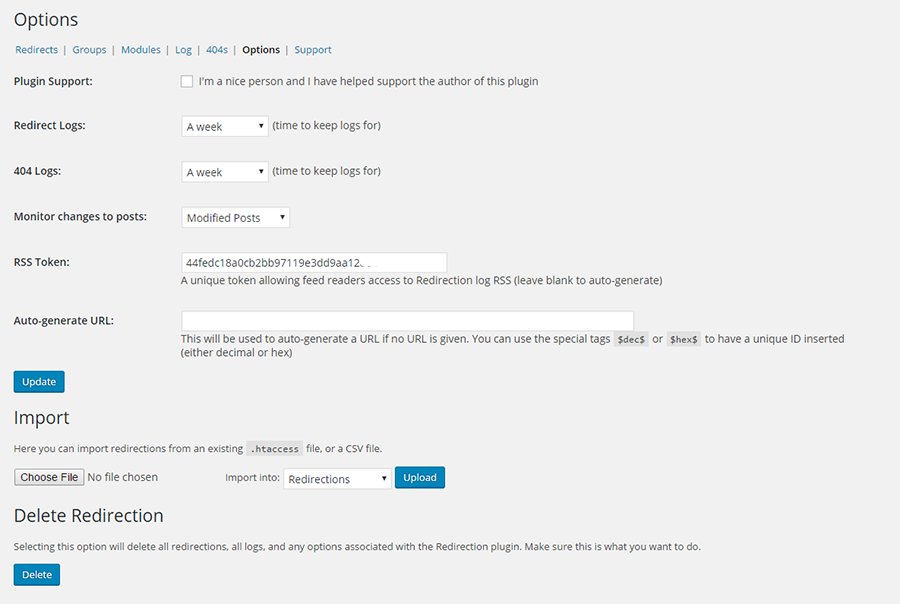
Плагин отслеживает 404 ошибки и ведет полные журналы. Вы также можете настроить его так, чтобы некоторые URL-адреса могли переходить на другую страницу, файл или веб-сайт. Вы можете настроить разные перенаправления в зависимости от статуса входа, перенаправления на случайные страницы или на основе источников перехода.
Плагин автоматически добавит 301 редирект при изменении URL-адреса публикации. Это также можно сделать вручную. Он полностью работает внутри вашего сайта WordPress, и .htaccess не требуется. Из журнала вы можете проверить, кто пытался войти в систему и сколько попыток входа было сделано.
Плагин WordPress Ultimate 404
Плагин WordPress Ultimate 404 дает вам полный контроль над вашими 404 страницами. Он предлагает 4 готовых шаблона, которые вы можете выбрать для отображения в качестве страницы с ошибкой. Шаблоны можно настроить. Также поддерживается стандартный шаблон 404 темы WordPress.

Плагин ведет запись всех событий с ошибкой 404, поэтому вы знаете, какая страница является наиболее посещаемой. При необходимости вы можете добавить URL-адрес перенаправления. Ключевое слово, используемое посетителем для поиска, записывается, давая вам ценную информацию о SEO.
Вы можете приобрести этот плагин на CodeCanyon за 19 долларов. Он поставляется с будущими обновлениями и 6-месячной поддержкой. Поддержка может быть продлена до 12 месяцев за дополнительные 5,70 долларов США.
Google 404
Google 404 – это не совсем плагин WordPress. Это просто расширенный скрипт страницы 404 от Google.
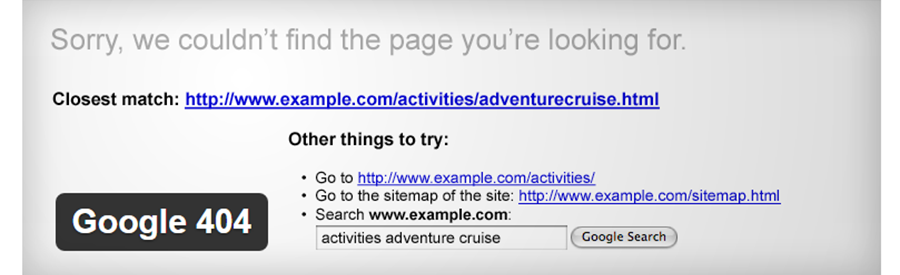
Он встраивает окно поиска на вашу страницу 404, поэтому посетителю предлагается продолжить поиск на вашем веб-сайте. Здесь может быть размещена полезная информация, относящаяся к поисковому слову, используемому посетителем. Или вы можете помочь посетителю найти информацию, которую он ищет.
Чтобы плагин был полностью эффективным, Google требует, чтобы вы отправили XML-карту вашего сайта WordPress и создали учетную запись веб-мастера Google.
404 Стр.
Вы не должны изо всех сил отказываться от страницы 404. Создайте страницу 404 на своем сайте WordPress так же, как вы обычно создаете страницы в WordPress. После этого откройте Настройки на панели инструментов WordPress. Щелкните страницу ошибки 404 и выберите страницу, которую вы только что создали, в качестве страницы ошибки 404. Вот и все.

Плагин не создает редирект. При перенаправлении URL остается в поисковом индексе, и это может повлиять на SEO. Этот плагин обеспечивает доставку правильного кода 404 в поисковые системы. Плагин сильно отличается от других. На сервер запросы не отправляются. Вместо этого используются собственные ресурсы WordPress.
404, чтобы начать
404 to Start обнаруживает ошибку 404 даже раньше, чем это делают поисковые системы. Вы можете установить перенаправление на 301 (постоянно), что является настройкой по умолчанию. Или вы можете установить его на 302, что является временным перенаправлением.
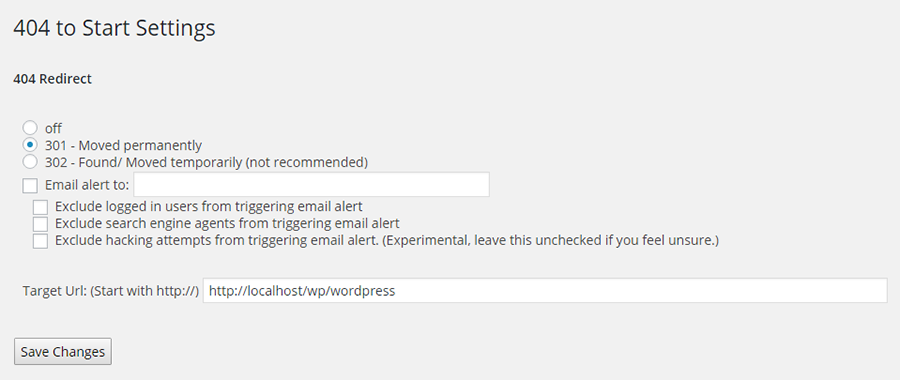
Он перенаправляет все 404 веб-страницы на стартовую страницу или на любую другую страницу, которую вы хотите. Вы можете выбрать вариант получения уведомления по электронной почте. Всякий раз, когда пользователя перенаправляют, вы будете знать, какой браузер он использует и URL-адрес, к которому он пытается получить доступ. Вы можете выбирать из настроек, которые позволяют направлять страницы 404 на любой URL-адрес, который вы выберете – домашнюю страницу или любую другую страницу вашего сайта.
Внутренние ссылки RB
RB Internal Links – полезный плагин для владельцев блогов. С помощью этого плагина они могут ссылаться на сообщения и страницы на своем сайте WordPress с помощью шорткода. Нет необходимости вводить длинный URL-адрес.
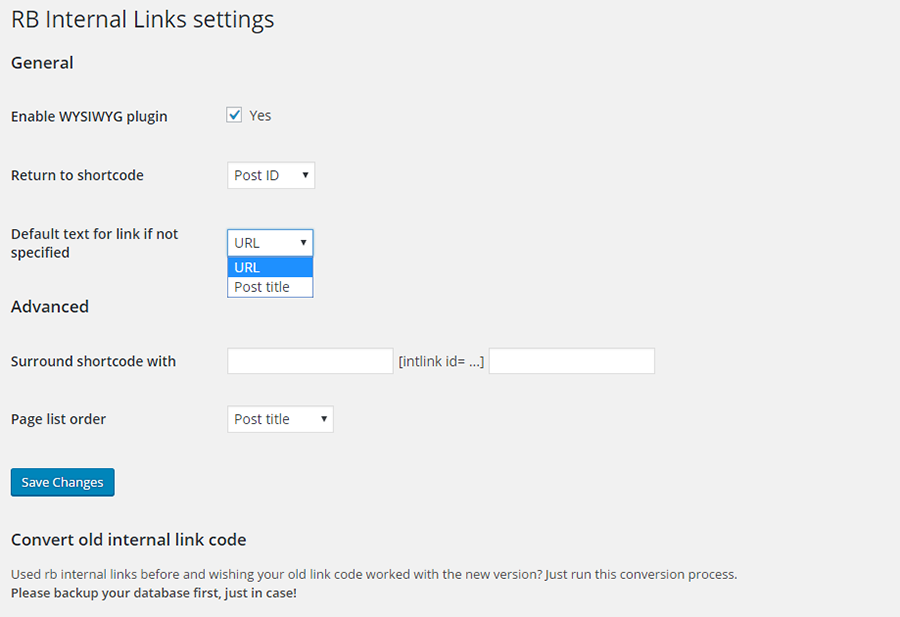
Структура постоянных ссылок на сайте не нарушается, и для создания ссылки для публикации используется шорткод. Затем этот тег вставляется вручную или с помощью плагина wysiwyg. Этот плагин упрощает переход от одной ссылки к другой на веб-сайте. Это также позволит искать сообщения по категориям.
Плагин быстрого перенаправления сообщений на страницу
Плагин Quick Page Post Redirect выполняет свою работу по двум направлениям. Один из них – это метод быстрого перенаправления, при котором вам просто нужно ввести URL-адрес запроса и URL-адрес назначения. Затем плагин будет перенаправлять в соответствии с указанными вами URL-адресами.
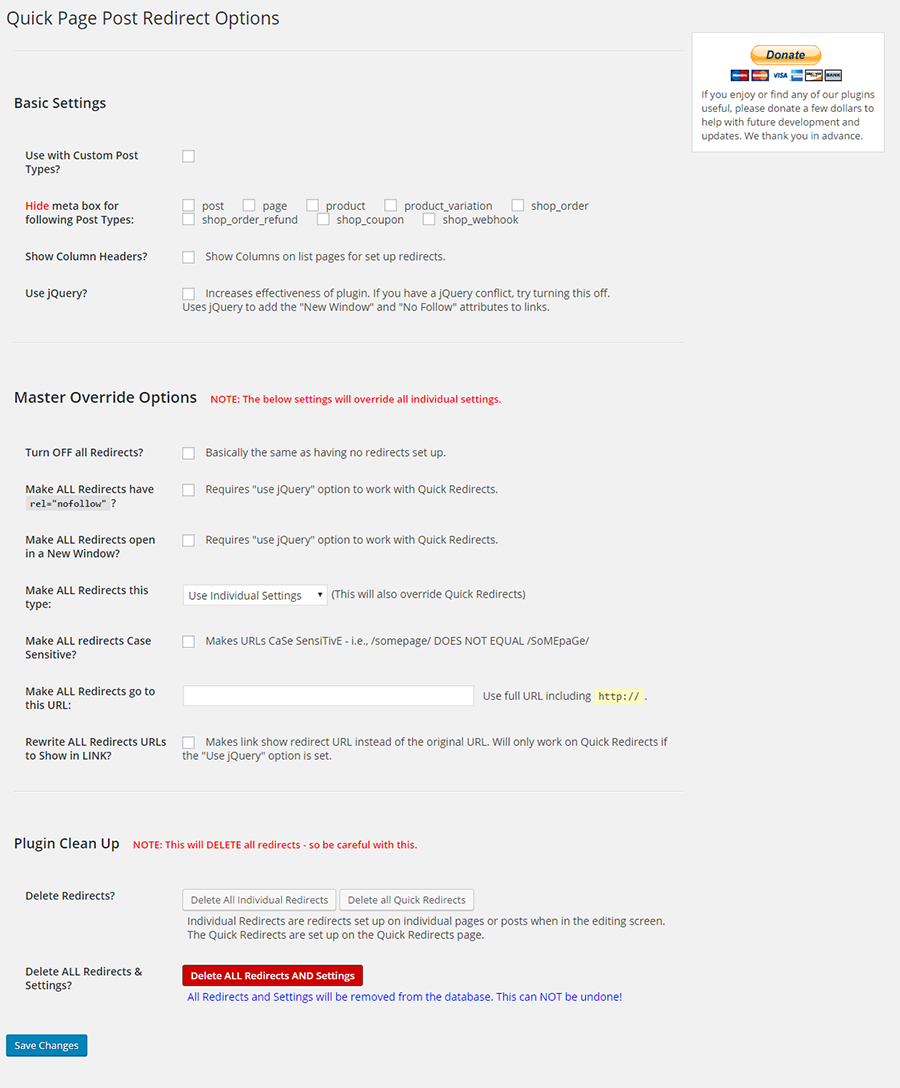
Ни создавать страницу, ни иметь существующую страницу не требуется. Этот плагин очень пригодится, когда вам нужно исправить опечатки, которые произошли при создании страницы, или когда вы хотите перенаправить старые URL-адреса на новые URL-адреса. Вы также найдете это отличным помощником при перемещении веб-сайта.
Для существующей страницы или сообщений на экран редактирования добавляется мета-поле опций, где вы можете ввести новый URL-адрес. Это хорошо работает для пунктов меню и повторяющихся сообщений. Также лучше всего работать в структуре постоянных ссылок WordPress.
Плагин перенаправления SEO
При построении SEO Перенаправление плагин, авторы сосредоточились на сохранении его простым для пользователей всех уровней, и вы можете увидеть это в том, как плагин работает. Расширенная панель управления поможет вам контролировать все, что может делать плагин.
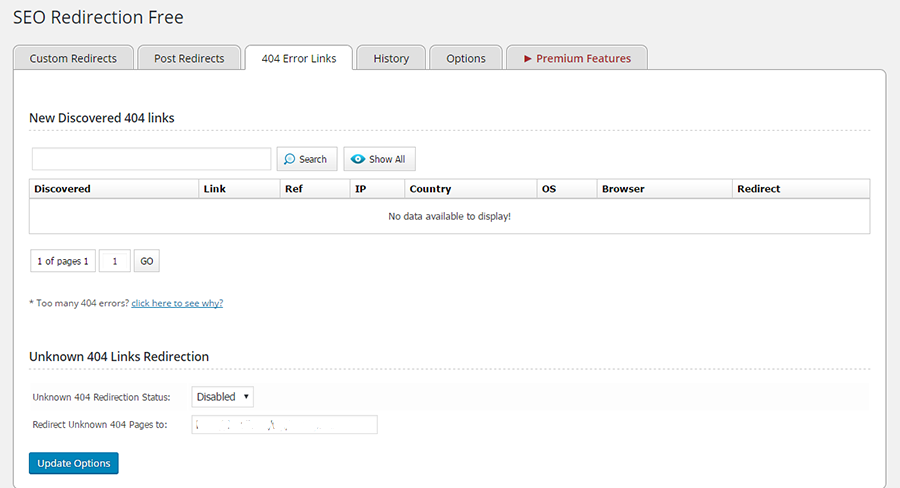
Вы можете отслеживать страницы с ошибками 404 и перенаправлять их все одним щелчком мыши. Возможно перенаправление 301, 302 или 307, равно как и перенаправление по шаблону. Все содержимое папки можно перенаправить, изменив настройки папки на вкладке перенаправления. Можно вести историю перенаправлений.
Чтобы перенаправить любое сообщение, вы можете заполнить полный URL-адрес и папку назначения и нажать «Добавить». Или вы можете отредактировать целевой URL в публикации или на странице редактирования и нажать «Сохранить». Плагин также пригодится при смене доменного имени или перемещении сайта. Обратите внимание, что этот плагин не поддерживает установку с несколькими сайтами.
Менеджер безопасного перенаправления
Safe Redirect Manager – эффективный плагин для обработки ошибок 404 при установке с несколькими сайтами. Вы можете перенаправить на новые URL-адреса, используя коды состояния HTTP, которые вы создаете.
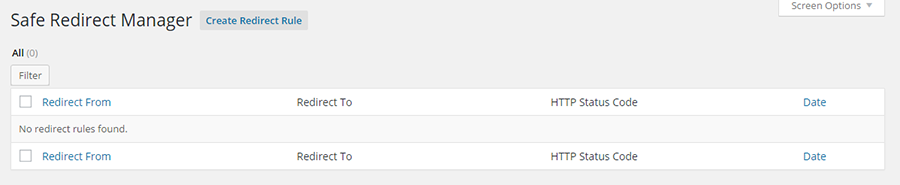
Он позволяет перенаправление только на хосты из белого списка с помощью функции wp_safe_redirect.
в заключение
Важно проявлять инициативу и, насколько это возможно, уберечь свой сайт от ошибок 404. В вашем списке дел по обслуживанию WordPress вы можете:
- Запланируйте проверку журналов статистики вашего сайта, чтобы найти отчеты об ошибках 404.
- Регулярно проверяйте внутренние и внешние ссылки. Небольшие сайты могут проводить проверку один раз в месяц, большие – раз в неделю.
- Частота проверки будет зависеть от содержания веб-сайта, а не посетителей. Сайты с тяжелым содержанием должны проверять чаще.
С таким количеством доступных качественных плагинов у вас нет причин не поддерживать свои ссылки в отличном состоянии. Попробуйте их и держите свой веб-сайт в отличном состоянии.
Источник записи: https://www.wpexplorer.com
There are many reasons why a 404 page is generated on your website. This includes content being removed, a permalink structure being changed, or a link to the page being incorrect.
Whatever the reason, 404 error pages can reduce your website traffic since visitors are presented with an error page instead of the page they wanted.
WordPress does do its best to help with 404 errors by guessing the correct URL when it can. If you have made a minor change to your permalink URL structure, this functionality can direct users to the correct location. For example, from www.kevinmuldoon.com/hello to www.kevinmuldoon.com/hello-world.

Image by Andrew Martin from Pixabay
There are a number of WordPress plugins on the market that can help you detect 404 errors and increase your website traffic. Many of these solutions allow you to redirect users to the correct URL or redirect all visitors to a specified page such as your home page.
In this article I would like to share with you what I consider to be the best free 404 error solutions on the market. I normally test WordPress plugins on my test WordPress website, but given the nature of 404 error plugins, I tested all plugins mentioned in this article on KevinMuldoon.com. This allowed me to see how the plugins work on a live website.
I hope you find this article useful.
A Word of Warning
Many 404 error WordPress plugins save redirections in a .htaccess file.
Htaccess is a useful configuration tool that website owners can use for security, URL redirections, and more.
Unfortunately, things can easily go wrong when you modify the htaccess file. Even having one semi-colon or backslash in the wrong position can take your whole website down.
Don’t panic. You can quickly restore your website by deleting any htaccess file that contains errors.
You should however be vigilant when you are setting up URL redirections manually and check that the URLs you are entering are 100% correct 
1. 404 Solution
A great WordPress plugin for 404 error pages is 404 Solution. I first came across this WordPress plugin a few months ago when doing research for my aThemes article “How to Find and Fix Broken Links in WordPress“.
404 Solution will not only detect 404 pages, it will also automatically redirect users to the correct URL whenever it can.
The plugin is 100% free to use and by enabling it on your website you can greatly reduce your bounce rate.
You can download 404 Solution from WordPress.org or from the plugin page in your WordPress admin area.
Once installed, you will see a new page for 404 Solution in your main settings area.
The page is divided into six sections: Page Redirects, Captured 404 URLs, Logs, Stats, Tools and Options.
The page redirects section shows all the posts, pages, and other custom post types, that have been redirected. It shows the URL that has been redirected, whether the URL was automatically redirected by the plugin or whether it was a manual redirect, the post type, and the destination of the redirection.
For each listing it also shows you the type of redirection (e.g. 301), the number of visits it has received, its creation date, and the last time a visitor has used the redirection.
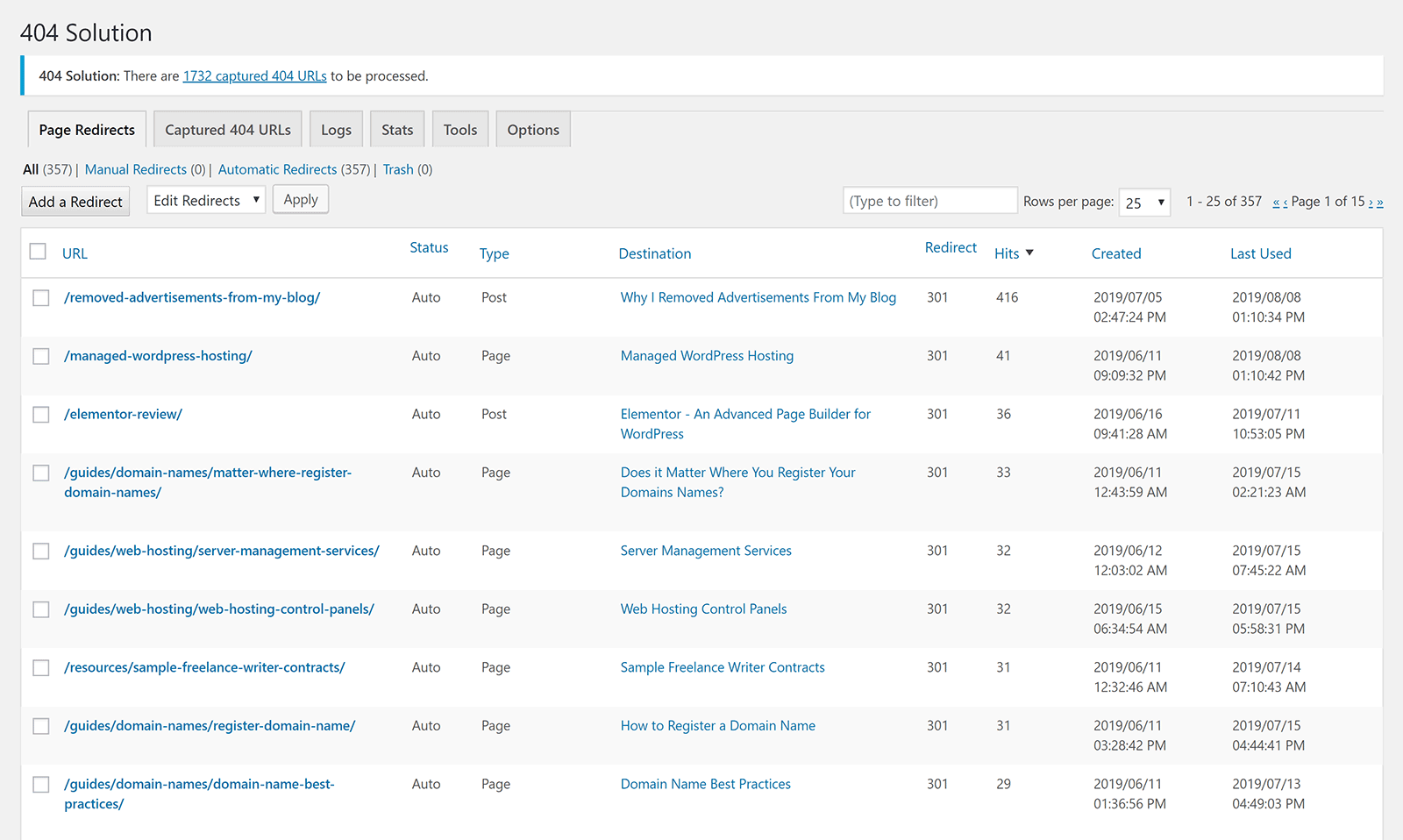
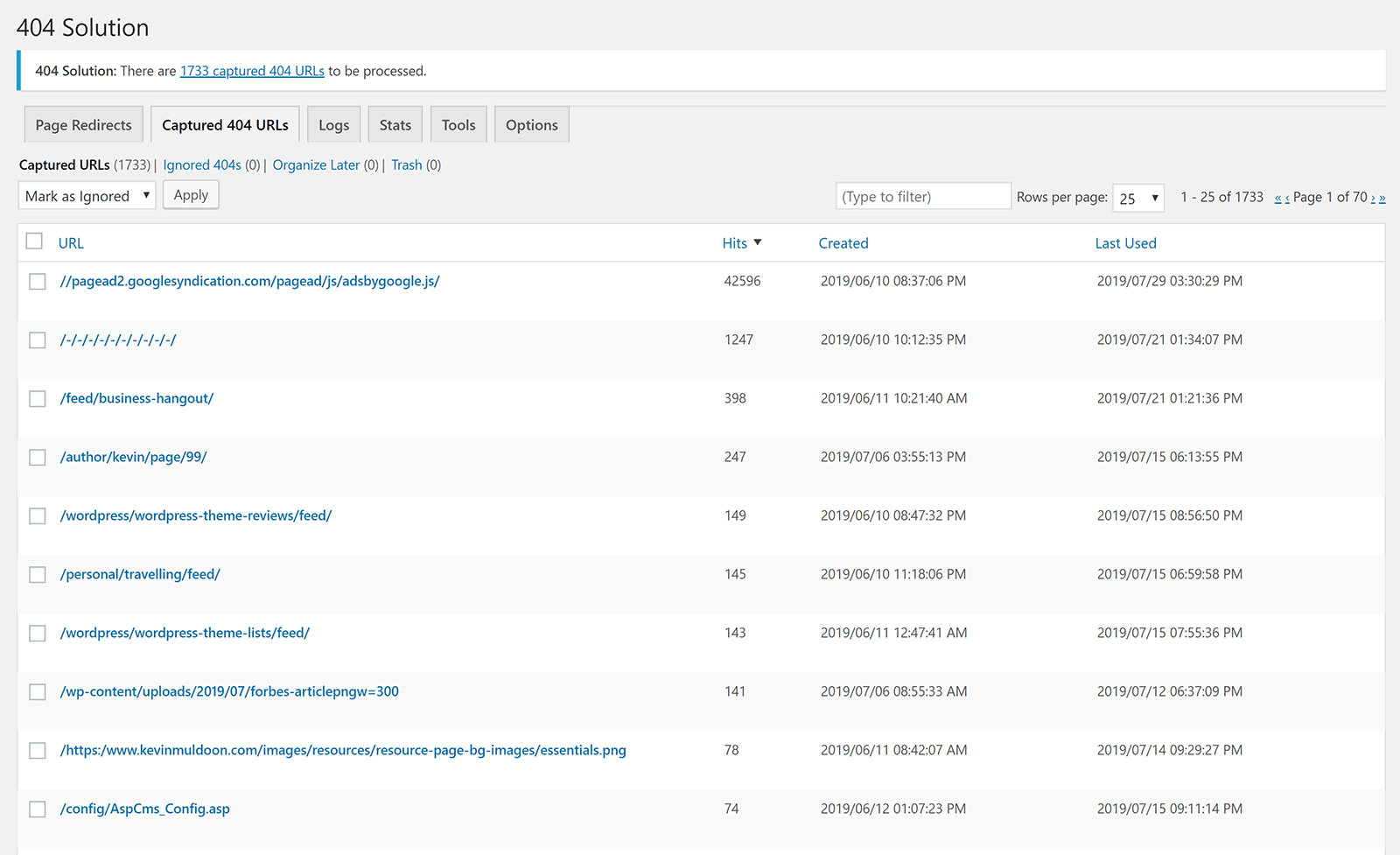
You may have noticed that in the screenshots above and below there is a message that states “404 Solution: There are 1733 captured 404 URLs to be processed”.
In the Q & A section of 404 Solution on WordPress.org, the developer explains captured 404 URLs:
This is nothing to be worried about. It means people tried to access pages on your website that don’t exist. You can either change the settings on the options page so that you’re no longer notified about it (Options -> General Settings -> Admin notification level), or you can go to the “Captured 404 URLs” page and do something with them (either ignore them or specify which existing page they should redirect to).
In other words, captured 404 URLs refer to 404 errors that have not been automatically redirected. 404 Solution is great at finding the correct page for a 404 error and automatically redirecting people to that page, so most listings in the captured 404 errors refer to links that are just no longer valid.
For example, if you delete a page entirely, it will be listed here if someone visits the URL. Likewise, this page will also show deleted images, out of date feed URLs, and anything else that is no longer active.
By default, the total number of captured 404 URLs is displayed at the top of every page, however I later disabled this message as I can see this information myself when I visit the captured 404 URLs page directly.
If you click on any listing on the page redirect or captured 404 url page, you will see information about the error and its redirection. For captured 404 URLs, there is no destination set, so you will need to define this yourself.
You can choose to redirect links using a 301 permanent redirect or a 302 temporary redirect.
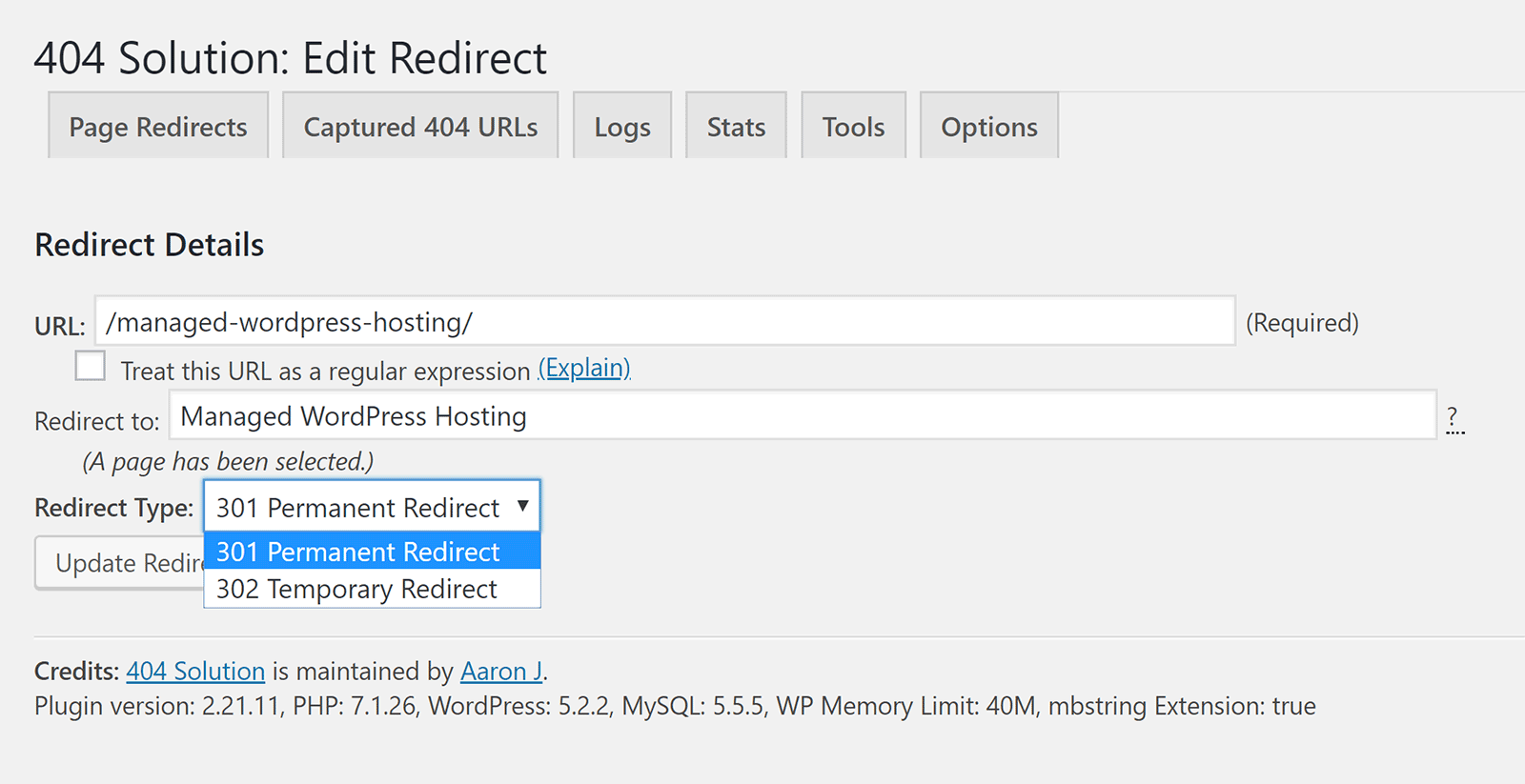
What I love about 404 Solution is that it does the hard work for you. It resolves issues with permalink changes (i.e. URL changes) by automatically redirecting users to the correct URL. For other URLs, it will advise you of the issue and let you decide where visitors should go.
Since the number of hits (visits) to each URL is shown, you can quickly determine which links need to be addressed first. As you would imagine, incorrect links which are getting hundreds of visits should be addressed before links which only have one or two.
In addition to editing what happens to URLs, you can also delete the listing and check logs.
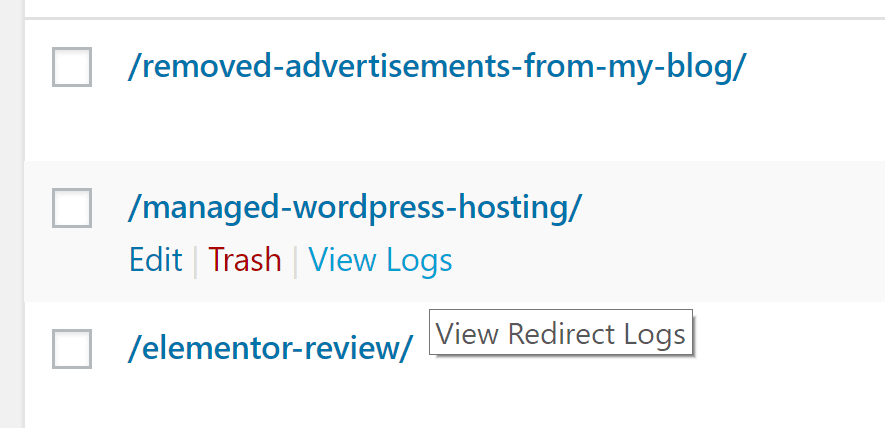
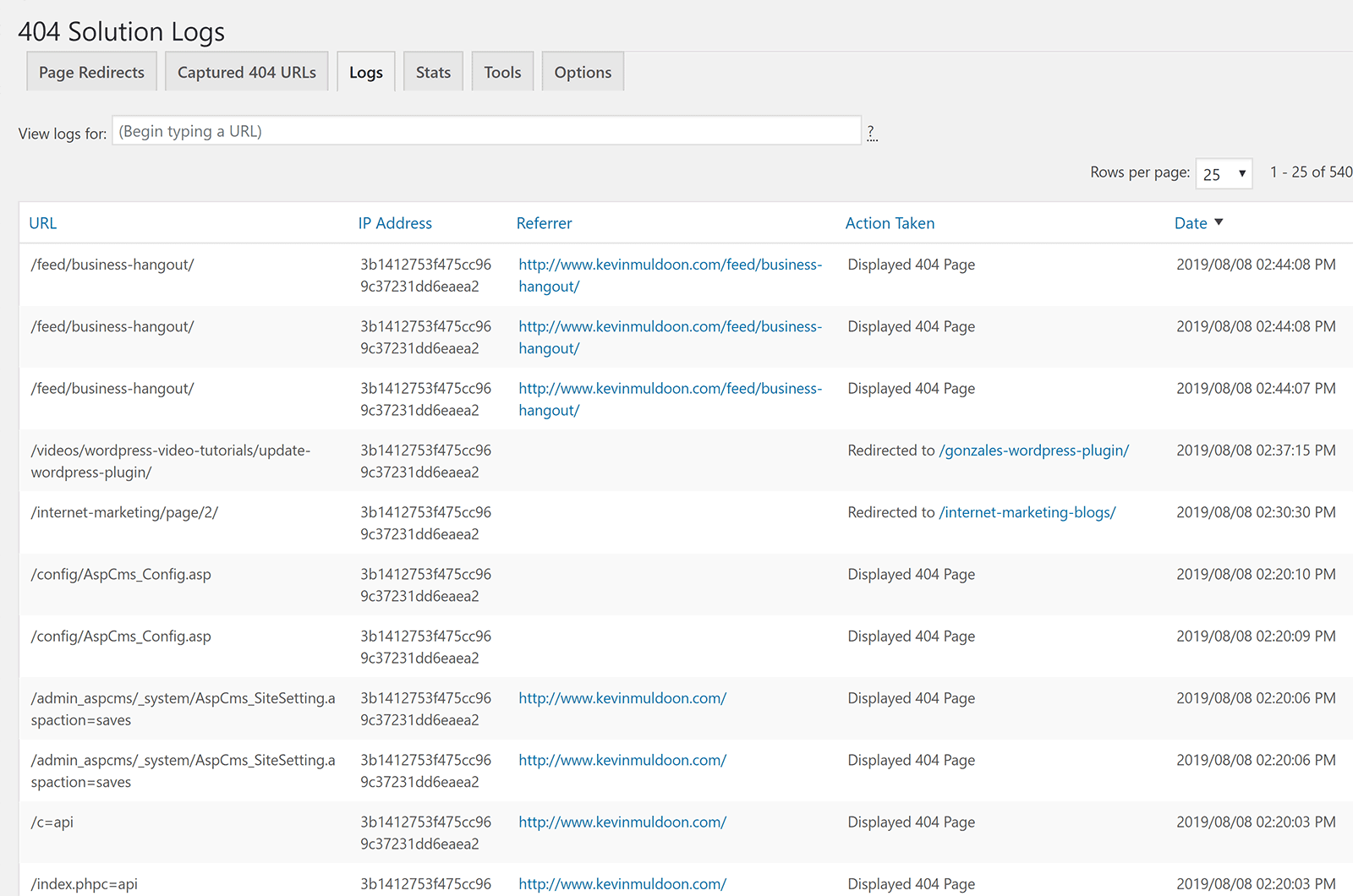
If you check logs for a particular URL, it will show you full log details about everyone who visited the URL. If you visit the logs page directly, you will see logs for all your links.
This is a useful page for seeing the latest 404 pages that have been generated.
The stats area gives a clearer picture of how bad the 404 error issue is on your website.
The page shows stats for today, this month, this year, and for all time. It also shows the total number of redirects and captured URLs.
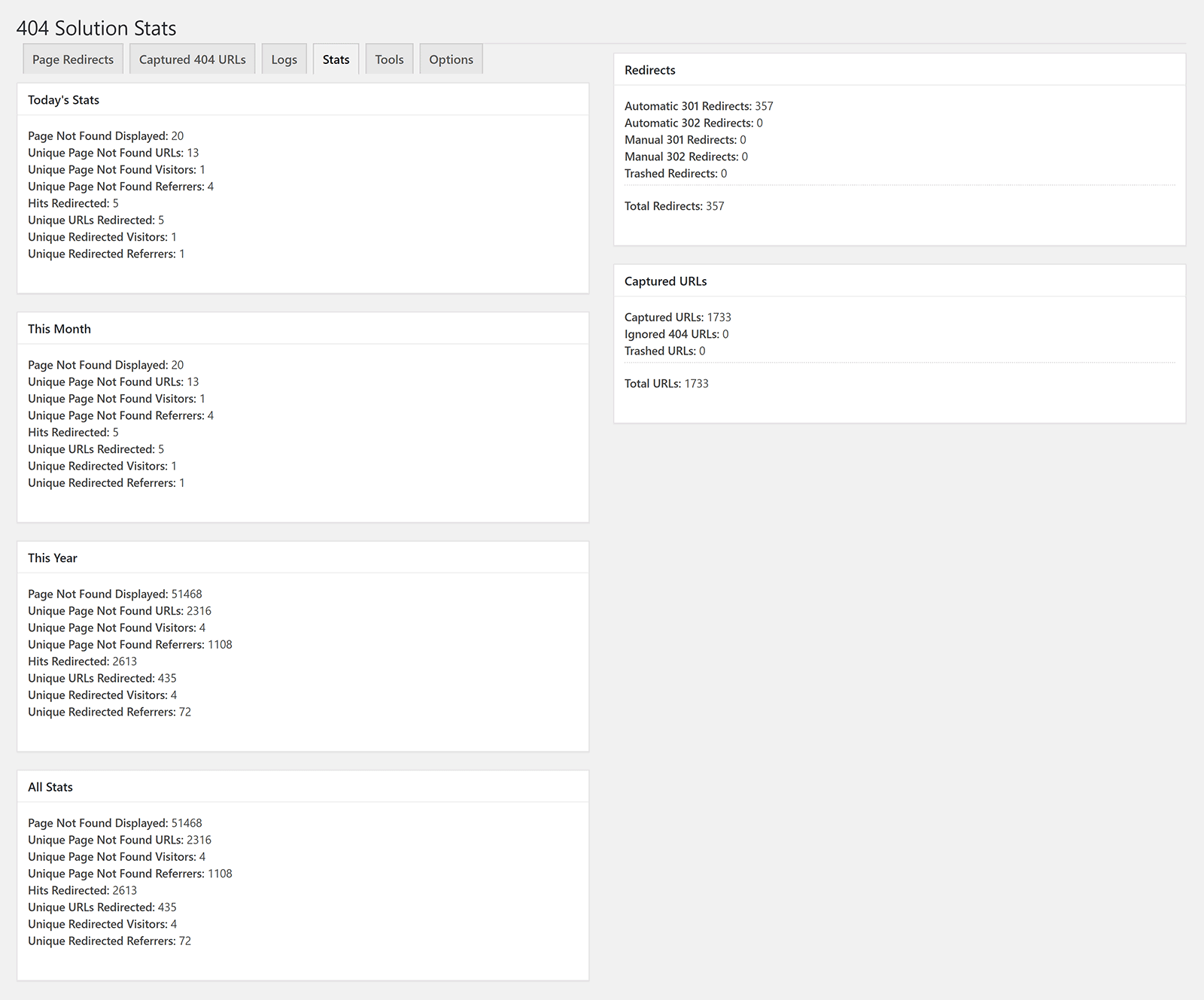
The logs and stats page will aid you in your goal of reducing 404 page errors.
The tools section can be used to purge redirects; which is particularly useful if you are uninstalling 404 Solution.
There is also an option to “Run Maintenance”, but since this is ran once a day automatically, it is unlikely you will have to use this.
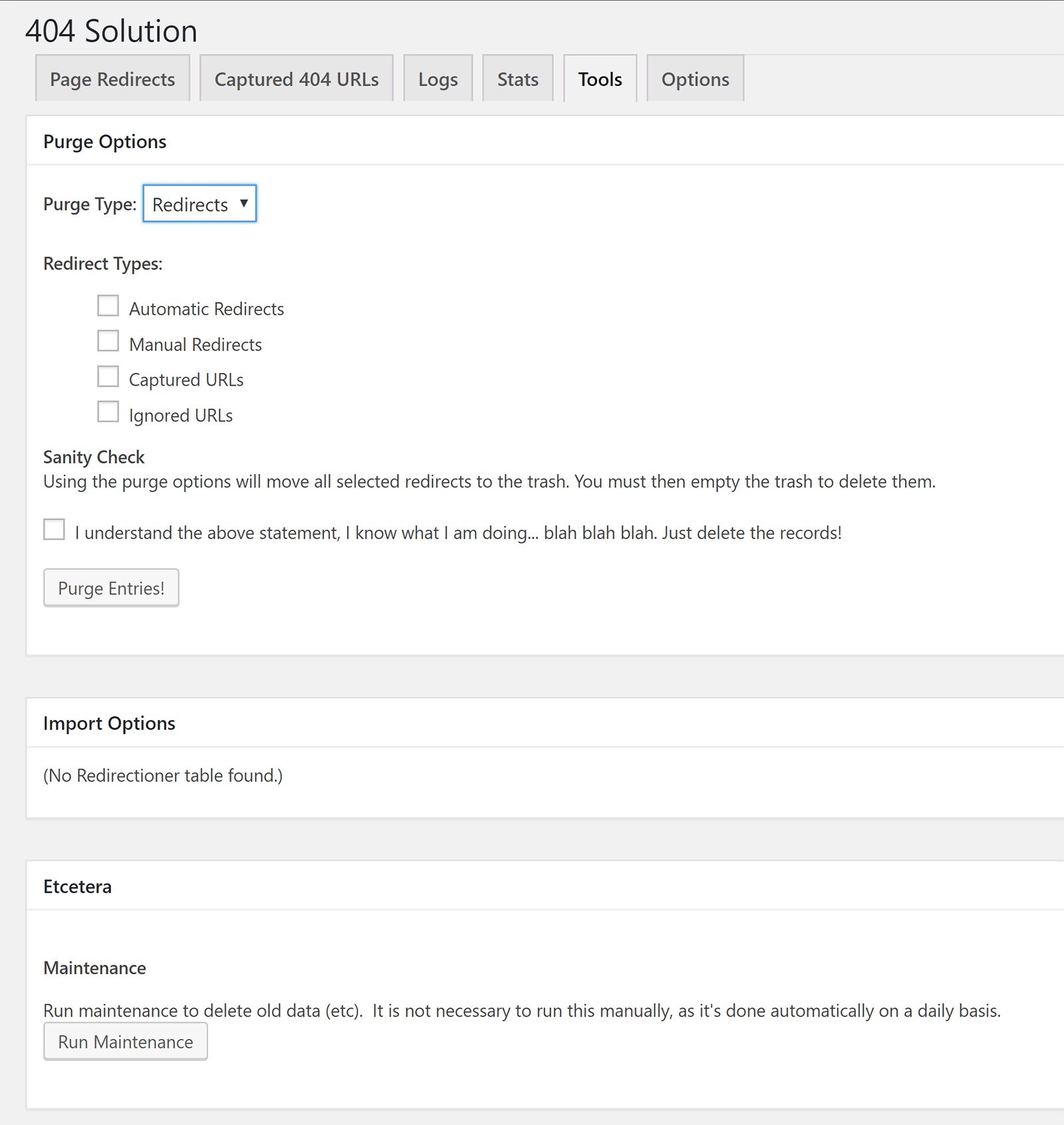
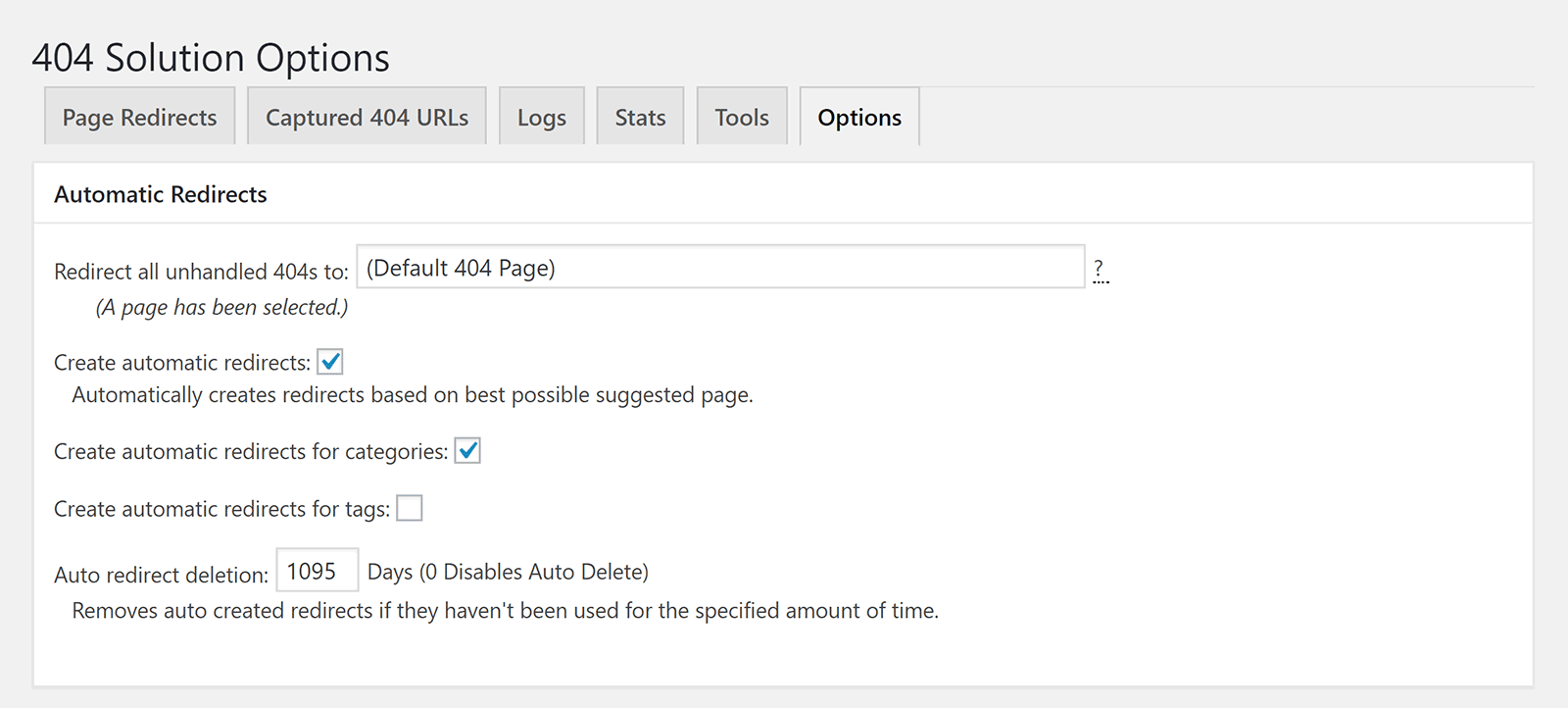
There’s a ton of options in the main options section.
The first part handles automatic redirects.
Automatic redirects are enabled by default, but you can disable them if you wish. You can also delete redirects after a set period of time if no one has clicked on them.
Captured 404 URLs, which the plugin also calls unhandled 404s, are redirected to your website’s 404 page by default; however you can change this. For example, if you wish, you could send people to your home page instead of your 404 page.
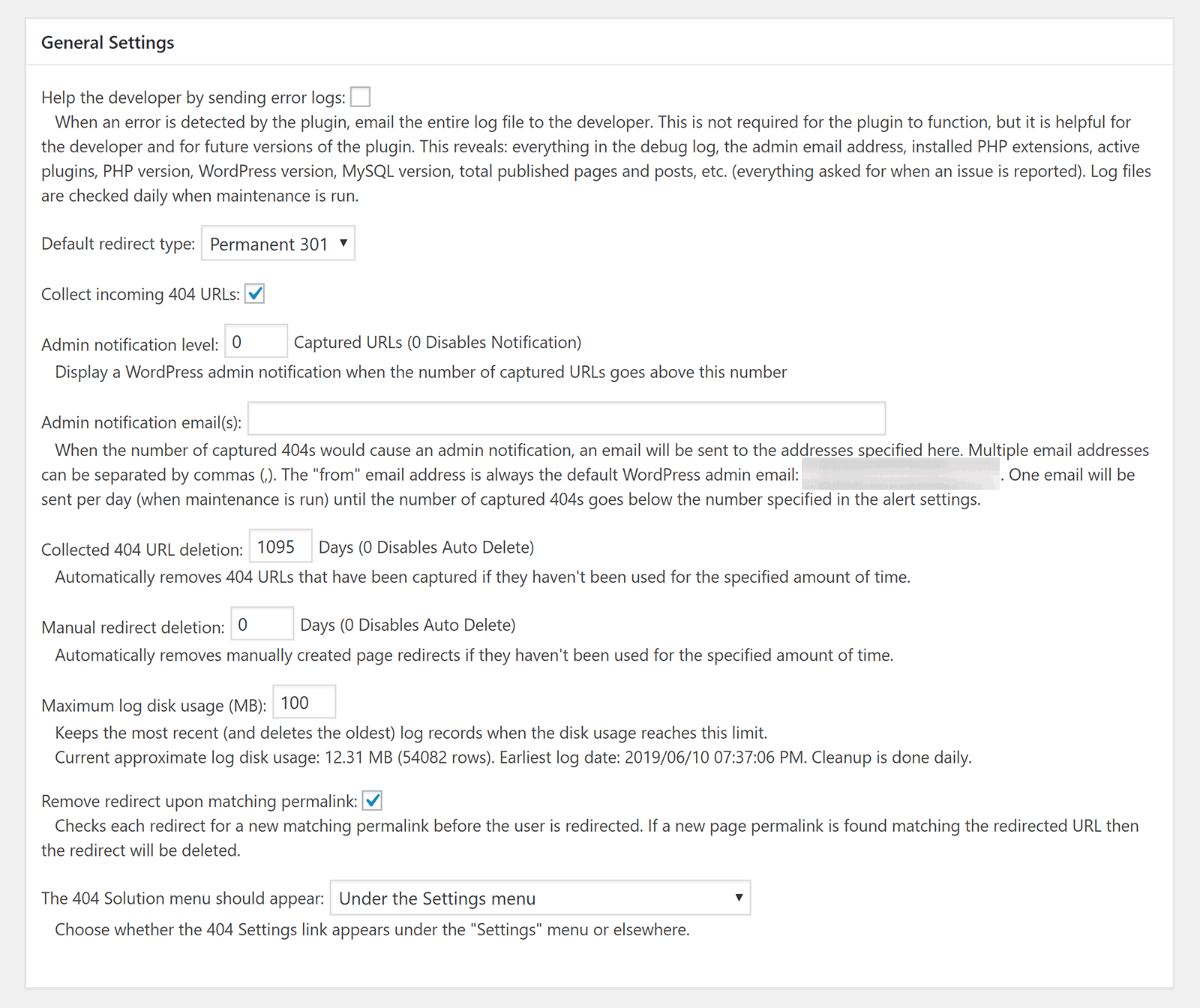
In the general settings area you can set the default redirection type as 301 or 302 and whether incoming 404 URLs are collected.
You can also be notified of new 404s by email and there is an option to move the 404 Solution page to your main menu.
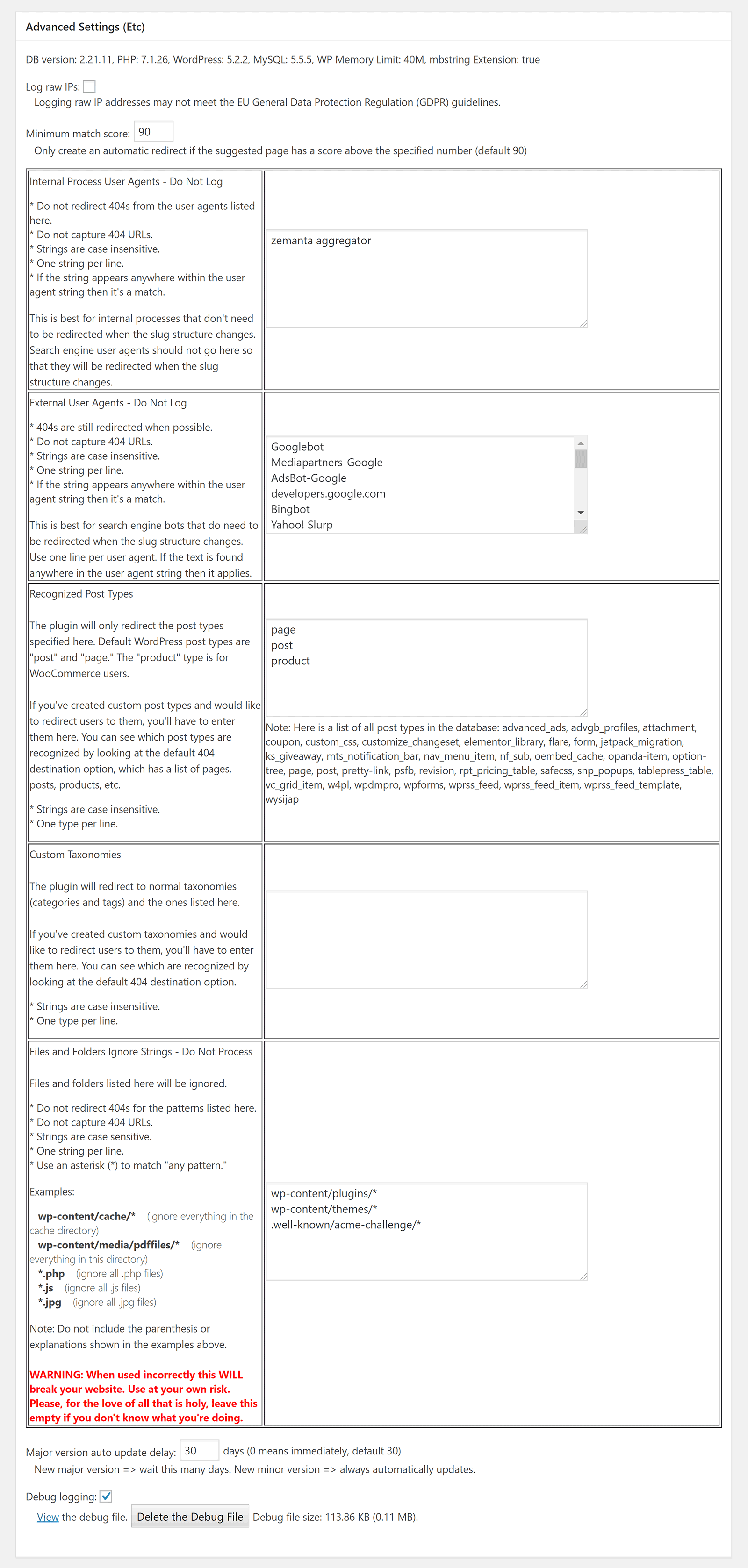
In the advanced settings area you can choose to track raw IP addresses, which external user agents are not logged, and which custom post types are recognised.
Files and folders can also be ignored by the plugin’s scans.
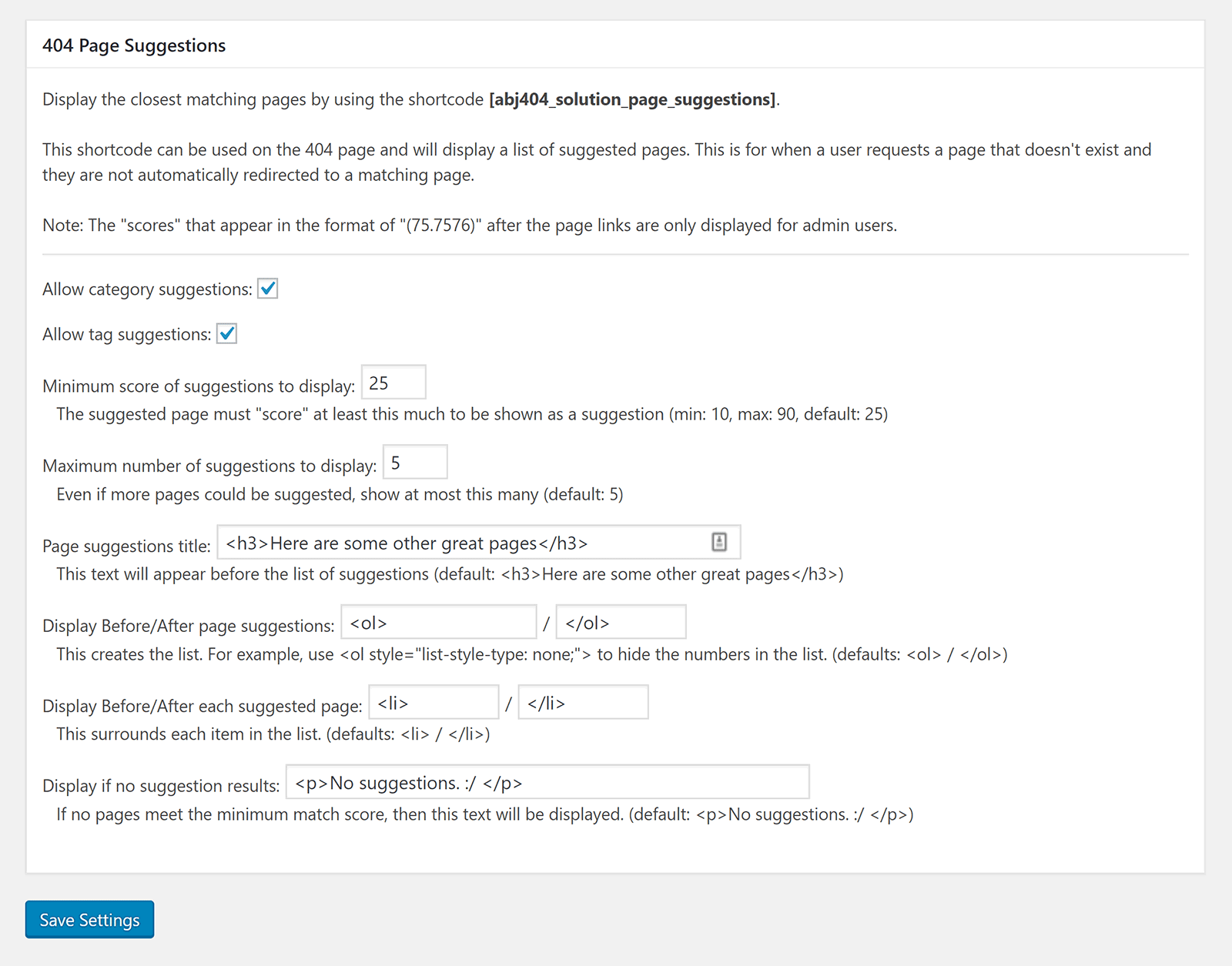
404 Solution also provides a shortcut for displaying suggestions on your 404 page. This is a useful way of enhancing your 404 error page and increasing the odds that a visitor will remain on your website.
404 Solution is one of the best 404 redirect WordPress plugins on the market. It is easy to use, but is highly customisable too.
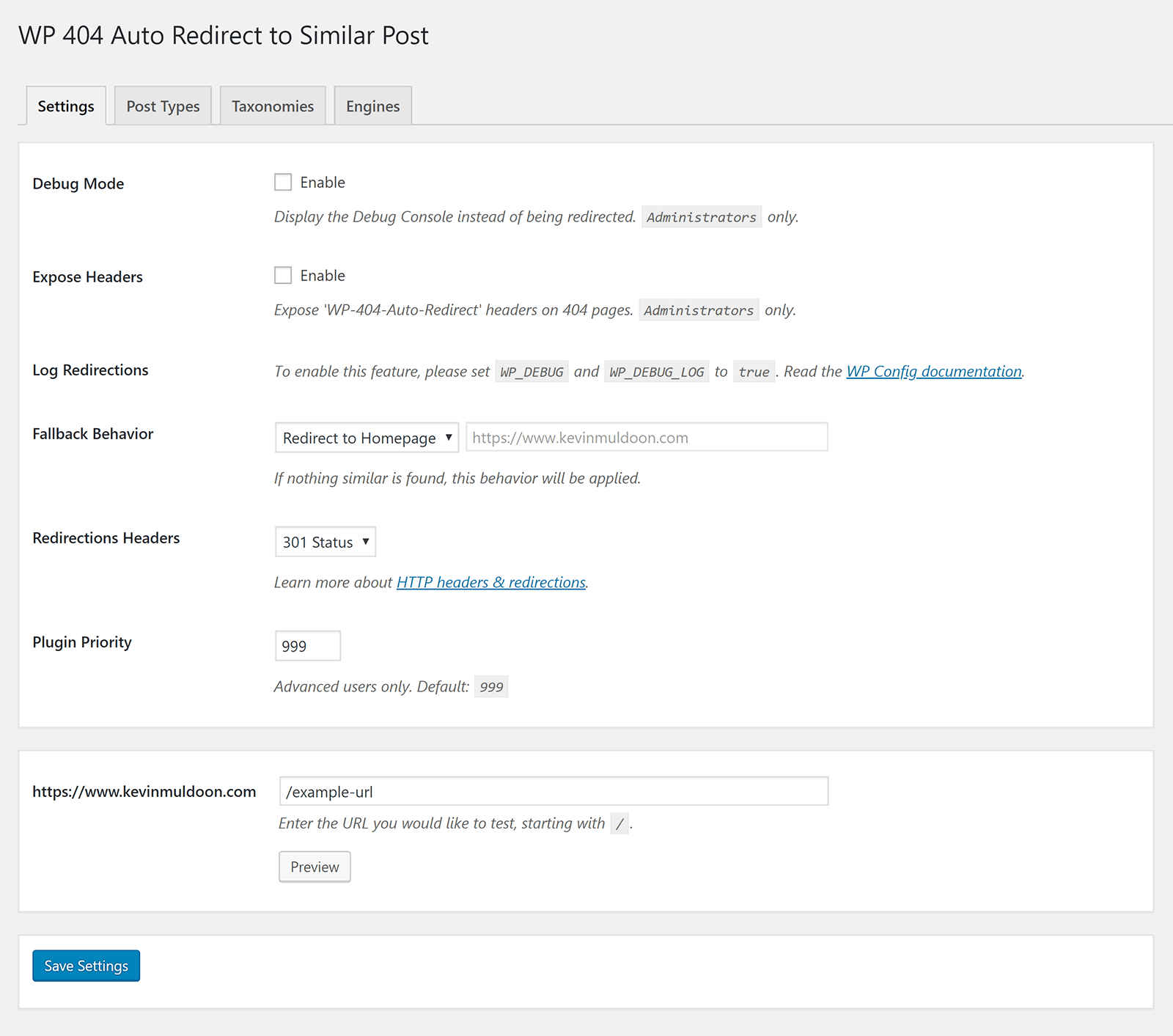
As soon as the plugin is activated, it will redirect users to the correct URLs. If the plugin does not find a suitable page to redirect visitors, you can send people to your 404 error page, your home page, a page on your website, or even an external URL.
Unfortunately, I have not been able to continue using the plugin on KevinMuldoon.com. It works perfectly on my test WordPress website and on one of my other WordPress websites, but on this website the plugin clashes with another plugin I have installed and prevents me from saving post drafts and installing new plugins.
I spoke to the developer Aaron J about this issue. Aaron was kind of enough to spend time troubleshooting the issue for me, however he was unable to recreate the error on his side. Therefore, for the time being at least, I will need to use another 404 redirection solution.
Despite my problem with the plugin, 404 Solution remains one of the most advanced 404 WordPress plugins on the market and one which I can highly recommend to others.
2. WP 404 Auto Redirect to Similar Post
Like 404 Solution, WP 404 Auto Redirect to Similar Post can automatically redirect visitors to the correct page.
If no similar page is found, you can send visitors to your home page, your 404 error page, or a custom URL. URLs can be redirected using a 301 or 302 redirection.
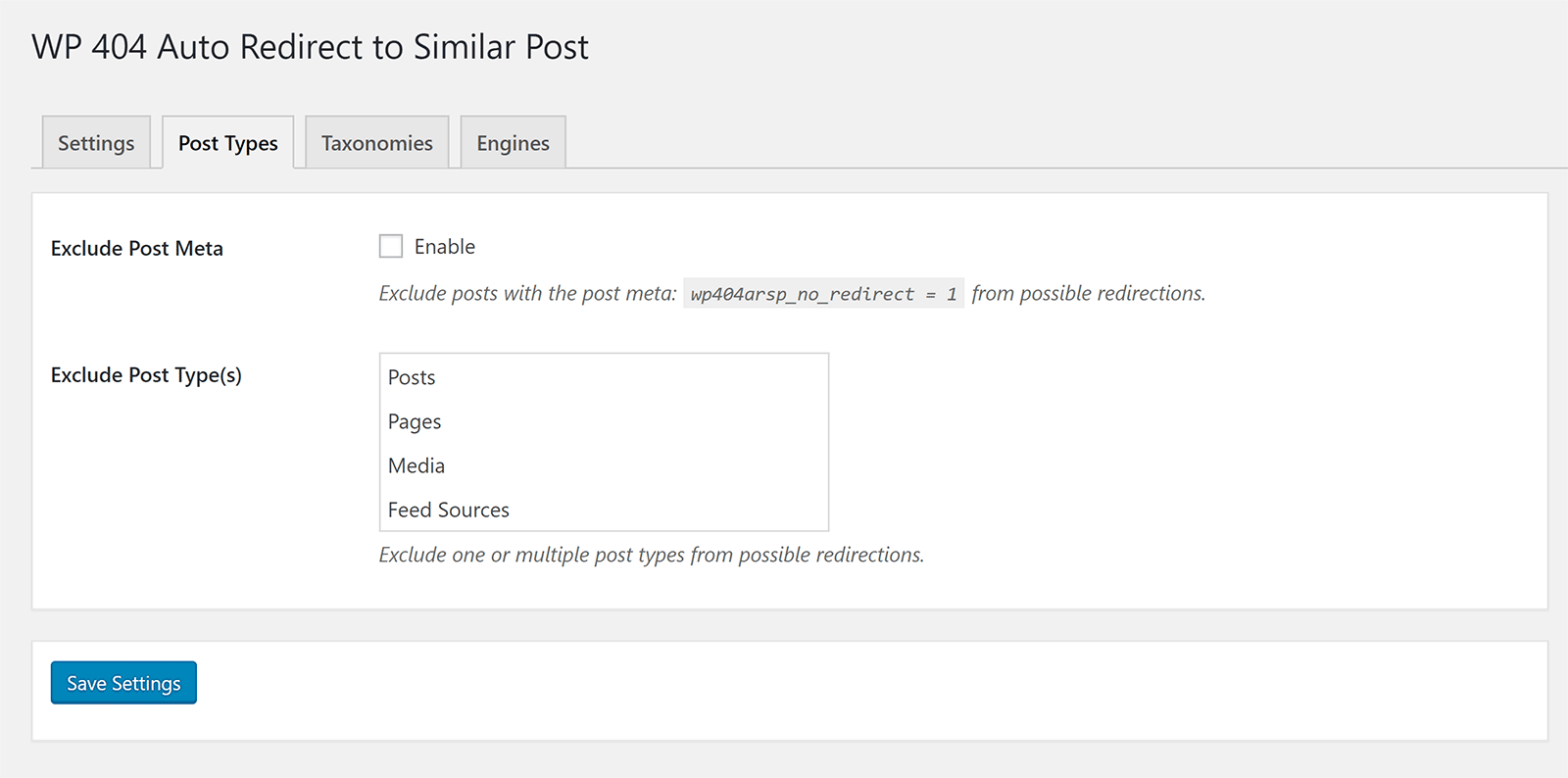
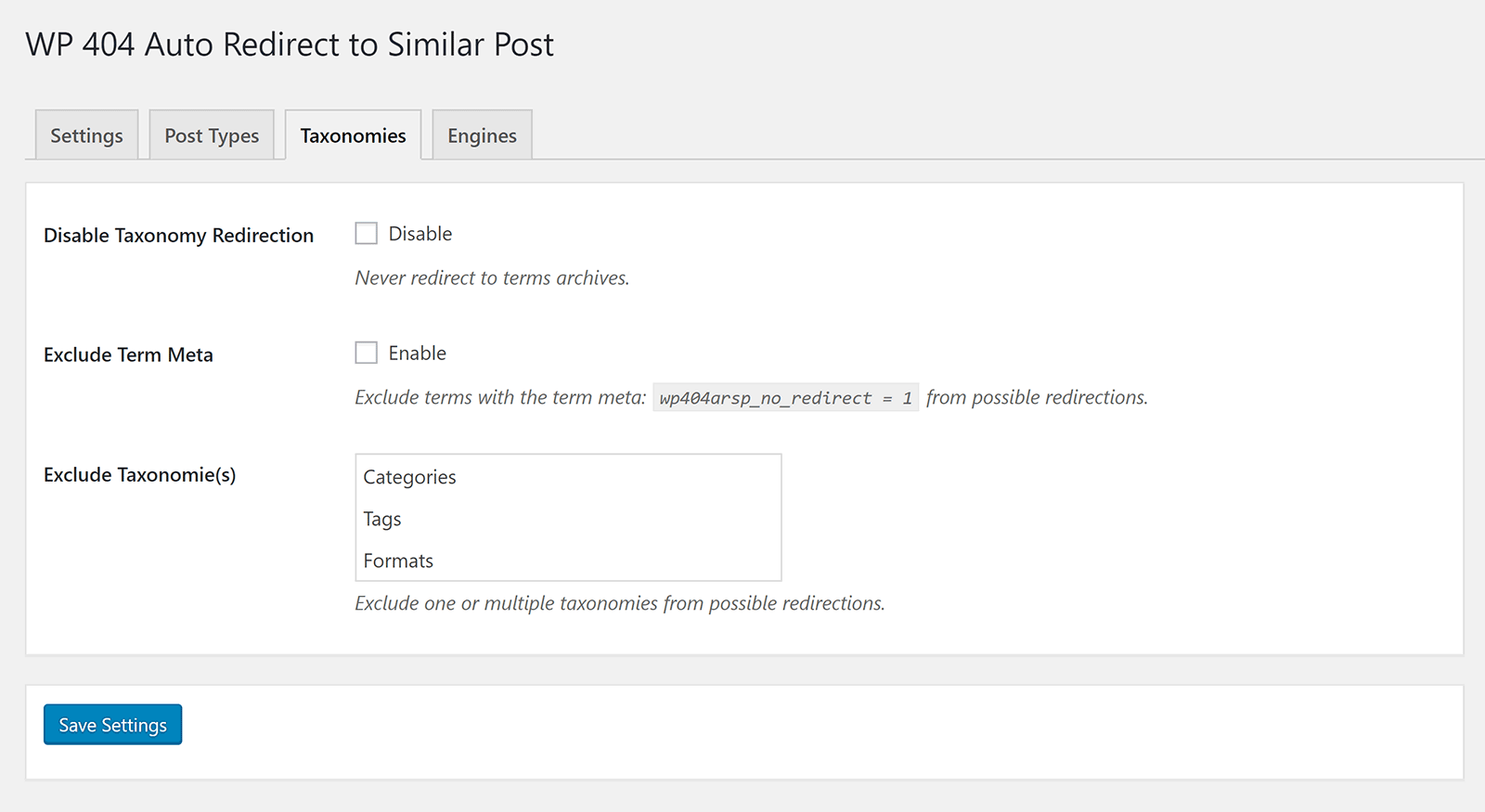
Posts can be excluded from redirection by adding a meta tag to the page.
You can also exclude specific post types from being redirected.
Taxonomies, such as categories and tags, can be excluded from redirection too.
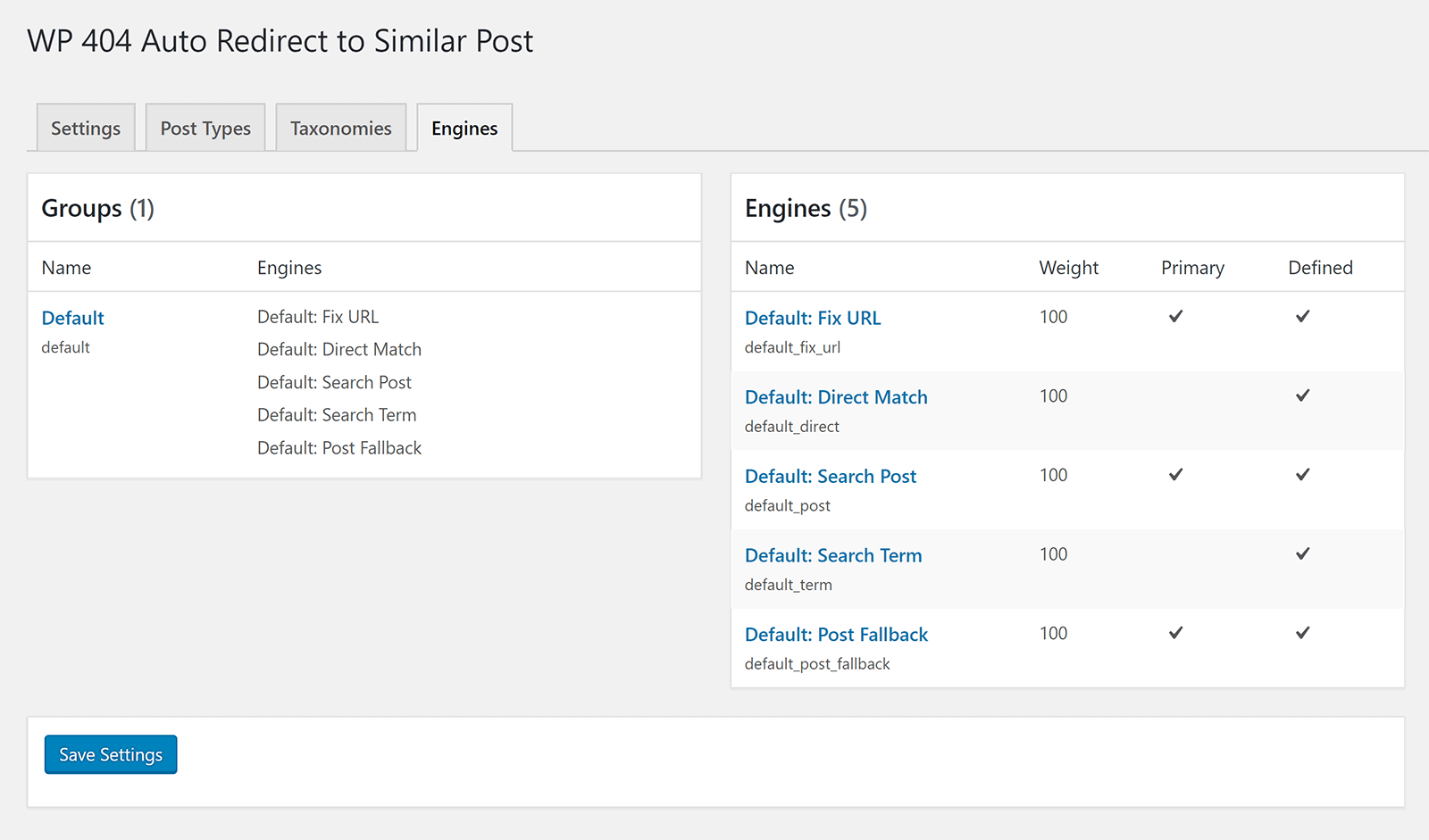
Out of the box the plugin features five engines.
One is to find and fix common URL mistakes, anothers searches for a post with matcking keyboards. There are also engines searching a post, searching a term, and a fallback for post searches.
WP 404 Auto Redirect to Similar Post offers similar functionality to 404 Solution, but does not let you modify individual links. Nor any logs or stats provided.
If you want to know exactly which URLs are generated 404 errors, 404 Solution is undoubtedly the better option as it gives you full control over every 404 error on your website.
If, however, you don’t have time to check URLs and just want your redirect solution to work, WP 404 Auto Redirect to Similar Post is worth checking out.
3. 404 to 301 – Redirect, Log and Notify 404 Errors
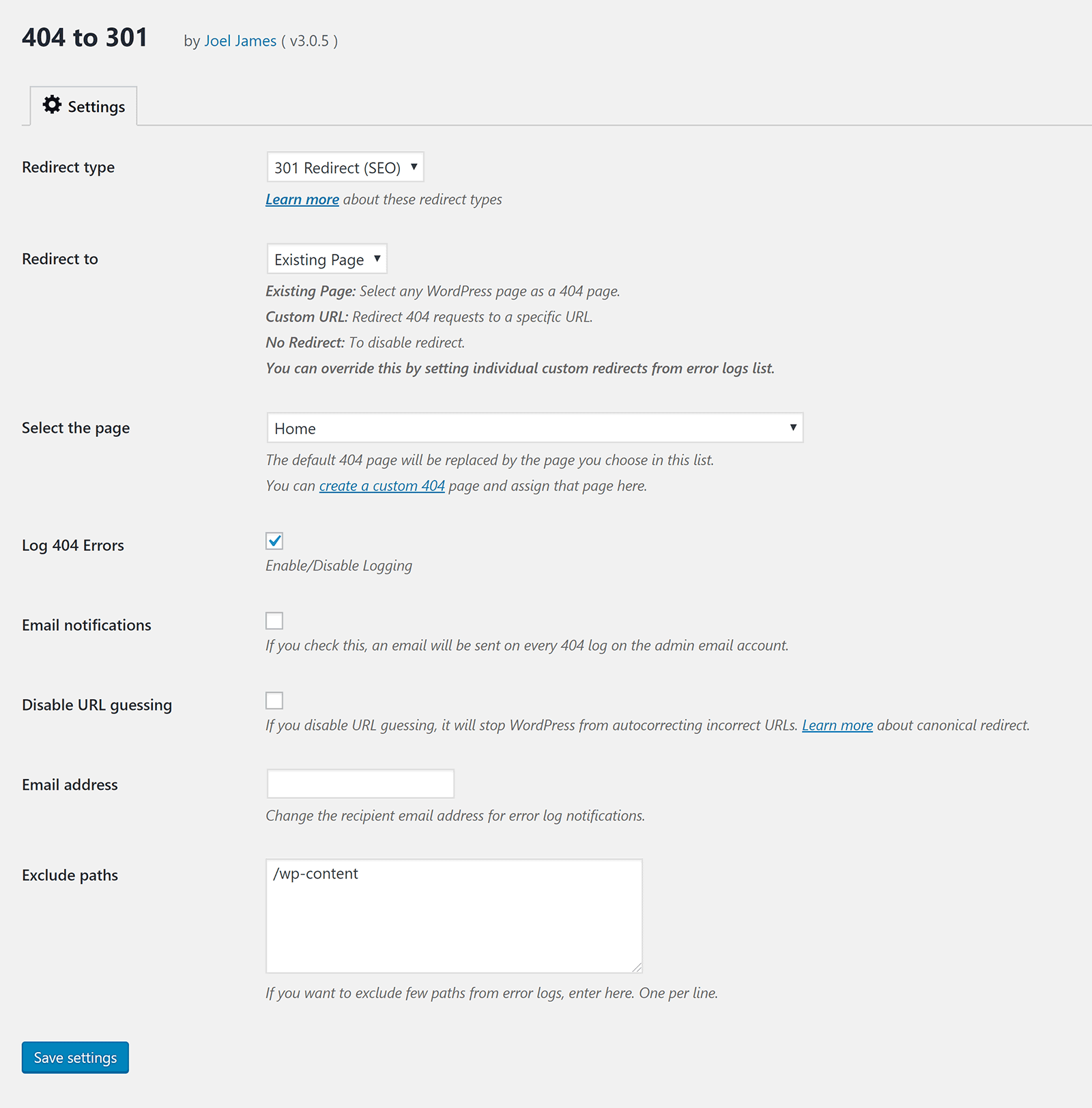
404 to 301 – Redirect, Log and Notify 404 Errors is a useful 404 redirection solution that displays a log of 404 errors on your website.
It allows you to set the URL which 404 error pages are redirected to. The plugin will also attempt to redirect visitors to the correct URL. I tried the wrong URL for a few pages on my website and it correctly sent me to the right page.
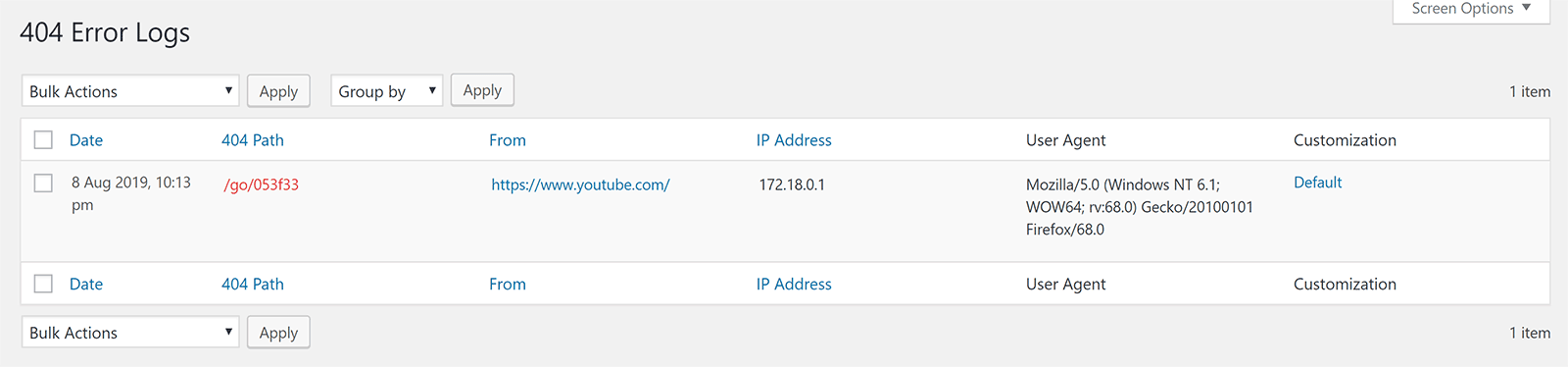
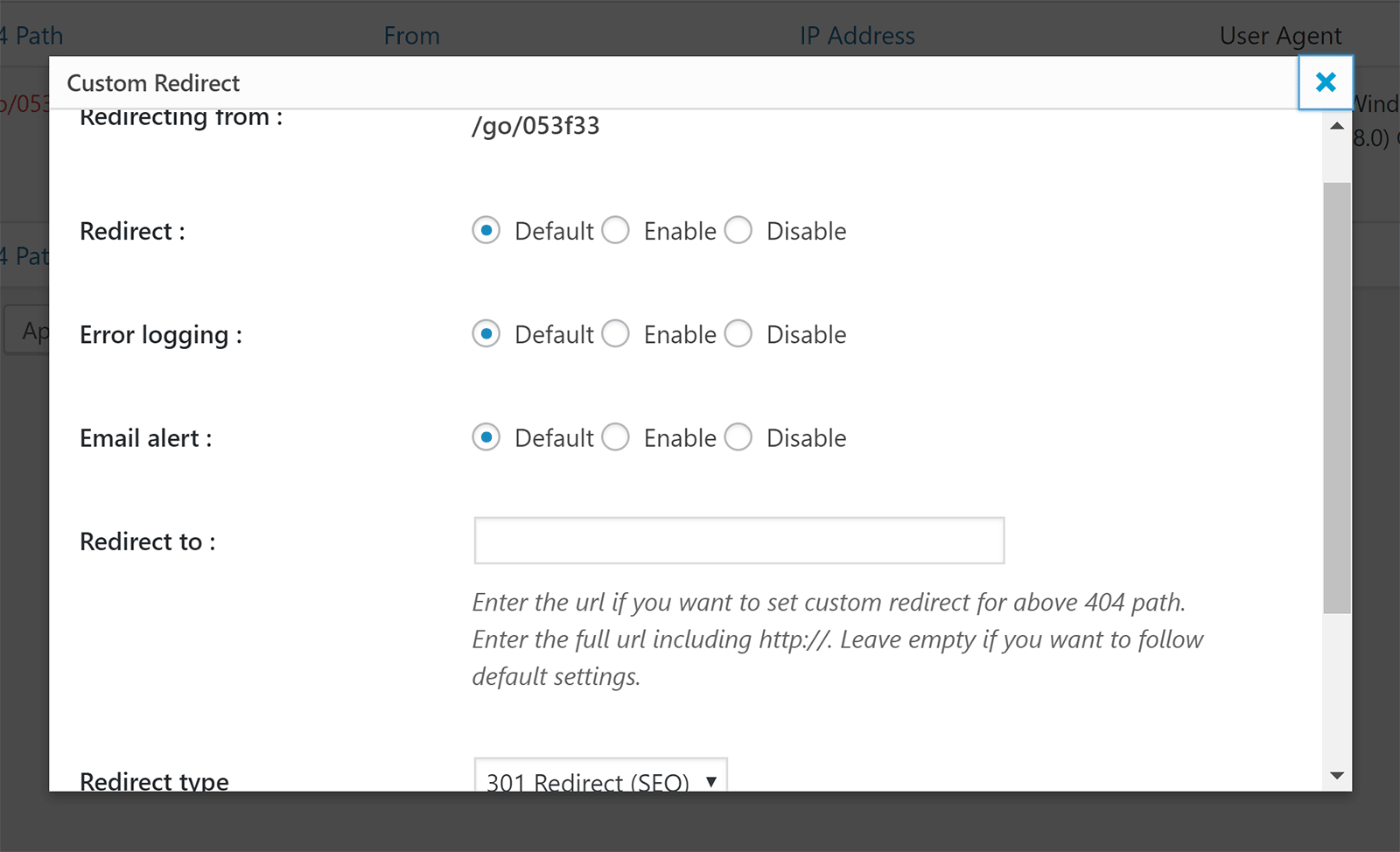
Each 404 error can be manually adjusted.
You can enable and disable redirects, error logging, and email alerts. You can also define the URL to redirect users too and state whether a 301, 302, or 307 redirect is used.
Default settings can be set in the main plugin settings page.
404 error pages can be redirected to an existing page on your website or a custom URL. You can also disable URL redirection.
Email notifications are be sent to you whenever a new 404 error is found. If this is not enabled, you can just things manually in the error log page.
The developers of 404 to 301 sell an addon for the plugin called Log Manager. Retailing from $19.99, the addon improves the email notification system.
By default, 404 to 301 will send an email whenever a 404 error is found. In practice, this can be impractical as you could recieve dozens of emails every day.
What the log manager addon does is allow you to get email summaries which show summaries of 404 errors. You can choose hourly, daily, every two days, twice a week, or every week.
The addon also allows you to clear your logs automatically after a few days. This will help reduce how much space the plugin uses in your database.

404 to 301 – Redirect, Log and Notify 404 Errors worked well for me. It will automatically redirect visitors to the right page if it finds a page with the same keywords. The plugin also allows you to customise each link and change its behaviour.
It does not have the same number of customisation options as 404 Solution, however their log manager addon is appealing as it means you can get a summary of 404 errors without having to login and check them manually.
4. Redirection
With over one million installations, Redirection is undoubtedly one of the most popular 404 error and redirection WordPress plugins on the market.
Redirection can be used to create complex URL redirections and track 404 errors. Thankfully, there is an extensive support area that shows you how to set everything up and the plugin’s developer John Godley gives great support to users on WordPress.org.
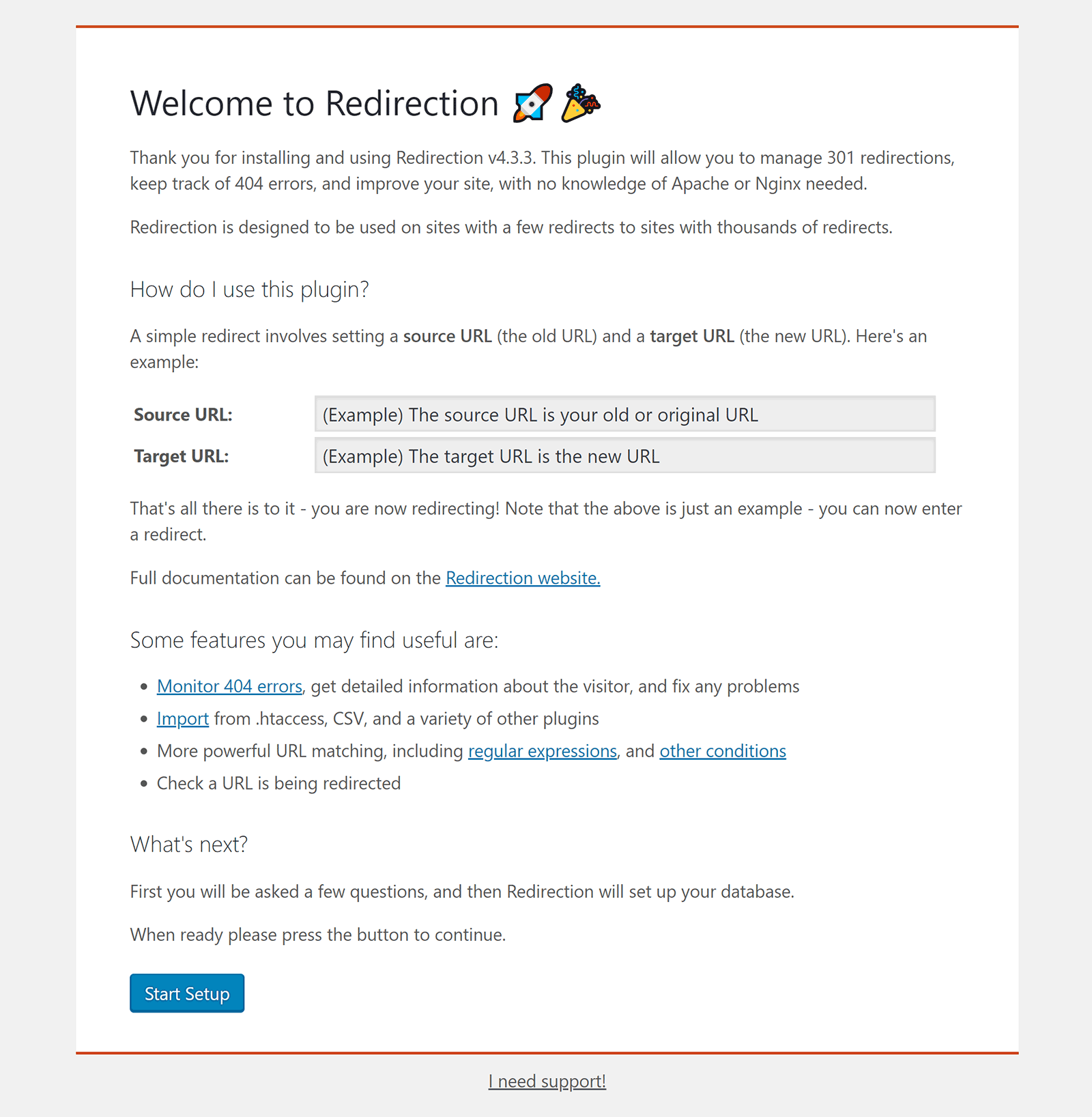
Once the plugin has been activated, you will be taken to a welcome page. This introduction explains how redirections can be created by entering a source URL and target URL. Other features of the plugin, such as 404 error monitoring and importing data from other plugins, are also referenced.
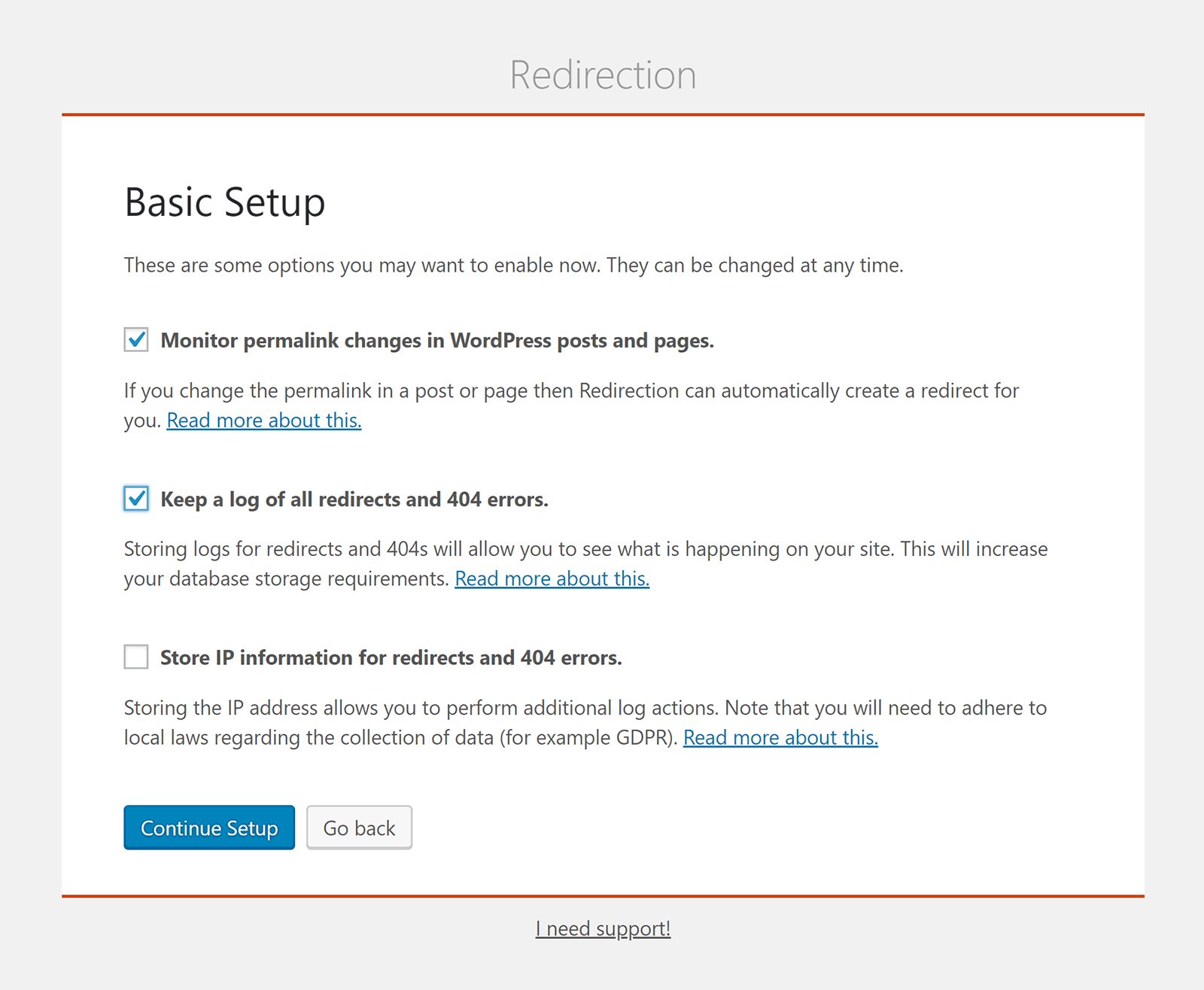
On the next page you are asked to confirm which functionality you want to use.
You can choose to monitor permalink changes, keep a log of all redirects and 404 errors, and store IP information for redirects and errors.
Redirection needs to use the WordPress Rest API in order to function correctly.
In the next step of the setup process, the plugin will check that nothing is blocking the connection to the WordPress Rest API.
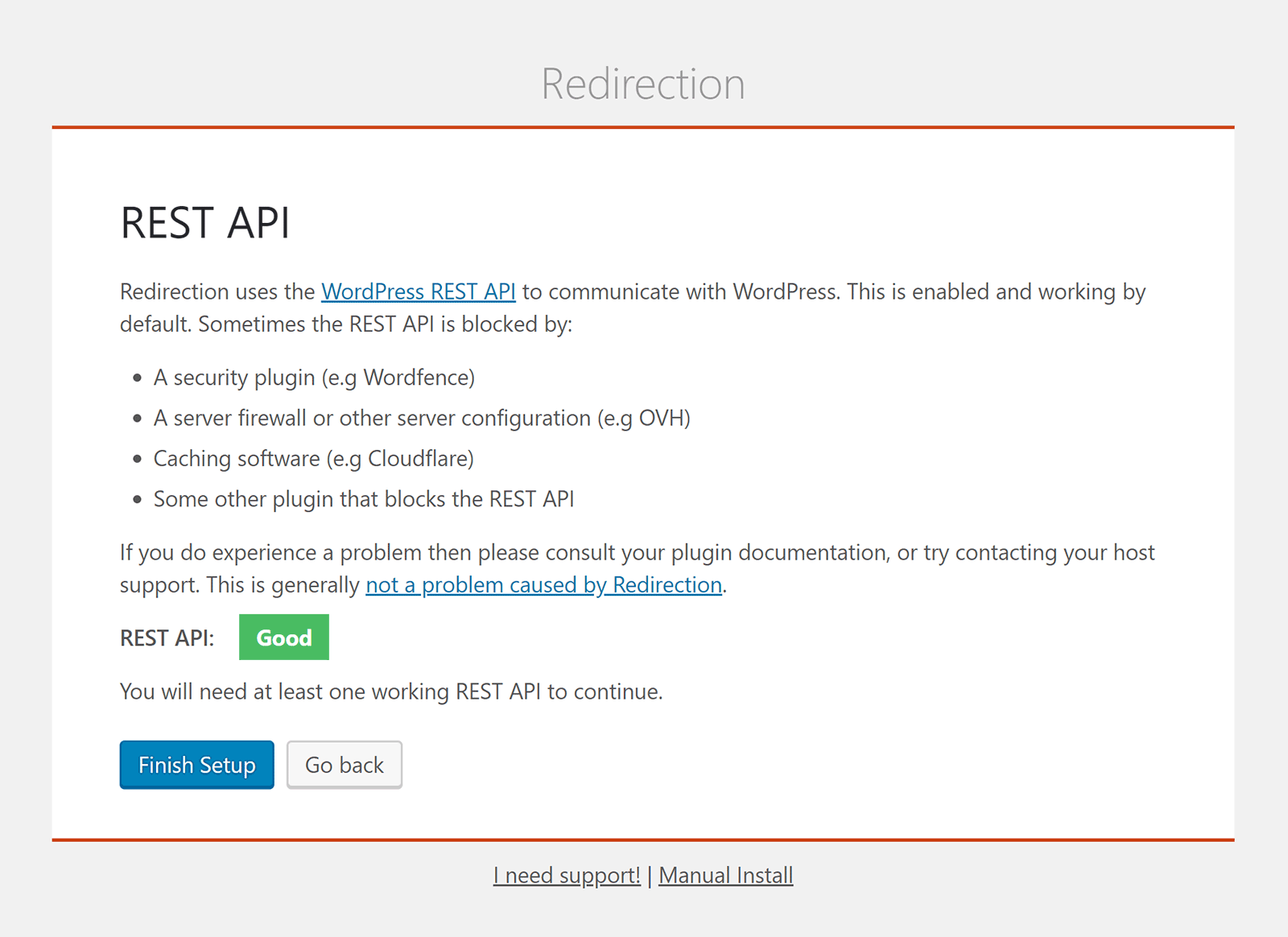
The user-friendly setup process has been completed.
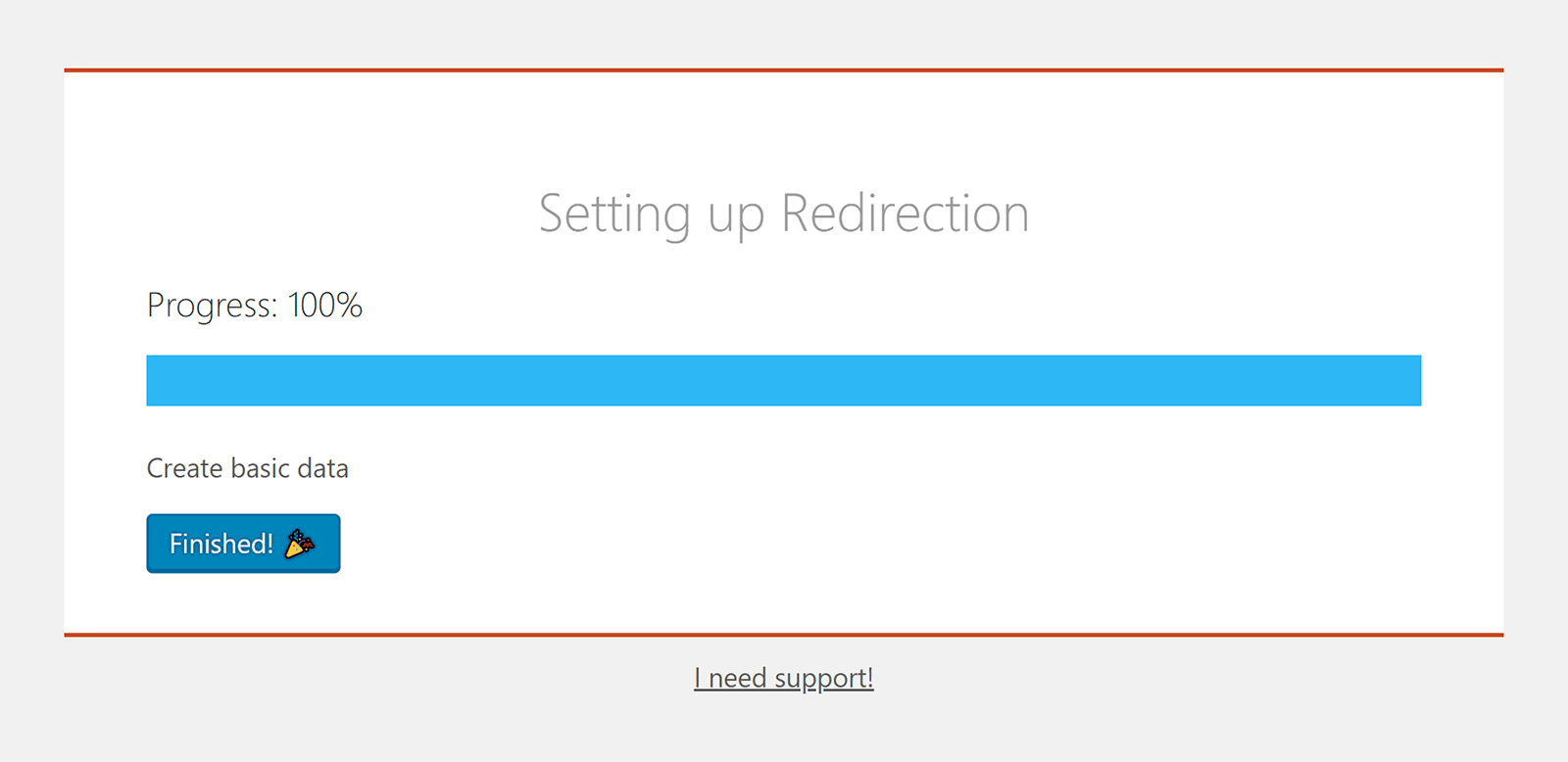
You can now see the main Redirection user-interface. You can access this page at any time from your WordPress tools menu.
This area is divided into seven sections: Redirects, Groups, Log, 404s, Import/Export, Options, and Support.
The redirects page lists existing redirections and allows you to add new ones.
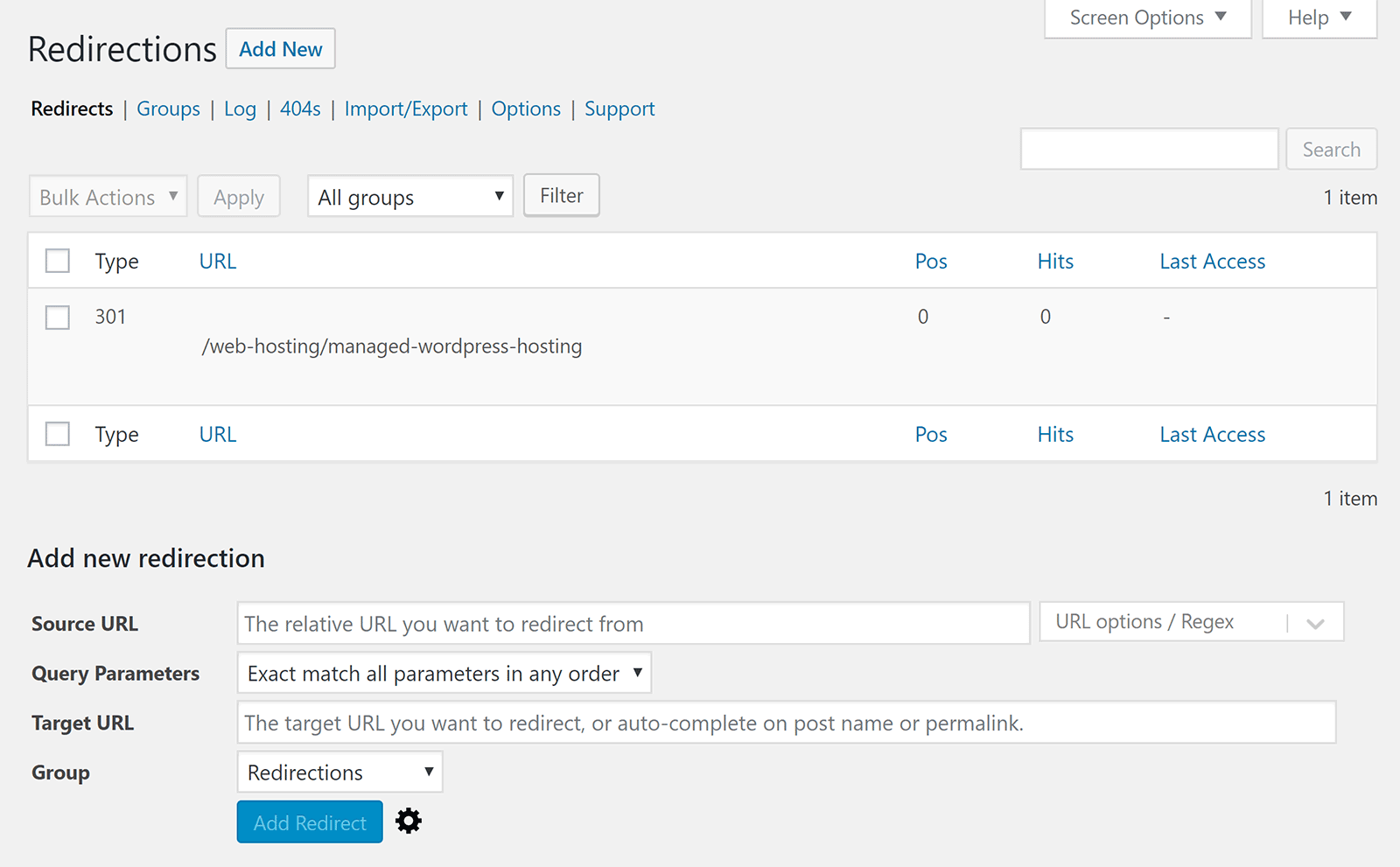
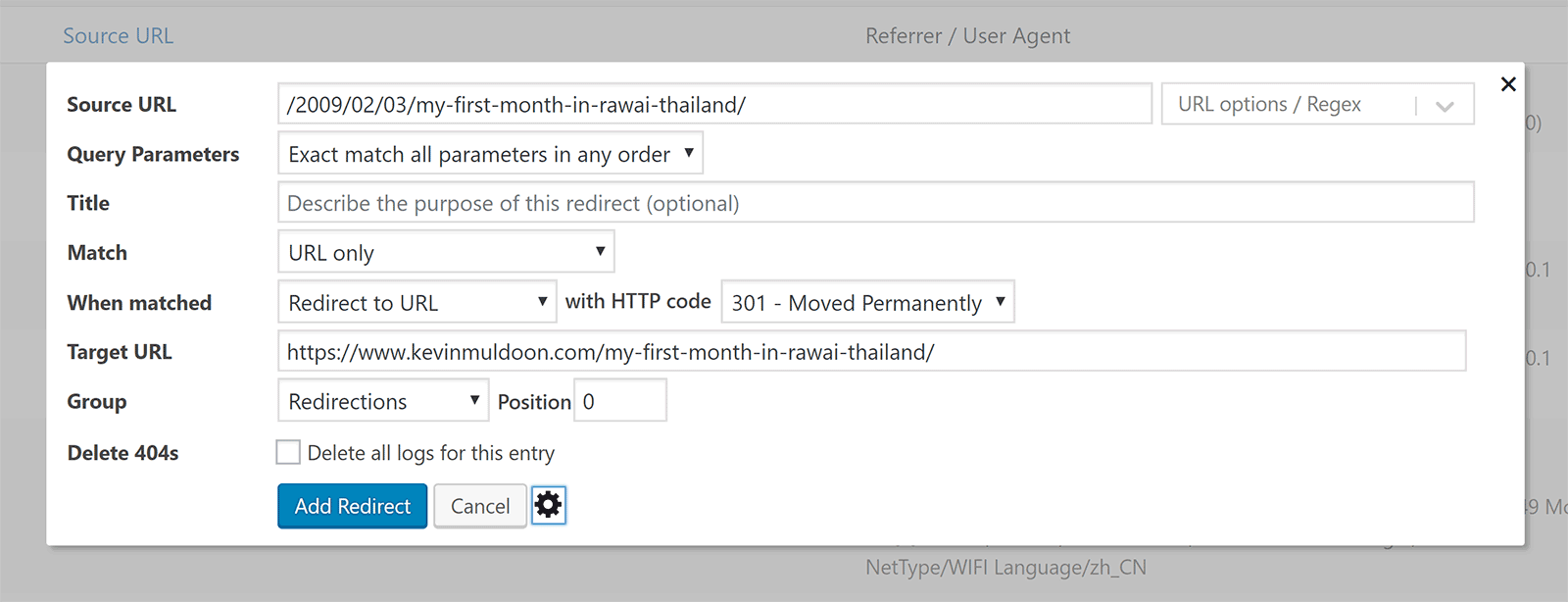
Redirects can be added, and edited, in a simple format. All you have to do is define the source URL, query parameters, target URL, and group.
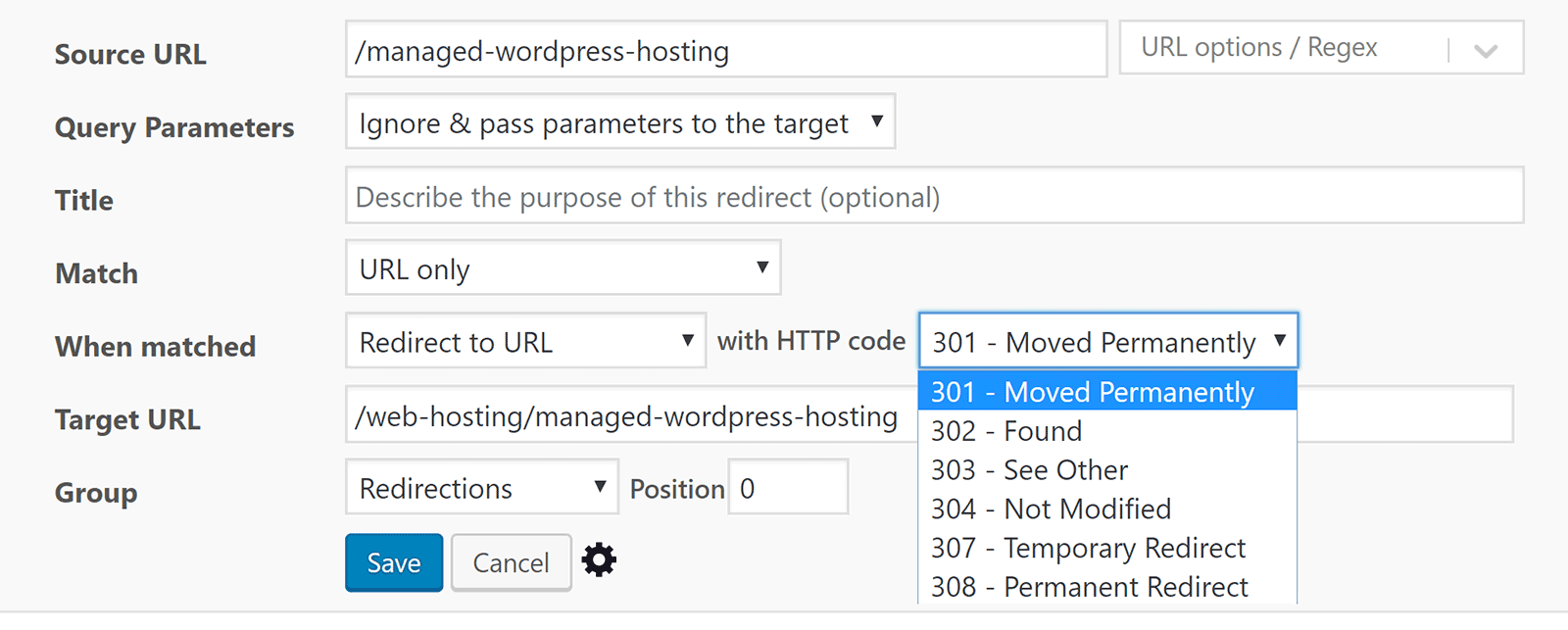
If you click on the cog icon, the number of available options is expanded to include title, matched, and when matched. The matched field works like an IF statement and the when matched field works as a THEN statement. These can be used to set up a number of conditions.
The match field lets you select from eleven options such as URL only, URL and referrer, URL and IP, and URL and WordPress type.
In the when matched dropdown menu you can select to redirect to a URL, redirect to a random post, pass through, send to your 404 error page, or ignore.
Every type of 300 redirection code is available for redirections; from 301 to 308.
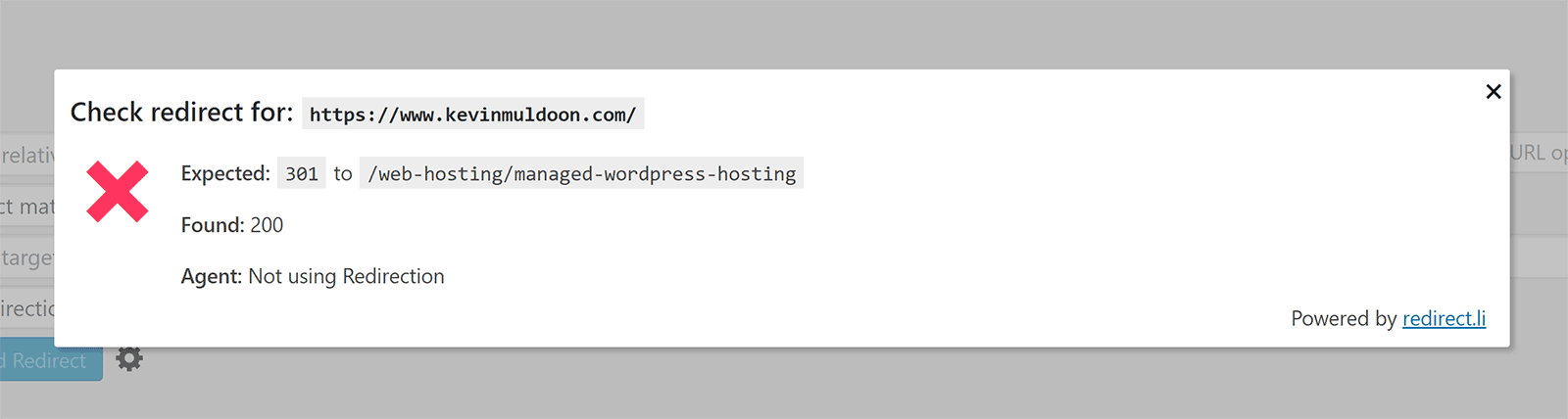
Whenever I review plugins, whether it be on this blog or on websites such as WinningWP or aThemes, I always do my utmost to test every feature. This allows me to get a full understanding of what works and what does not.
Sadly, I was not able to successfully create URL redirects using the Redirection WordPress plugin. I followed their detailed guide on creating redirects and checked many discussions on WordPress.org, but my redirections always generated errors.
Having looked at the reviews from other WordPress users, I know that this is not an issue with the plugin. Either I did not enter the URL details correctly or the plugin is conflicting with another installed plugin on my website.
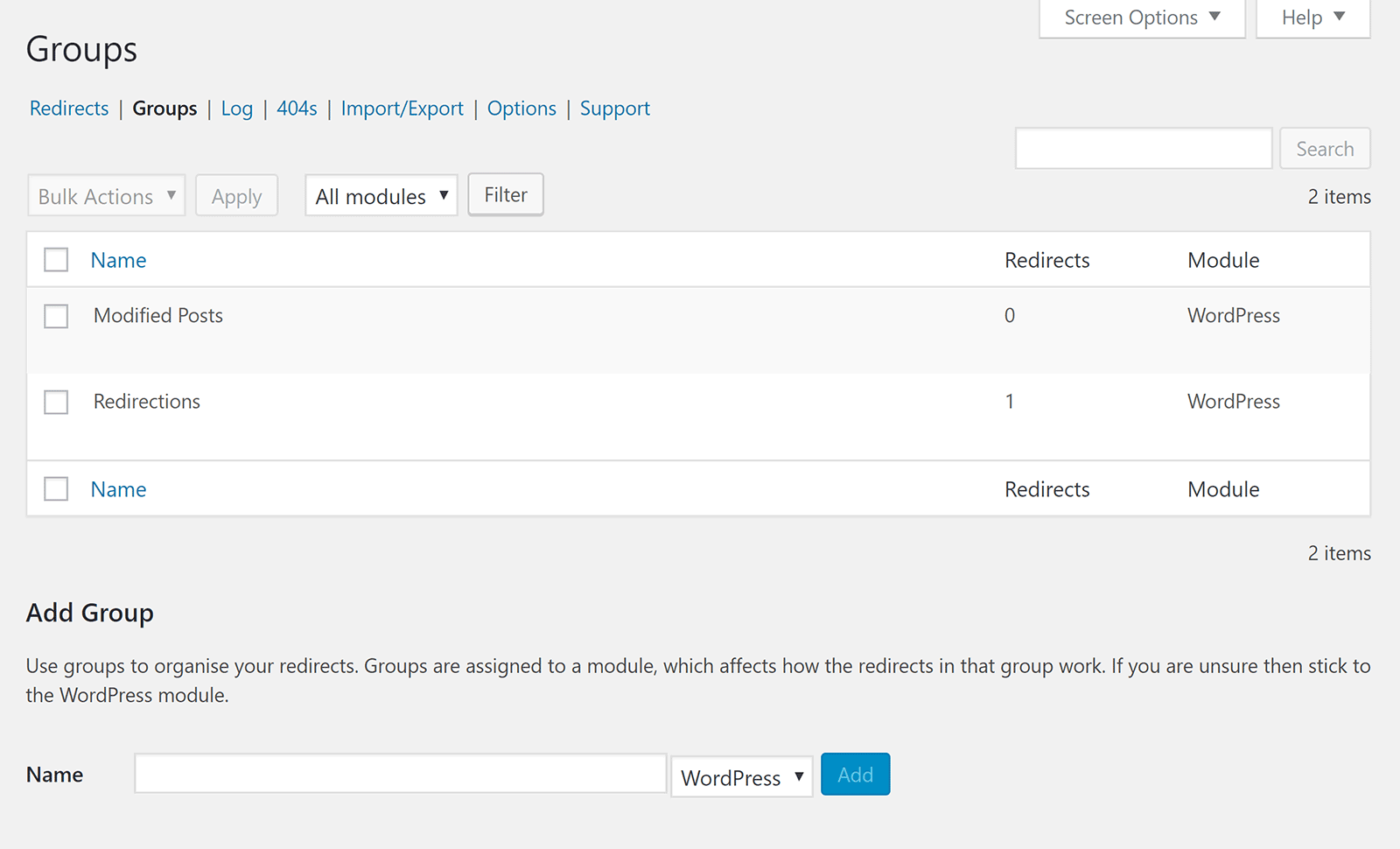
One feature I really love is groups.
You can use groups to categorise all the redirections you set up. Two groups are available when you install the plugin: Modified Posts and Redirections.
Additional groups can be added whenever you want.
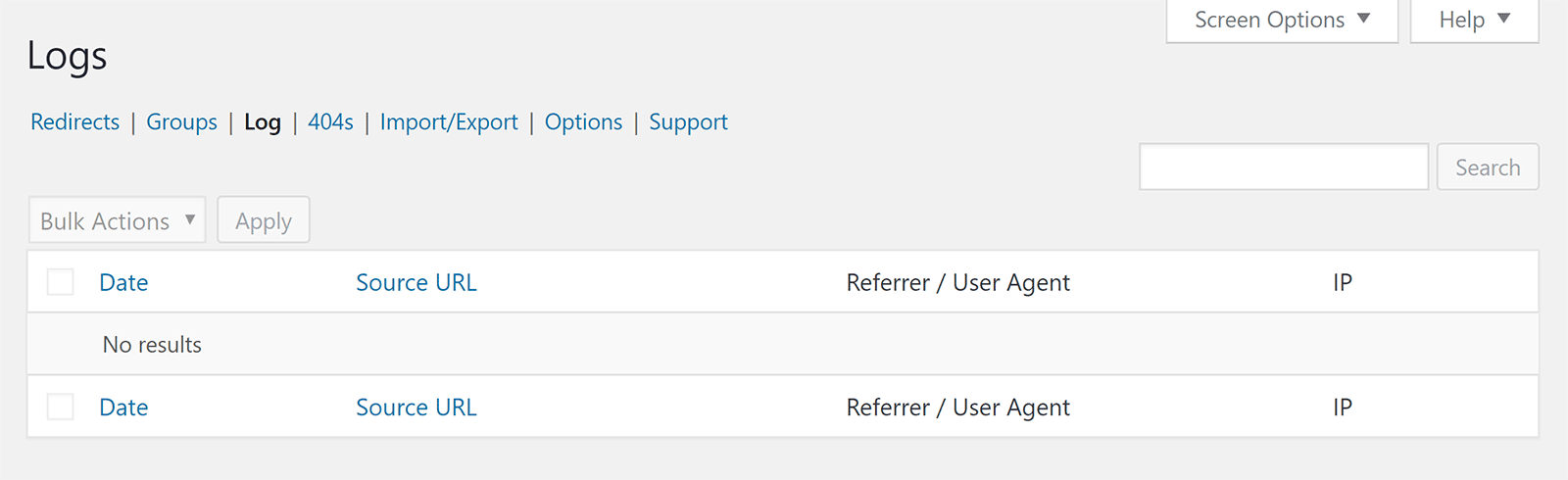
The logs page tracks hits through the redirects you have created.
Since I did not have any redirects working, no logs were generated on my website , but you can see that it shows the date, source URL, referrer, and IP address.
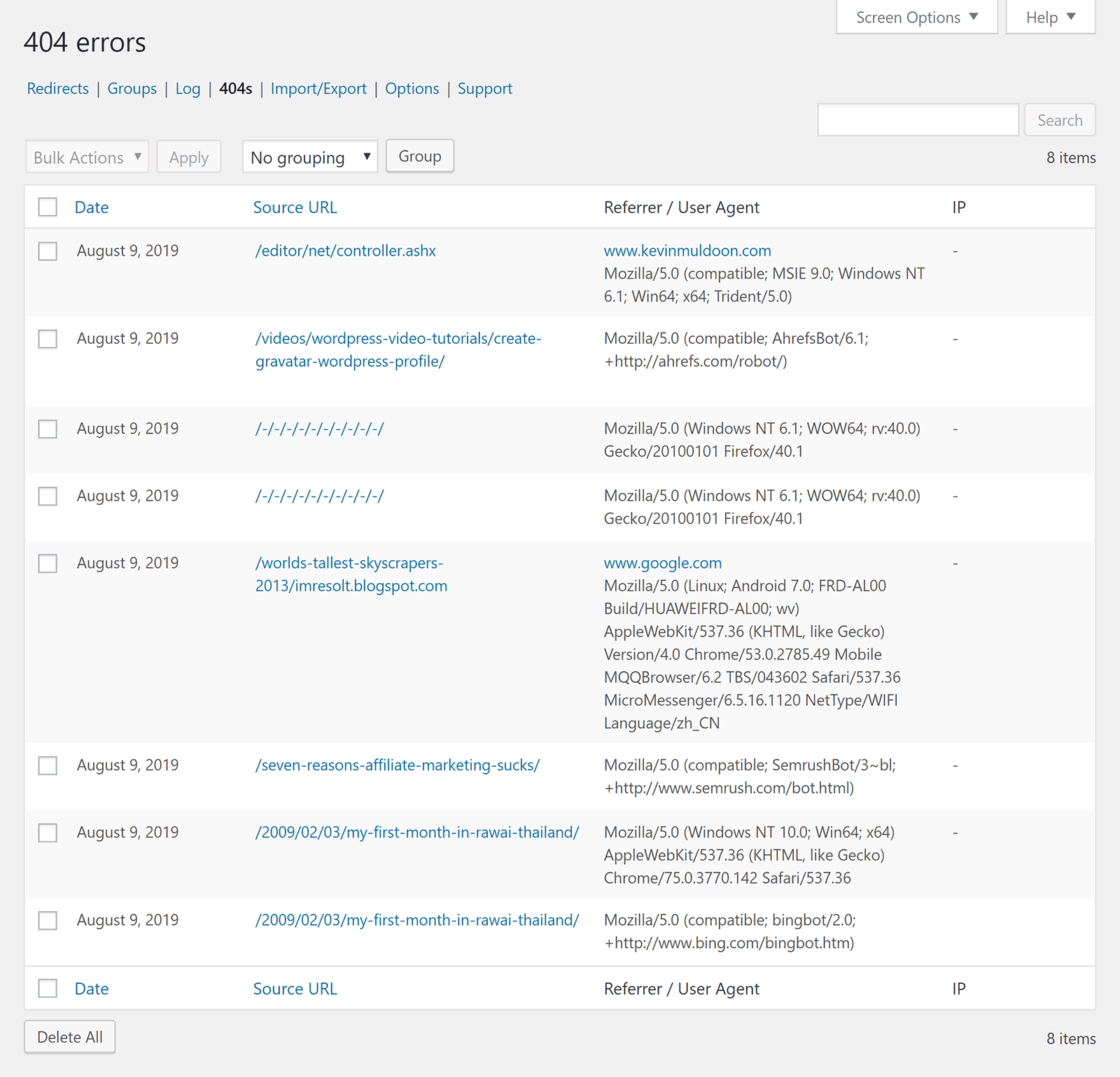
The 404s page lists all of the 404 errors that have been generated on your website. It shows the same information as the logs page.
On the 404s page there is an option to add a redirect to each error. This is something you will have to do as the plugin does not redirect any 404 errors automatically.
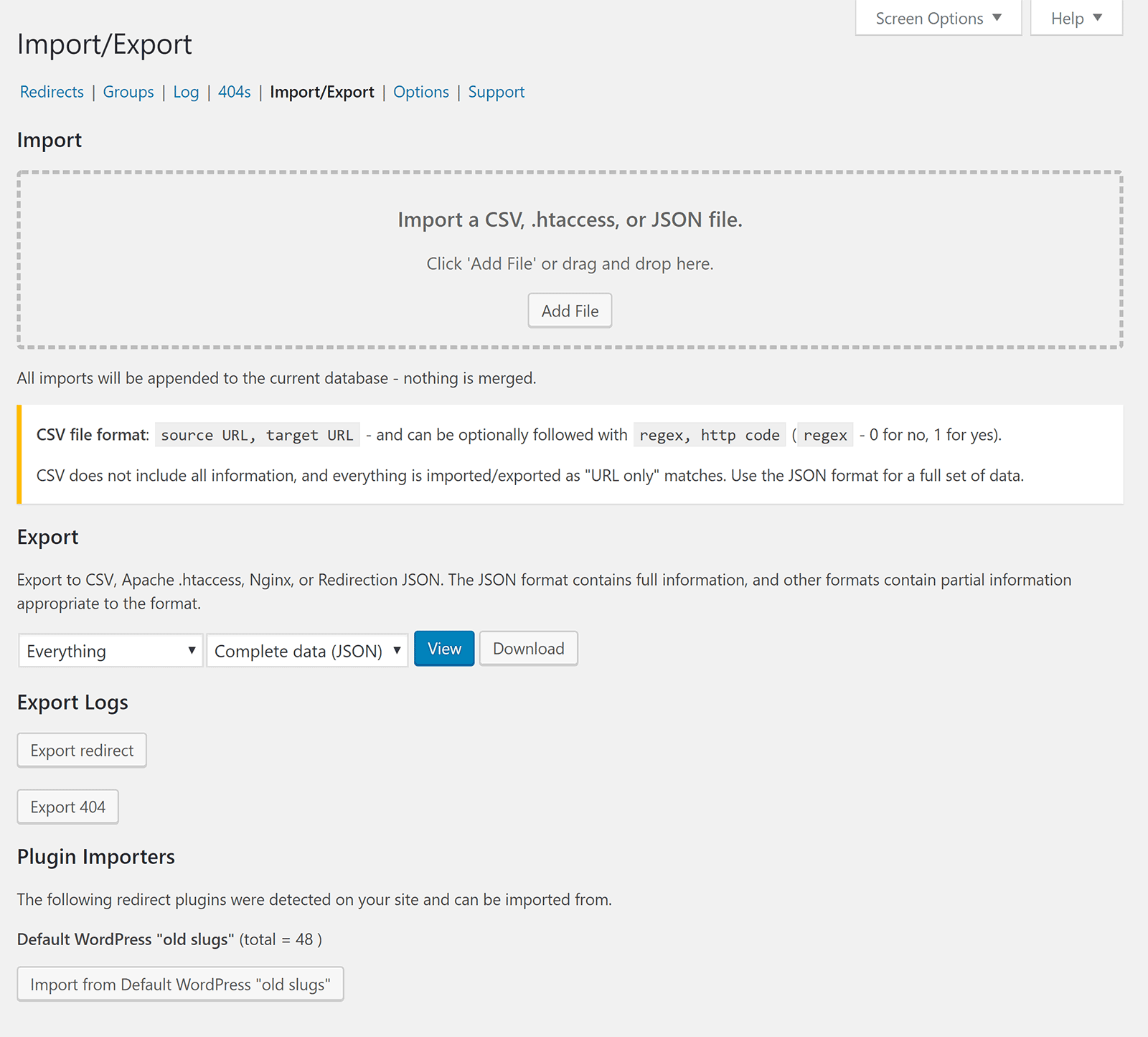
Redirects can be imported into your website via CSV, .htaccess, or a JSON file.
You can export your redirects and 404 errors too. Settings can also be imported from other WordPress plugins too.
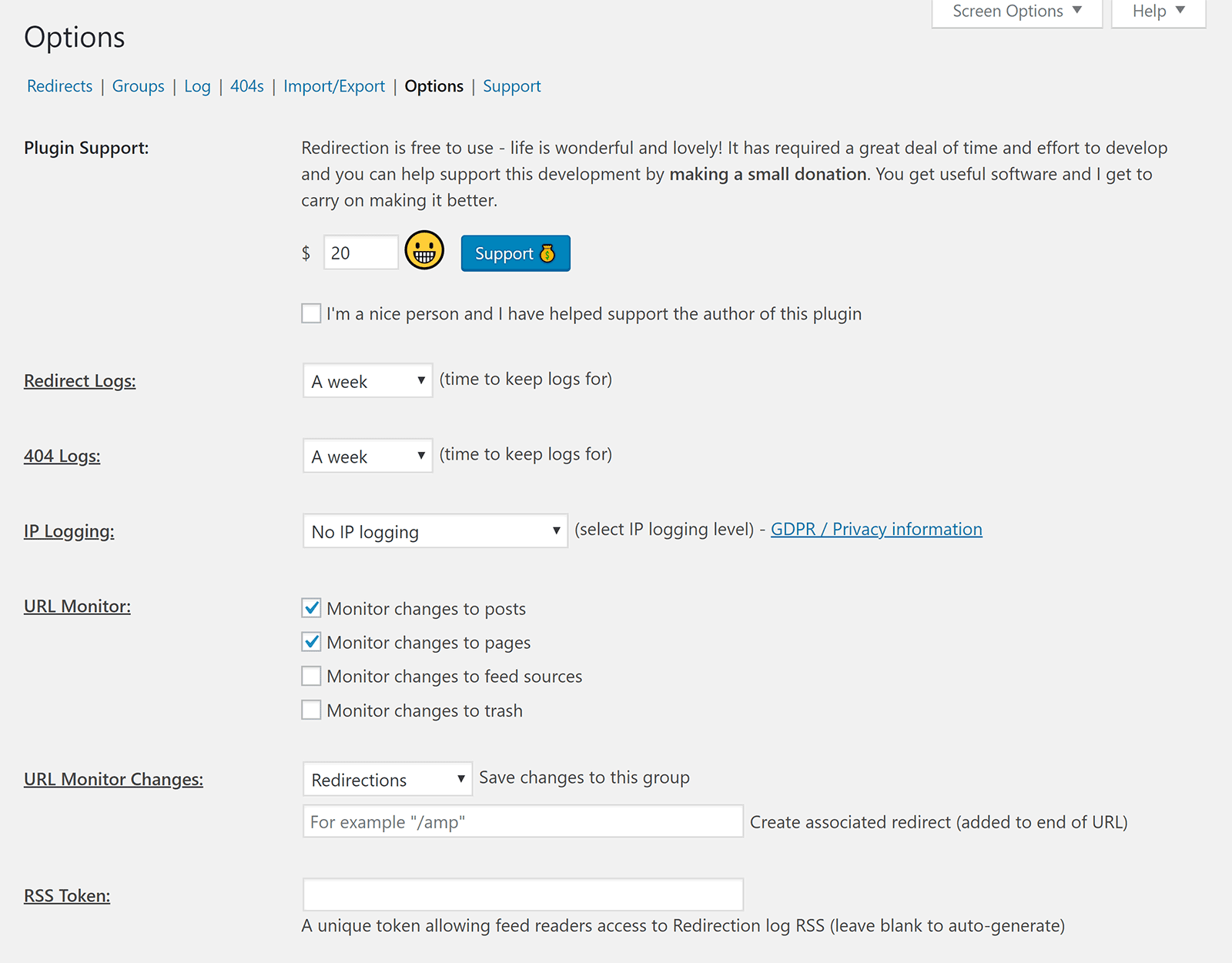
In the options area you can define how long redirect logs and 404 logs are kept. You can choose from no logs, a day, a week, a month, two months, or forever.
IP logging can be enabled from this area and specify the exact type of URLs which are monitored.
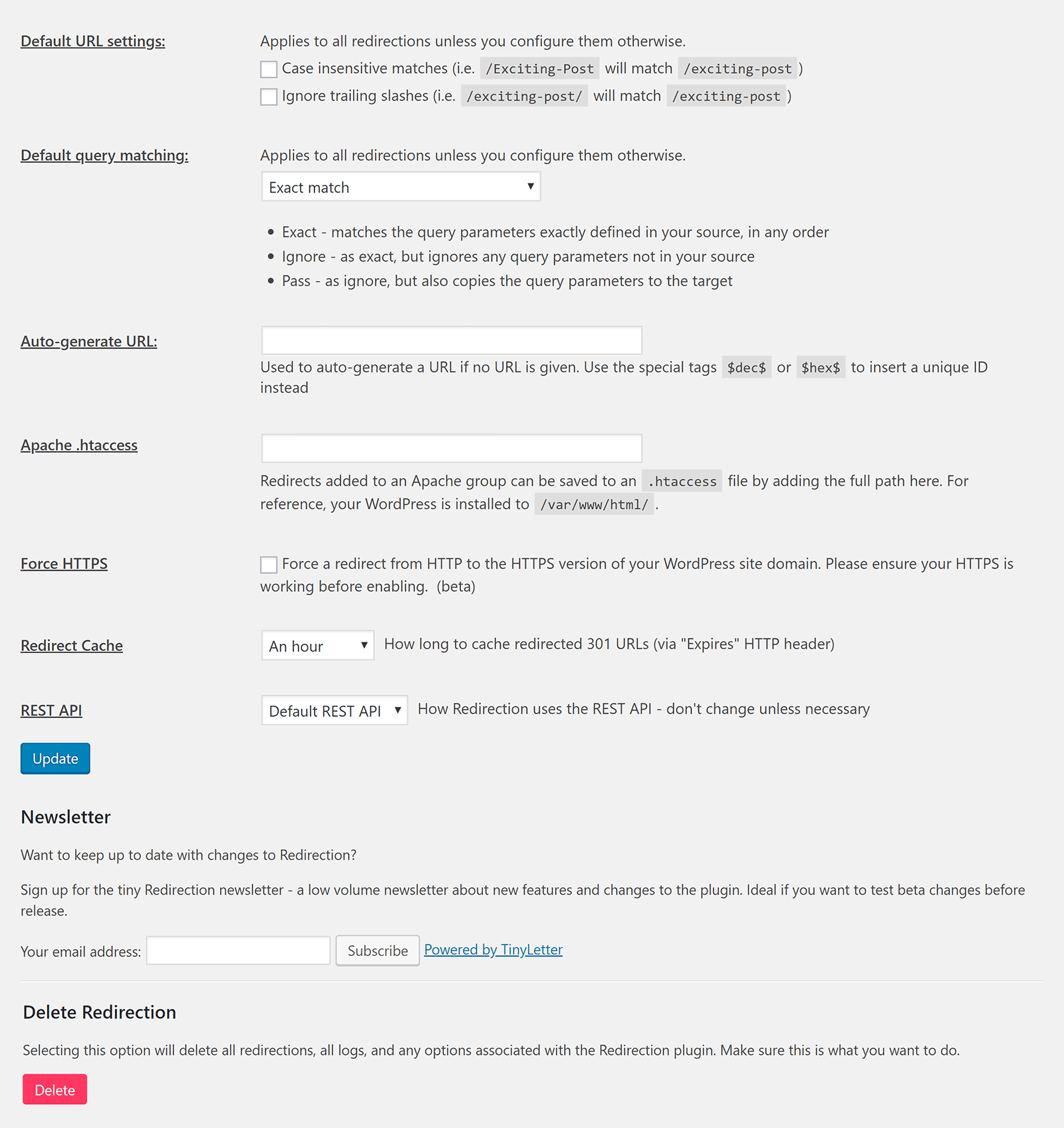
Other options include default query matching, auto generate URL, force HTTPS, and redirect cache.
There is also an option to delete all redirections.
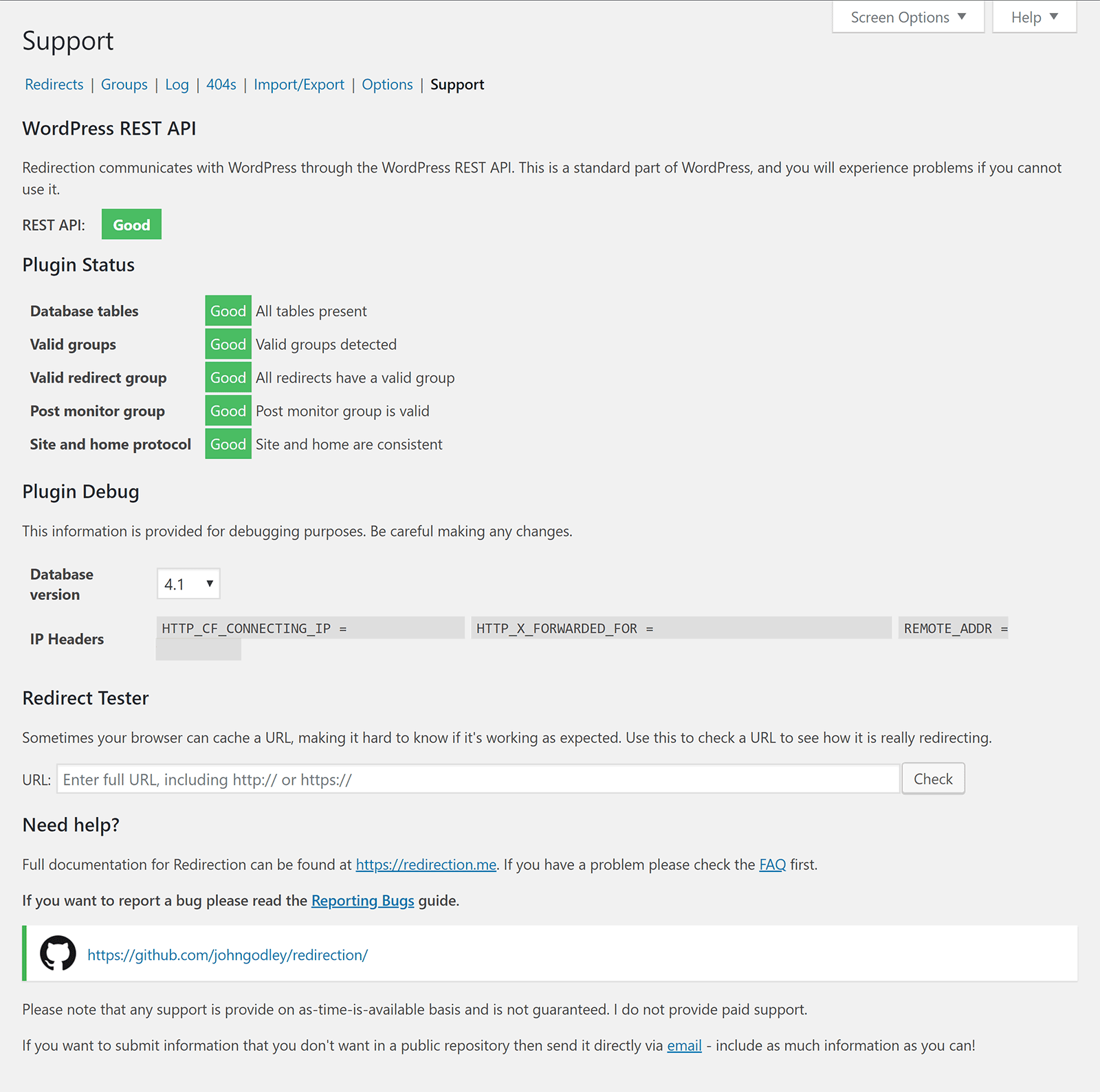
The support area shows the status of the plugin together with debug and testing tools. Support links are displayed here too.
If you are looking to detect 404 errors and manually create redirects to resolve them, Redirection is a WordPress plugin you should check out. It is not as user-friendly as some other 404 error WordPress plugins o the market, however in exchange you get a solution that is more flexible.
Alongside 404 Solution, Redirection is one of the most advanced 404 error solutions available to WordPress users.
5. Redirect 404 Error Page to Homepage or Custom Page with Logs
Not everyone needs the flexibility of 404 Solution or Redirection. If you just want to redirect your 404 errors to another page, you should check out Redirect 404 Error Page to Homepage or Custom Page with Logs.
As the plugin name suggests, the plugin allows you to redirect 404 error pages to your home page or another page on your website. It does not support you redirecting users to a custom URL.
You can redirect using a 301, 302, or 304. 404 errors can be logged so that you can determine what URLs are generating 404 errors.
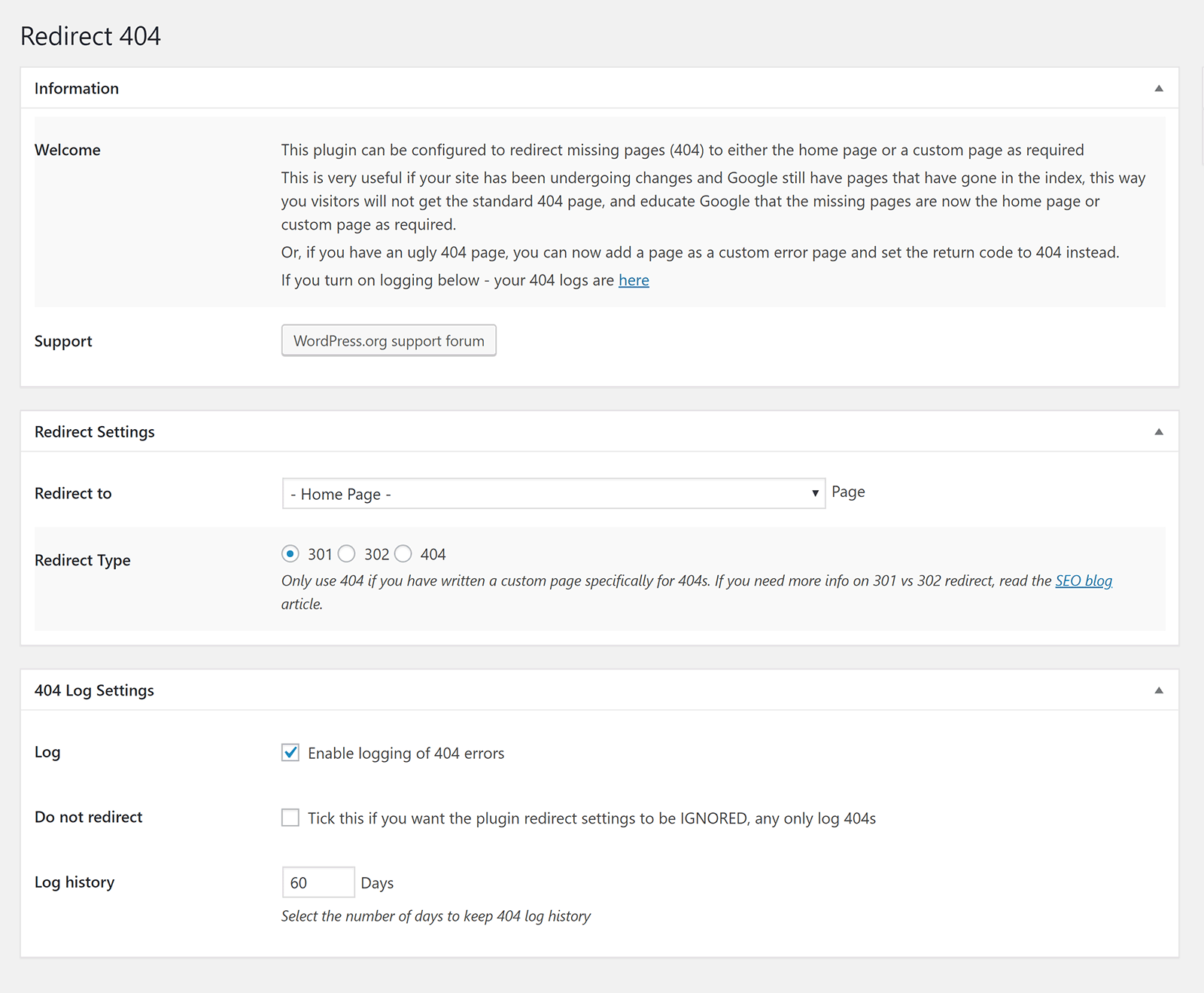
If Redirect 404 Error Page to Homepage or Custom Page with Logs does not do what you need, you may want to consider some of the other 404 home page redirection WordPress plugins on WordPress.org.
This includes All 404 Redirect to Homepage, All 404 Pages Redirect to Homepage,
404 to Homepage, and Redirect 404 Error Page to Homepage.
All of these WordPress plugins offer similar functionality.
6. 404page – Your Smart Custom 404 Error Page
404page is a WordPress plugin that helps you create your own custom 404 error page.
The plugin settings page can be found in your WordPress appearance menu.
When you first access the settings page, your default WordPress 404 page will set be set as your 404 error page. You can change this to any page on your website. There is an option to test how your 404 page looks too.
Six options are in the advanced settings area.
There is an option to hide your 404 page from the WordPress page list, send a 404 error when your 404 error page URL is accessed directly, and to force a 404 error after the page is loaded.
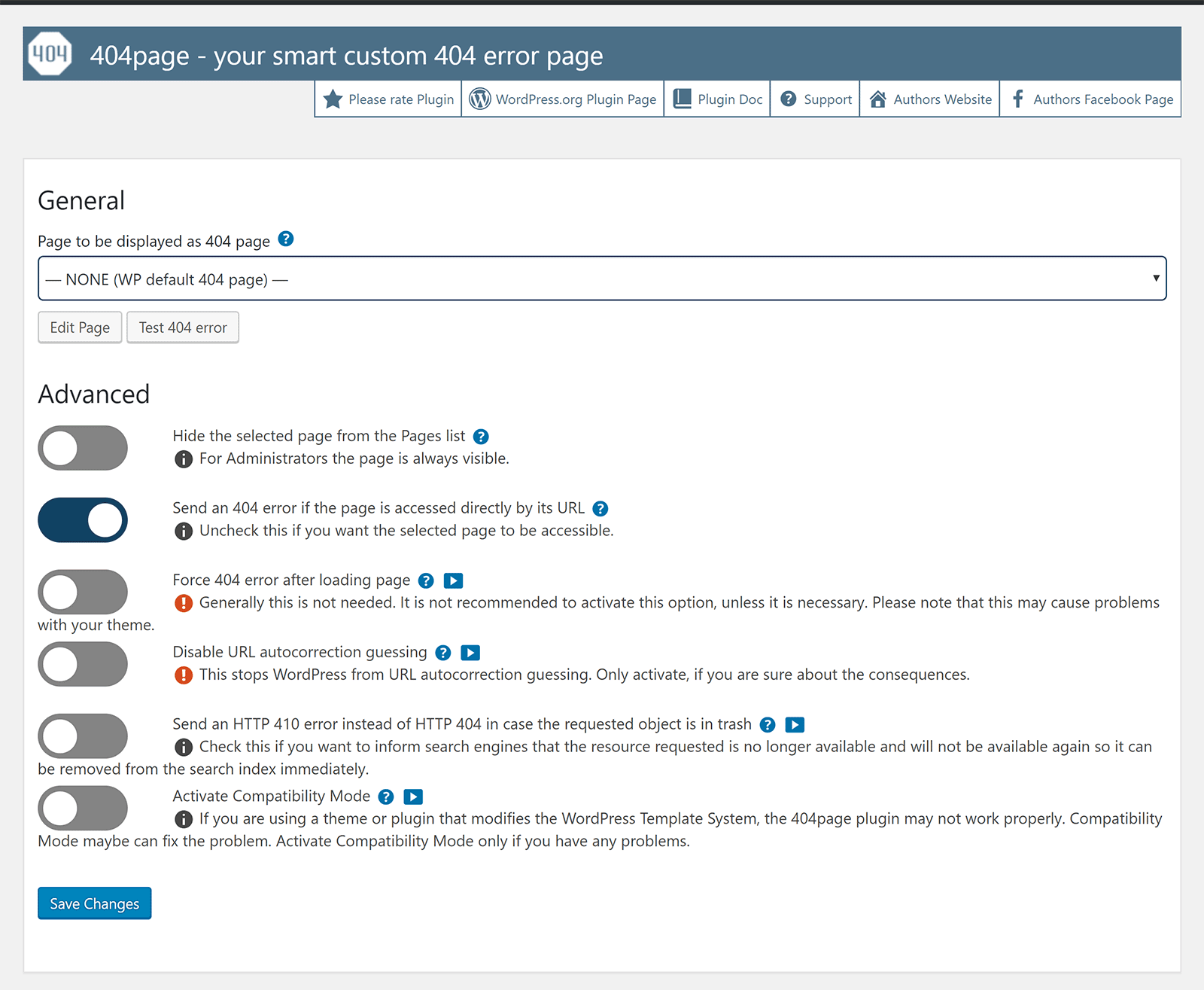
Automatically sending users to the correct URL is an important feature of WordPress for me as I have changed the permalink structure of hundreds of links over the years. You can, if you wish, disable this functionality.
There is also an option to send an HTTP 410 error instead of HTTP 404 and a compatibility mode can be activated if 404page is conflicting with one of your activated plugins.
All advanced settings link to the 404page manual which explains each setting in detail.
There is also a series of videos that show you how 404page works.
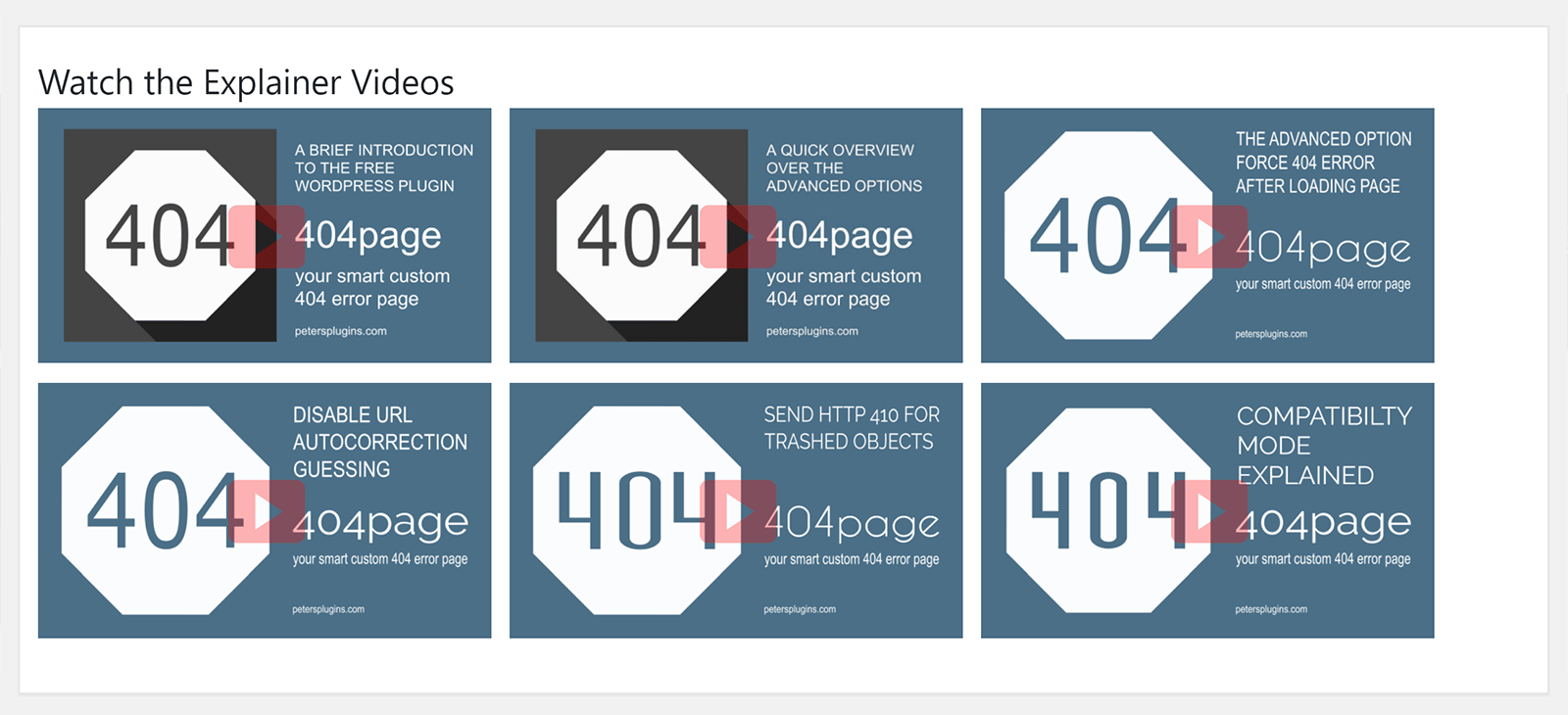
I was impressed by 404page. It is a simple WordPress plugin that can be used to direct users to your preferred 404 error page.
Be aware that 404page does not log 404 errors or provide you email notifications and other customisation options, however those of you that just want a 404 WordPress plugin to work out of the box will appreciate its simplicity.
7. Custom 404 Pro
An alternative to 404page is Custom 404 Pro.
Like 404page, it allows you to replace the default 404 error page with another WordPress page; however Custom 404 Pro also allows you to replace it with a custom URL.
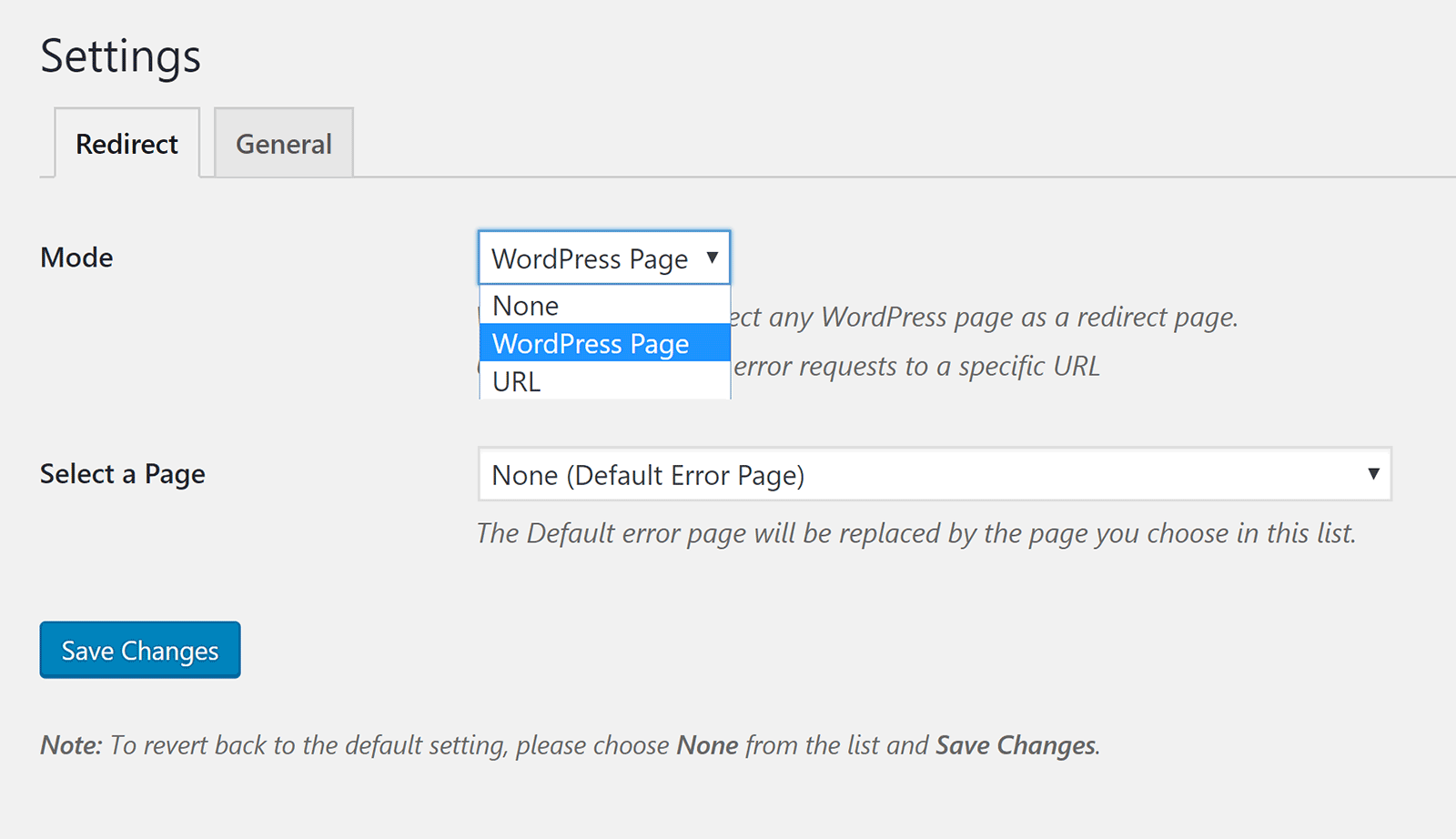
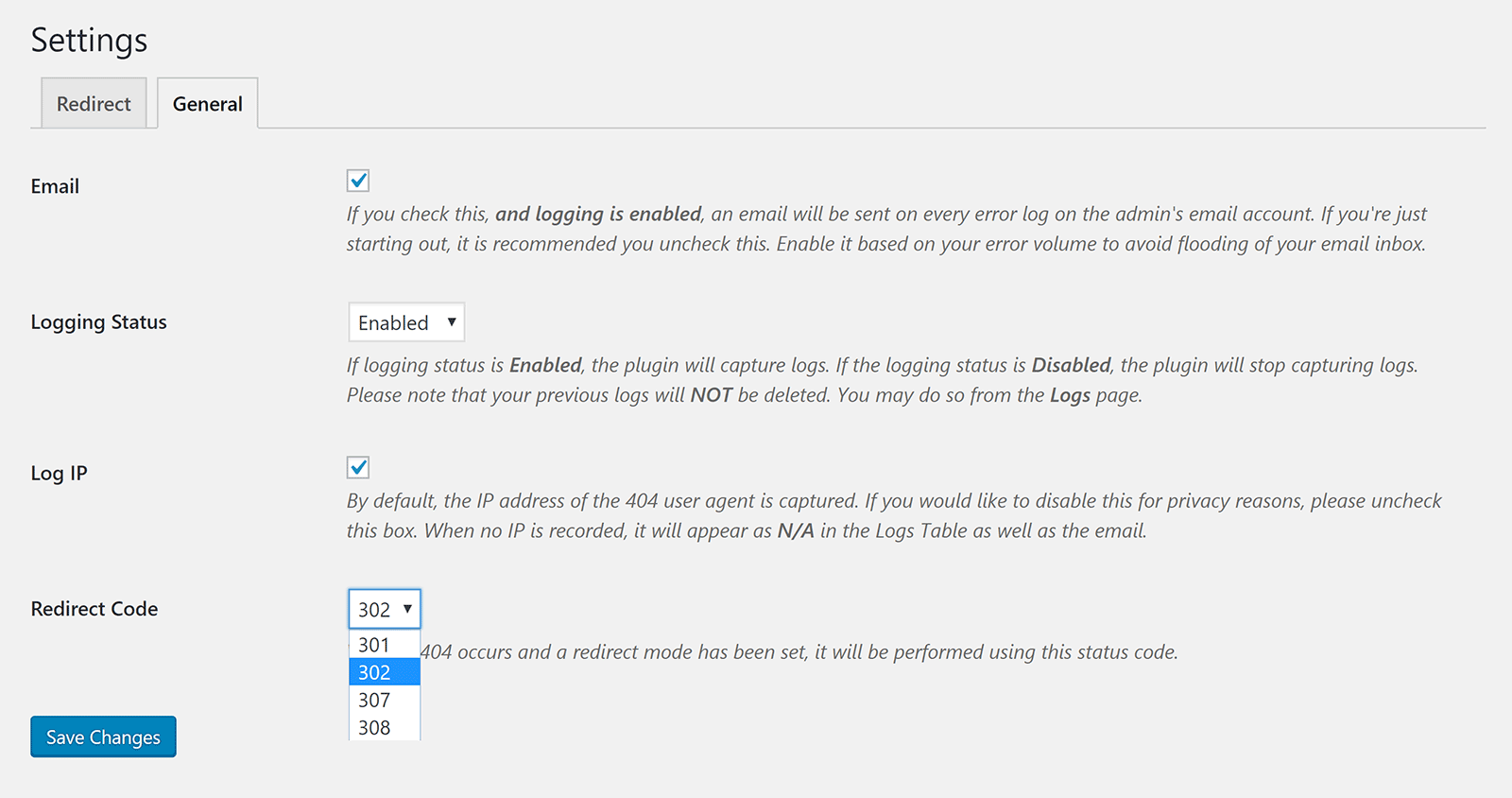
In the general plugin settings page you can enable 404 error logging. You can enable emails to be sent to you whenever a new 404 error is detected and opt to record IP addresses.
404 errors can be redirected using 301, 302, 307, and 308 codes.
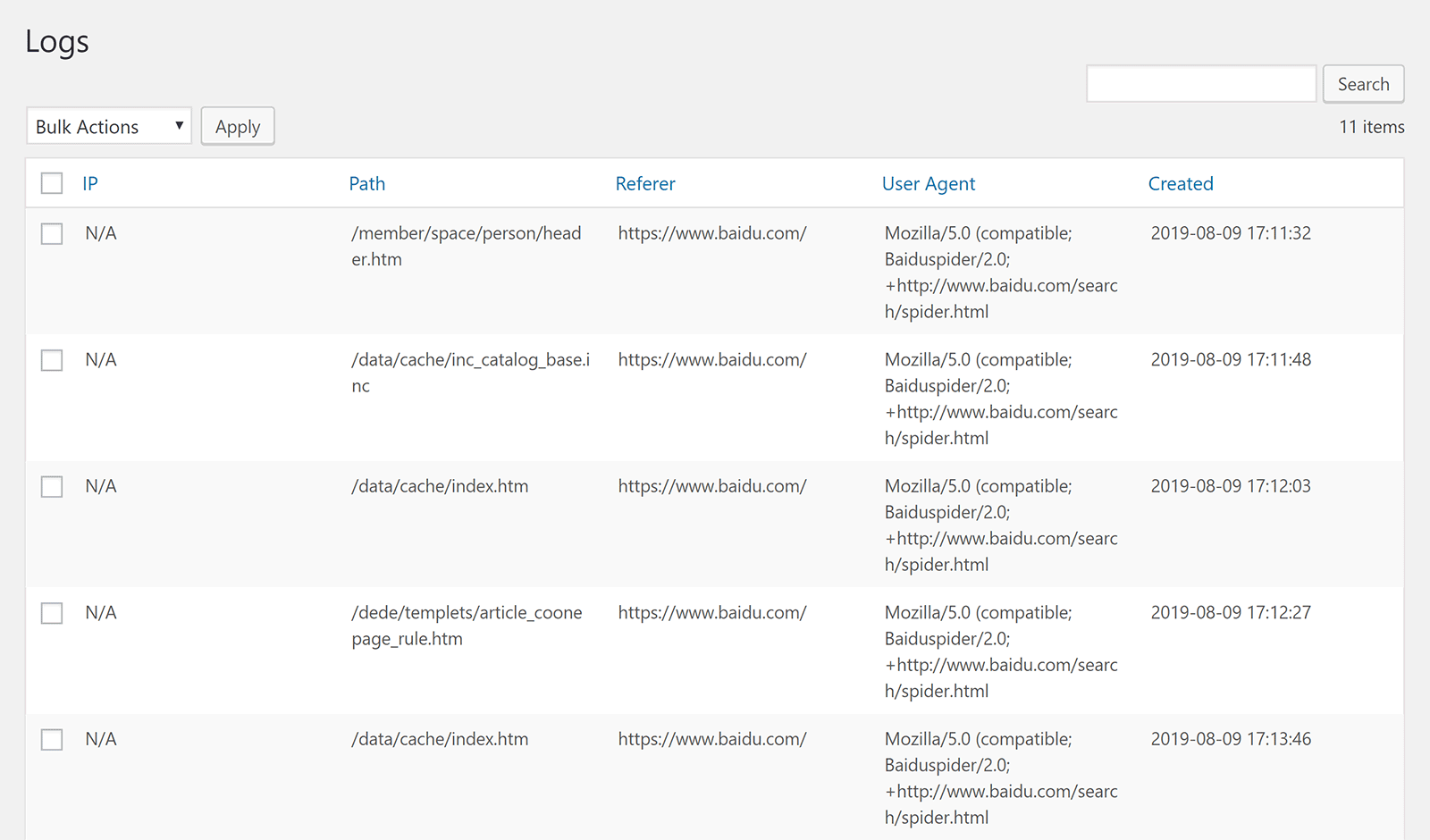
The logs page shows the IP address (if selected), 404 error URL, the referrer, the user agent, and the date and time it was recorded.
There is no option to create manual redirects in the plugin. The logs page is simply for reference.
Like 404page, Custom 404 Pro is a useful 404 error solution for WordPress that can replace youe default 404 error page and give you a log of 404 errors that have been generated.
It is worth checking out.
Honourable Mentions
I tested a lot of WordPress plugins in order to prepare this article. Some good, some not so good.
Below is a small selection of some WordPress plugins that did not make my final list, but are worth checking out as you may find them useful.
- 404 SEO Redirection – Allows you to set up custom redirection rules and redirect users to a defined URL. It works well, but unfortunately the developers appear to have abondoned their website so I doubt it will updated again in the future.
- Colorlib 404 Customizer – A simple WordPress plugin that can be used to create a custom 404 page through the WordPress customiser.
- 301 Redirects – Easy Redirect Manager – Can be used to create and manage 301 URL redirects.
- All In One Redirection – Another useful redirection solution that can be used to redirect URLS from one source to another.
Final Thoughts
I hope you have enjoyed this look at the best free WordPress plugins for detecting 404 errors and redirecting visitors to the correct URL.
404 solution and Redirection are two of the most advanced 404 error solutions available on WordPress.org. They offer many customisation options and allow you to create your own unique URL redirects.
On this website I have opted to use WP 404 Auto Redirect to Similar Post for the time being. It is quite a simple 404 error solution, but it does work well and does not require me to spend time going through 404 entries and other logs.
All of the solutions in this article are free to use, so I encourage you to test each WordPress plugin before using it on your live website.
Good luck.
Kevin