

#1

OFFLINE
FoPo
-

- Пользователи
-

- 8 сообщений
Начинающий летчик
- Город:Мурманск
- Коптер:CX-20, DJI Mavic Pro
Отправлено 21 мая 2018 — 10:30
Упал друг с двух метров.
Теперь проблема с подвесом, выдаёт ошибку «Gimbal motor overloaded. Check whether the gimbal clamp has been removed.»
Везде пишут, что порван шлейф.
Разобрал, шлейф целый, разъёмы на месте (да и где им быть, они либо залиты, либо зажаты).
При включении калибрует камеру, что опять говорит в пользу целого шлейфа.
Но я обратил внимание на одну странность, камера в одну сторону поворачивается градусов на 25-30, а в другую на 100-120. Очень большая разница для симметричной конструкции. Может двигатель подзаклинило или песчинка попала.
Не можете посмотреть как у ваших мэвиков крутится «глаз»?
Заранее спасибо.
Прикрепленные изображения
-
0
#2
OFFLINE
Parcifall
Parcifall
- Город:Moscow
- Коптер:Mavic air/pro
Отправлено 21 мая 2018 — 10:33
Это шлейф. Недавно сам менял. Так же писал о перезагрузке подвеса постоянно. Визуально можно и не увидеть, в моем случае погасла и картинка, хотя косичка была визуально целая. Делов на 1000р. И пару недель ожидания с Али.
Даже если не понадобится сейчас, это расходник, который всегда нужен
Сообщение отредактировал Parcifall: 21 мая 2018 — 10:34
-
0
#3
OFFLINE
FoPo
FoPo
-
- Пользователи
-
- 8 сообщений
Начинающий летчик
- Город:Мурманск
- Коптер:CX-20, DJI Mavic Pro
Отправлено 21 мая 2018 — 10:35
Да вот с временем проблема, через неделю в отпуск еду. Устроил себе подарок… А такие виды хотел поснимать.
За ответ спасибо, буду заказывать.
-
0
#4
OFFLINE
Parcifall
Parcifall
- Город:Moscow
- Коптер:Mavic air/pro
Отправлено 21 мая 2018 — 11:51
FoPo, можно наверное и в городе у себя найти, зачем отпуск портить ?!
Тем более дрон уже разобран. Делов на часа 2 ))
Менять шлейф подвеса — работа ювелирных дел мастеров ))
-
0
#5
OFFLINE
FoPo
FoPo
-
- Пользователи
-
- 8 сообщений
Начинающий летчик
- Город:Мурманск
- Коптер:CX-20, DJI Mavic Pro
Отправлено 21 мая 2018 — 02:41
У нас глухо. Я как-то левосторонню гайку на CX-20 искал, на меня такие глаза делали…
-
0
#6
OFFLINE
Micha
Micha
- Город:Саратов
- Коптер:MAVICи
Отправлено 21 мая 2018 — 06:04
Лучший Ответ
Если успею получить до Вашего отъезда, могу выслать… Потом купите, отдадите… Не пропадать же отпуску… Я давно заказал, должны скоро подойти… Ставить не так уж и сложно… но по первости… не привычно… Но раз имеете дело с гайками, да еще с левой резьбой, то справитесь… Уверен!!!
Добавлено позже (21 Май 2018 — 19:04)
Сейчас на почтовый сайт заходил… Посылка уже на почте… Могу выслать какой нибудь экспресс почтой хоть завтра… Решайте… Завтра утром заберу…
Сообщение отредактировал Micha: 21 мая 2018 — 06:01
-
5
#7
OFFLINE
FoPo
FoPo
-
- Пользователи
-
- 8 сообщений
Начинающий летчик
- Город:Мурманск
- Коптер:CX-20, DJI Mavic Pro
Отправлено 23 мая 2018 — 06:53
Micha, вот же я пропустил два дня впустую. Заработался перед отпуском и не заметил сообщение. Мысль очень здравая. Если верить сайту EMS Почты России доставит за 2-4 дня за 150-390 р. Даже ещё вечер для ремонта останется.
-
0
#8
OFFLINE
Micha
Micha
- Город:Саратов
- Коптер:MAVICи
Отправлено 23 мая 2018 — 07:56
Написал в личку. Давайте адрес, завтра отправлю. ЕМС?… Могу экспресс почтой любой…
-
1
#9
OFFLINE
FoPo
FoPo
-
- Пользователи
-
- 8 сообщений
Начинающий летчик
- Город:Мурманск
- Коптер:CX-20, DJI Mavic Pro
Отправлено 29 мая 2018 — 10:22
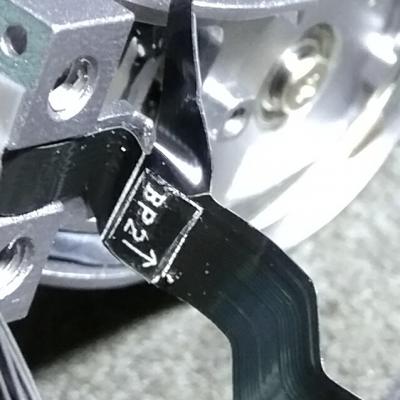
Как оказалось был надорван шлейф.
Огромное спасибо Михаилу (Micha), он выслал мне из своих запасов.
Вчера получил, заменил, Mavic ожил.
P.S. Менять шлейф ещё то муторное занятие, очень всё мелкое.
Прикрепленные изображения
Сообщение отредактировал FoPo: 29 мая 2018 — 10:25
-
3
#10
OFFLINE
Parcifall
Parcifall
- Город:Moscow
- Коптер:Mavic air/pro
Отправлено 29 мая 2018 — 10:54
Михаилу респект!!
Добавлено позже (29 Май 2018 — 10:54)
FoPo,удачного отпуска!
-
0
Still, the gimbal isn’t functioning properly. At this point, I can perform side-to-side movements, but it clearly has an issue with up and down movement. The issue is further evidenced when I, at this point, perform a gimbal auto calibration. When it calibrates the up and down movement, it lurches while moving up and down.
I have never crashed my Mavic Pro, and the issue arose after a routine flight. I have since updated the firmware, then performed both IMU and gimbal calibrations, to no avail.
There appear to be no foreign elements that could be jamming the gimbal, and it also doesn’t appear to be contacting any part of the drone unusually. It hangs properly from the anti-drop hooks.
Any thoughts as to what could be causing this specific gimbal error? Also, what course of action could I take to counteract the issue?
Thanks in advance!
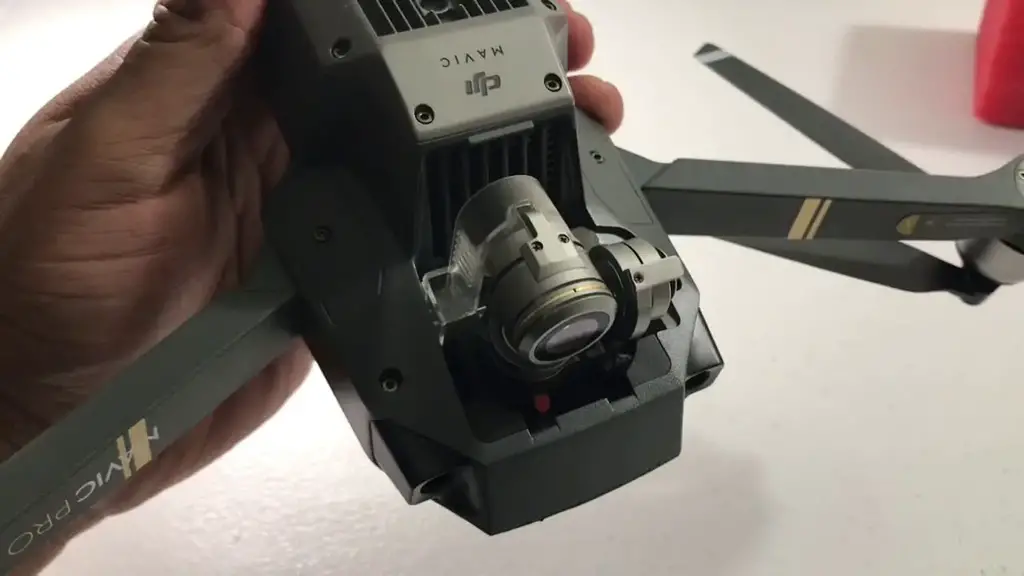
Gimbal Motor Overload has been an issue on DJI drones especially, Mavic pro, air, mini and phantom 4, but even on the older drones like the spark and phantom 3 nonetheless, DJI doesn’t seem to come up with a solution.
And this error is not something you can ignore or say I will come back to it later because it affects your gimbal, and without a proper working gimbal, your drone is basically useless.
I had this problem with on Mavic pro a couple of weeks ago, and after contacting DJI, reading a bunch of forums, hours of frustration, and trying different things, I almost gave up until I called a friend of mine who is a drone technician and he told me what causes this problem and different DJI drones and how you can fix it, and it saved me 100s of dollars so I thought I could do the same for others.
Note: By attempting to repair or replace a damaged part on your DJI drone it is very important to understand that you can void your warranty by doing so!
So what causes gimbal motor overload and how do you fix it?
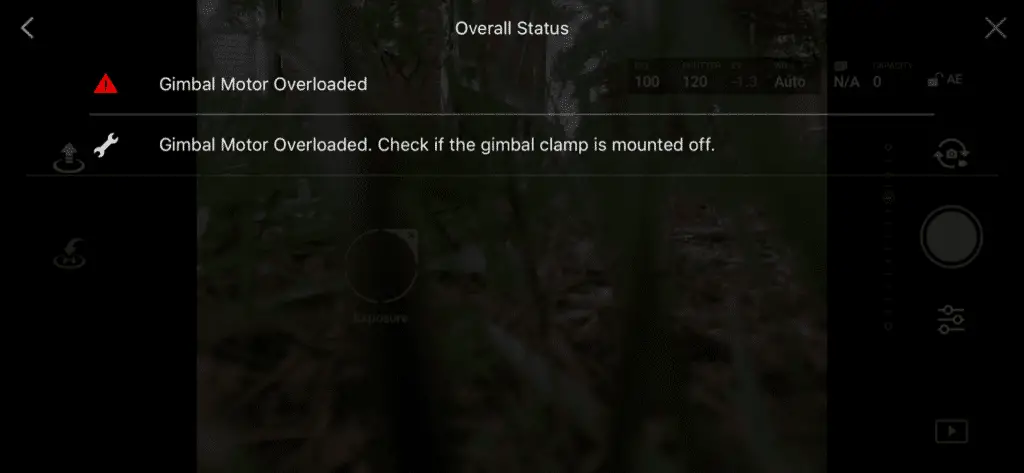
“Gimbal Motor Overloaded” error can be caused by a restricted gimbal movement, faulty gimbal, faulty ribbon cable, or a corrupted software. To fix this problem you can try air dusting the gimbal and calibrating the gimbal in DJI go 4, if the error persists, you might have to send the drone to DJI for service.
If you are not a technical person to simplify it, “gimbal motor overload” means the motor that runs the gimbal is having a hard time doing its job.
However there are different levels of severity with this issue, it can be a small temporary overload, which can be due to strong wind and excessive sports mode tilts and this will disappear on its own, and the worst can be permanently damaged gimbal outputting shaking jelly videos.
This issue can come from both hardware and software issues, software issues won’t cause any harm and can be fixed with a simple firmware refresh, hardware issues might need a professional assistance.
one way to know if you are having software or a hardware issue is by looking if you have a shaky gimbal.
If the gimbal is visibly shaky or if it outputs a shaky video it is most likely a hardware issue you are having and by hardware I mean something is damaged or loose or there is something that is restricting its movement, and sometimes the shakiness of the gimbal might not be clearly visible, to check the stability you can yaw your drone left to right and right to left, it is a software issue the stabilization does a good job of negating the rolling shutter if there is a hardware problem vertical structures may appear very tilted. Another way to check is if you do a spherical panorama, the full movement of the gimbal will also test the stabilization.
so let me start out by listing what can possibly cause this issue
- The most common issue, gimbal being tainted by excessive dust.
- The ribbon cable restricting the gimbal specifically on phantom 4
- Loose gimbal mounting bracket common on Mavic pro
- Faulty yaw motor common on phantom 4
- The camera/gimbal being pressed against something while on initial start-up such as grass or an uneven surface.
- Starting the drone while it is still in your hand, this can cause aggressive tilts and the gimbal motors can overload while trying to compensate for your hand’s movement.
- Using third-party accessories on or around the gimbal such as flare hoods and ND filters
- Forgetting To Remove The Gimbal Cover
- Overheated gimbal motors – common when flying in sport mode when there is fast yaw movements.
- A hardware failure – if the gimbal is broken or if it needs to be professionally reviewed.
- A hardware failure- a faulty ribbon cable that needs to be replaced
- A software glitch that can be fixed by a firmware refresh or a factory reset
- Faulty Core Modular Board
- Damaged gimbal vibration-absorbing damper or the gimbal axis
- You can also get this error on a brand new drone right out of the box. This may be due to poor handling while in transit, which causes wires to get detached, in this case, DJI will get it fixed without any cost to you.
1. clean gimbal
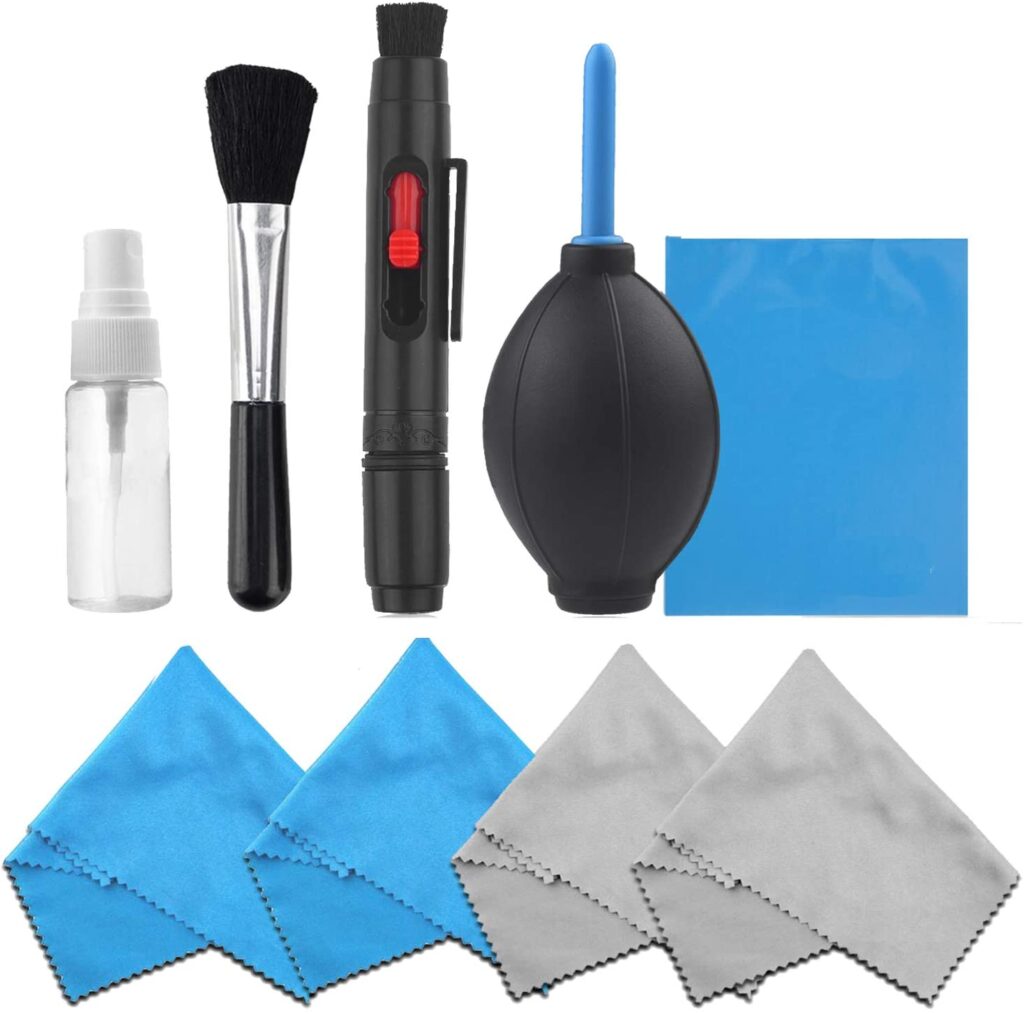
the most common cause of this issue is dust particles stuck in the gimbal restricting its movement. the gimbal uses very little force to move around so few dust particles in the wrong opening can stop its movement easily
If you take off from or land on sandy or dusty surfaces, it is possible for small pieces of debris to get lodged in the gimbal, which decreases the agility and give the motors a hard time functioning.
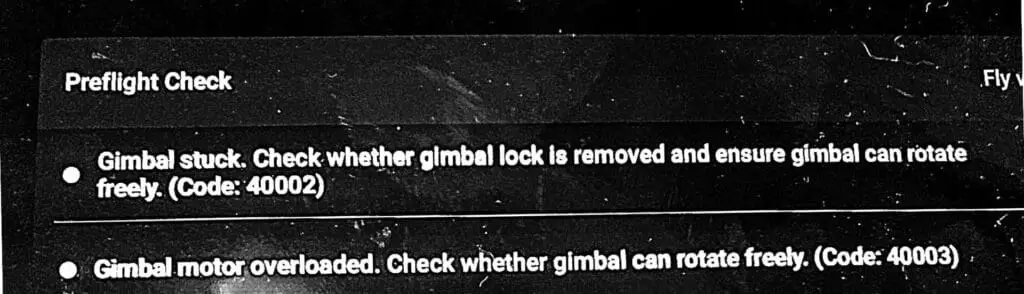
sometimes dust particles can even cause a full restricted movement and you can get “gimbal stuck” error simultaneously with “gimbal motor overloaded”.
so you can fix this problem by moving it with your finger slowly and lightly in every direction, while doing so you can blow air on it by your mouth to help tiny particles to get unclogged.
If there is something that won’t come out you can buy an air duster and Shoot the air into the rotating parts of the gimbal.
Repeat this process until the gimbal is able to do its start-up routine freely, the gimbal should be pointing forward when it is in a good condition.
Make sure it’s working by moving the aircraft around, and check if the gimbal is able to compensate its movement on every axis which means if the gimbal will move up-down, left-right, counterclockwise, and clockwise), if it does those movements freely you are good to go.
However never use oils or grease, it will make it worse.
2. Calibrate gimbal while the cover is still on
I am not sure how this works and I don’t recommend a quick fix but calibrating the gimbal while the gimbal cover is on seems to work for a lot of people so you can try that.
3. The ribbon cable restricting the gimbal specifically on phantom 4
4. Faulty Ribbon Cable on mavic pro
A ribbon cable is a cable with many conducting wires running parallel to each other on the same flat plane.
If you had a crash or a hard landing then there is a good chance the ribbon cables have been damged or been loose, if there is a loose ribbon cable there won’t be a full transmission/connection to the gimbal motors which makes it hard to function the gimbal.
This error doesn’t necessarily appear spontaneously after a crash, It may take time for a wire that was jarred during the crash to finally break after a crash, wires become loosely connected at first, then when you have a hard landing the loose wires become detached completely.
5. Loose Gimbal Mounting Bracket
The gimbal on DJI drones is mounted with three or four brackets depending on the drone you own, if one of these mounting brackets becomes loose, the gimbal will become loose and end up getting misaligned from its normal position. This means that the gimbal will brush against the body of the drone, preventing it from moving within its full range of motion, and it becomes difficult for the gimbal motors to stabilize the camera.
And for Mavic pro owners the brackets that anchor the gimbal to the body of the Mavic Pro tend to come loose and soft over time, in that case, you might have to get it replaced.
6. A faulty core modular board
A faulty Core Modular Board (motherboard) can also cause a gimbal motor overload.
This is not as common but I have seen at least 3 people send their drone to DJI because they had a gimbal motor overload warning where it end up being the motherboard has been damaged.
The problem here is there is no way to know whether it is the motherboard that is damaged or not so you might have to send it to DJI to get it professionally reviewed.
Not to forget replacing the motherboard can do a lot of damage to your pocket.
7. Refresh the drones firmware in DJI assistant 2
Not as common but a simple firmware refresh can fix the problem so it definitely is worth trying.
- Power on the drone
- Connect it to your computer using the USB cable DJI provides
- Open the DJI Assistant 2 software on your laptop
- Log in to the DJI Assistant 2 app and select your drone
- Next, you will see the firmware version
- Tap update and choose the latest version
- If it is already the latest version click refresh
- Repeat process with every battery you own
You can also refresh the firmware in DJI go 4 app.
8. Downgrade firmware
If refreshing the current firmware doesn’t seem to work, you can downgrade the firmware untill the next update comes out.
You can downgrade your firmware both in DJI assistant and DJI go 4.
To downgrade firmware in DJI assistant–
- Power on the drone
- Connect it to your computer using the USB cable
- Open the DJI Assistant 2 software on your laptop
- Log in to the DJI Assistant 2 app and select your drone
- Next, you will see the firmware version and older versions lined up
- Choose the version one below the current version you have
- Then click install
- Then the drone will automatically restart
To downgrade firmware in DJI go 4
Press and hold the menu icon (three horizontal lines in the top right corner) for five seconds and a special firmware menu appears. You can now select which previous firmware version you would like to downgrade to. Check it out.
9. Factory reset and recalibrate your drone and controller
Before trying to fix the gimbal or sending to DJI for a fix to make sure it is not a software problem you are having try factory resetting the drone.
- First, Install the DJI Assistant 2 Program on your device, make sure you download the proper one.
- Connect your drone to your laptop using the USB cable provided, and wait for the software till it detects your drone
- You’ll be able to see your drone on the Connected Devices screen. Select your drone and then click on confirm.
- Click on Firmware Update. After that, you’ll be able to see the “Restore factory defaults” button.
- Click on the factory reset button and then confirm when you are asked to confirm the reset. A progress bar will pop up showing the progress of the reset. You’ll be notified when the reset is complete.
Note: After a factory reset you have to calibrate everything again.
You can also hard reset the controller
To reset the RC: Turn on the controller, the aircraft should be off. * Press C1, C2, and shutter (top right button nearest antenna) on the controller and hold for about 2 seconds or so until it beeps, then turn the controller off.”
10. Calibrate The Gimbal
the first thing that comes to mind when you have a gimbal error is to calibrate the gimbal ofcorses you most likey have done so already but if you have you should
Calibrating the gimbal is a quick and easy procedure that can be done both on the DJI GO 4 or DJI Assistant 2. The gimbal calibration process is virtually the same for the Mavic and the Phantom. Just follow these steps:
- Tap on the three dots in the upper right corner of the screen.
- Tap on the gimbal symbol.
- Select gimbal calibration.
- A message will appear prompting you to ensure that the aircraft is level and that nothing is obstructing the gimbal’s range of motion. Ensure that the drone is level and that nothing is obstructing the gimbal.
- Select OK, and the gimbal calibration process will begin.
11. Remove Third-Party Accessories
If you are using any third-party accessories with your drone such as ND filters, an anti-glare hood, turn the drone off, remove the accessory, and turn the drone back on. If the error message is no longer displayed, the third-party accessory was the likely culprit.
If you are using several third-party accessories located by or on the gimbal remove each one one by one till you find which one is causing the problem.
12. Bad compass module
Even though the compass module seems unrelated to the gimbal it sure can cause a lot of problems related to the gimbal.
so please make sure you do a compass calibration before you decide to send your drone to the final option you have and that is sending it to DJI where you will get charged your house rent.
Final choice
So, your final option I to send it to DJI to get it professionally reviewed
If you have DJI care there is a good chance you can get it fixed without any cost.
DJI might ask you to send the drone even if it is to refresh the firmware so make sure you do everything you can first.
If you don’t have DJI care you might have to pay from $150 up to $250 for a gimbal replacement but can go up to $400 if the board is damged
After you hand it to DJI it can take up to 15 days till they fix it and send it back to you, and it can take longer if you don’t live in the united states
If you are located in Armenia, you may contact the local dealer or DJI’s support via email to start a case and send the unit back.
Use a gimbal lock to prevent gimbal motor overload for the future
may have wondered if the plastic piece that was holding your gimbal in place was necessary, it most definitely is!
That gimbal lock keeps your camera and gimbal components from swinging every-which-way while moving from place to place which helps avoid damge
Not only does it keep everything from swinging freely, but it protects the gimbal if you were to place the drone down on an object that made contact with the camera.
Drone investments to avoid this problem
To avoid this problem in the future you should buy a gimbal lock if the previous one is broken but most importantly you should get a landing/take-off pad to avoid dust particles from getting to your gimbal
DJI drone gimbal overload error has been a huge problem, especially in DJI Mavic and Phantom series and users are looking for solutions all over the internet. Many users are confused about the gimbal overload error and how to fix the error.
Therefore I thought to write an article about the DJI drone gimbal overload error and how to fix it. Hopefully, this article will help with fixing the DJI gimbal overload error.
Causes For DJI Drone Gimbal Overload Error.
First, let’s talk shortly aboutthe reasons for the DJI gimbal overload error.
1. Unremoved gimbal cover.
Powering on the DJI aircraft with the gimbal cover causes disturbance for gimbal movement. Ultimately causing the gimbal motor overload.
2. Obstacles for gimbal movement.
Powering on or launching the drone on the ground with obstacles also could cause gimbal movement disturbance.
3. Debris accumulation.
Long-term debris accumulation on the gimbal motor also could cause this error.
4. Firmware issues.
Firmware is the key software for managing and controlling drone actions. So having faulty firmware or firmware glitches could cause this error.
5. Third-party accessories.
Installing third-party accessories like unsuitable third-party lenses, and filters would block gimbal movements and ultimately could cause to the gimbal overload error.
6. Faulty Gimbal ribbon.
This is another common reason for the DJI gimbal overload error. That’s why many users were able to fix the error after replacing the gimbal ribbon.
7. Damaged/ Faulty gimbal motor.
If you have crashed recently and started getting the gimbal overload error, this might be an effect of gimbal motor damage. Also if you are getting this error just after the unboxing error, the gimbal might be faulty.
How to Fix DJI Drone Gimbal Overload Error.
Let’s go through the checklist for fixing DJI gimbal overload error.
1. Remove the gimbal cover before powering on the aircraft.
The gimbal cover is just for securing the gimbal while carrying the drone. As I said before gimbal cover blocks gimbal movement. Therefore remove the gimbal cover before powering on the aircraft. Also, place the drone on a clear surface when powering on the drone.
Also If you are a Phantom user,
- Remove both the plastic gimbal clamp and the white foam stopper.
- Check four tempers holding the gimbal in place. Sometimes some of them are detached and cause gimbal overload errors.
2. Wiggle the gimbal gently for about 30 seconds.
If the gimbal is stuck, wiggle the gimbal gently for 30-60 seconds.
3. Calibrate the gimbal.
Follow the below steps and calibrate the gimbal. Once the gimbal calibration is done check whether the error is gone.
- Place the drone on a flat surface.
- Power on the DJI aircraft and connect to DJI mobile application (DJI GO/ DJI Fly).
- Launch the DJI GO / DJI Fly and enter the camera view.
- Then click on the three dots at the top left corner and click on the gimbal icon and scroll all the way down and find the “Gimbal Auto Calibration” option. Click on it and hit “Ok”.
- If you are using the DJI Fly app click on the three dots at the top right corner and open the menu bar. Then click on “Control” and scroll down until you found the ”Gimbal Calibration”. Then click on the “Calibrate” button. And hit “Auto”.
- Once you have done that, the Gimbal Calibration process will start and calibrate the gimbal automatically. Wait until the gimbal calibration process succeeds.
4. Update the firmware.
Having faulty or glitched firmware could be a key reason for the gimbal overload error. Therefore updating the firmware properly and keeping the firmware on the latest version is so important. Also when updating the DJI firmware I advise using DJI Assistant 2 PC application. Because it reduces the risk of having glitched firmware. Follow the below steps and update the firmware. After updating the firmware check whether error is gone.
- Download and install DJI Assistant 2 from the DJI Download center.
- Power off the remote controller and connect to the PC through the charging port using a micro USB cable. Then power on the remote controller.
- Open DJI Assistant 2 application on the PC and log in to your DJI account.
- Then select your DJI Drone and click on the “Firmware Updates” on the left panel and click on the “Upgrade” option.
- Click on “Start Update”.
- Wait until the firmware is completely downloaded and the firmware update process would start automatically.
- Follow the above steps again with connecting the aircraft and update its firmware too.
5. Remove third-party accessories attached.
Third-party accessories that are not suitable for DJI aircraft could affect the movement of the gimbal. Therefore if you have attached third party accessories like lenses, filters, remove those accessories before turning on the aircraft.
6. Replace the gimbal ribbon.
You usually buy the gimbal ribbon for a few dollars online and replace it by yourself. Also, there are dozens of videos on youtube about replacing the gimbal ribbon. Below the video is the gimbal ribbon replacement of DJI Mavic Pro. If you are not comfortable with that stuff, get the help of professionals or contact DJI.
7. Contact DJI Support.
Read the detailed article: How to get DJI Support to repair/fix your DJI drone issue.
As I mentioned before if you are getting the gimbal overload error after crashing the drone or after turning on the aircraft for the first time, there is a huge chance for a damaged or faulty gimbal. If you are in this situation, first update the firmware and calibrate the gimbal. If you are still getting the error, the gimbal needs to be replaced or repaired. So contact the DJI Support for replacing or repairing the gimbal.

Let us diagnose. Let us calibrate. Let Us Drone. If your Phantom 4 or Phantom 4 Pro gimbal is twitching, whirring, buzzing, cockeyed, growling, vibrating, bouncing, or limp, this post is for you! Those symptoms will likely be accompanied by a gimbal motor overload error.
Not only is it frustrating to receive a gimbal motor overloaded error on your screen while flying, but it can be terrifying if you look down at your screen and it looks like your Phantom 4 Pro is going through a washing machine. This sometimes happens when your Phantom has a gimbal motor overload, causing the gimbal to act all kinds of wonky. So, what is causing the gimbal problems, and how do you fix it?
There are a few different causes of a gimbal motor overload, and thus, a few different solutions. Step one is to determine if it’s a hardware or software issue, followed by a thorough inspection of the gimbal hardware. Calibrate the gimbal and IMU and try upgrading/downgrading the firmware. We’ll dive more into these steps below along with more tips and causes of the Phantom 4 Pro gimbal overload.

Gimbal motors
Before we get into too much of the lingo, I wanted to give you this diagram of a Phantom 4 Pro gimbal so we can all be on the same page. If you have a Phantom 4 Advanced, everything in this post will apply to you as it has the exact same gimbal/camera setup. For those who own a Phantom 4, mostly everything will apply to you with a couple of exceptions due to the different camera the original P4 has.

Phantom 4 Pro gimbal warranty and care refresh
Before getting into what causes a gimbal motor overload and how to fix it, I want to briefly touch on DJI’s limited warranty and care refresh since I will be referring to them below.
The camera/gimbal on a Phantom 4 Pro comes with a 6-month limited warranty out of the box. This warranty covers manufacturer defects. Before attempting to take apart your P4 Pro, I strongly recommend that you check your warranty status as disassembling the drone will void your warranty. Learn more about the limited warranty here.
I strongly recommend that you check your warranty status as disassembling the drone will void your warranty.
Care Refresh is an extended warranty that you can buy for your drone. If you have Care Refresh and you know that the gimbal has hardware damage, I’d recommend just sending your Phantom 4 Pro to DJI and let them fix it. Learn more about Care Refresh here.
Causes of gimbal motor overload
So what causes the gimbal motor overload on a Phantom 4 Pro? Really, there are quite a few potential culprits, which can make troubleshooting a tough task. Hours of scouring forums combined with my own personal experiencing owning a Phantom 4 Advanced has allowed me to get a pretty good understanding of these gimbal problems/solutions.
Here are some common causes of Phantom 4 Pro gimbal motor overload:
- A crash where the gimbal hardware gets damaged.
- Very high winds that stress the components of the gimbal.
- A firmware problem that requires upgrading/downgrading.
- Camera rubbing on the ribbon cable.
- Debris in or around the gimbal motors.
- Bent hardware.
- The camera hitting the grass or other raised surfaces when initially turning on the drone.
- Overheating gimbal.
- Wet gimbal.
- Bad compass module.
I’ll now walk you through the steps of what to do if one of the above situations applies to you.

A crash where the gimbal hardware gets damaged
Crashing your drone can obviously be the cause of many issues. What you may not realize is that although physical damage may not be visible, there are small sensors within the gimbal that can easily get damaged and cause problems. A common sensor to get damaged during a crash is the yaw motor sensor. Check out this YouTube video of a guy talking about this.
If you suspect that your Phantom 4 Pro gimbal has been damaged during a crash (or hard landing if something made contact with the camera/gimbal), I wouldn’t recommend trying to repair it yourself as this would void your warranty.
If you are getting a gimbal motor overload error after a crash but you don’t see any damage, I’d recommend calibrating the IMU and gimbal (see below for calibration steps).
If it’s obvious that there is physical damage, you may be looking at up to $764 for repairs ($699 for the gimbal/camera and $65 for the service fee). You could also pay as little as $66 if it’s just the gimbal vibration absorbing board that needs to be replaced.
Check out this breakdown of gimbal components and prices.


Very high winds that stress the components of the gimbal
According to DJI, the Phantom 4 Pro can withstand winds up to 10 m/s or about 22 MPH. I have personally flown in winds close to (maybe higher) than that and haven’t had issues. Other’s have reported getting a gimbal motor overloaded error after flying in high winds. This is likely because of the end-range stress that is placed on the gimbal.
If it’s windy and you get a gimbal motor overloaded error while flying your Phantom 4 Pro, I’d recommend that you land as soon as possible. Power everything off and back on before taking any further steps. If the error is still on the GO 4 app, calibrate the gimbal and IMU. This will likely clear the error code as permanent damage from wind is highly unlikely.
A firmware problem that requires upgrading/downgrading
If you recently upgraded your Phantom 4 Pro’s firmware and have since been receiving gimbal motor overload errors, there is a high chance that there is a correlation.
I read about a guy who tried everything to figure out what was causing the gimbal overload error. As a last ditch effort before sending the drone back to DJI, he rolled back his firmware to the previous version using DJI Assistant 2 and the errors immediately disappeared. Pretty wild! This may be the fix for you as well.
On the other side, you may be in need of a firmware update as your current firmware could be giving you the gimbal motor overload errors. Try upgrading/downgrading accordingly to see if you can eradicate the errors.
Camera rubbing on the ribbon cable can overload the gimbal motors
If you are flying along and notice that the gimbal is acting funny when you attempt to tilt the camera up or down, there is a good chance that the back of the camera is rubbing on a ribbon flex cable.
There is a good chance that the back of the camera is rubbing on a ribbon flex cable.
Land as quickly as possible and power-off the drone. With the drone off, tilt the camera up and down to see if it is making contact with the ribbon flex cable. There is only a couple of millimeters of clearance between the two right out of the box, and a loose cable or one with gunk on it could easily come into contact with the camera.

If there does look to be debris on the cable, see if you can carefully clean it off with a fine tool. Use caution when doing this as those ribbon flex cables are very fragile.
This is one of the more common reasons people get the gimbal motor overload error on their Phantom 4 Pro.
Never attempt to manually move the camera with the drone still on!
Debris in or around the gimbal motors
If sand or other debris gets around the roll, pitch, or yaw motors, you’re likely going to have gimbal problems. Chances are that you’ll hear grinding or crunching noises if this is the case.
If you hear odd noises coming from the gimbal, inspect the housing and area around the gimbal/camera. Is it dirty? Have you taken off from dirt or a sandy area lately?
Get a washcloth wet and carefully clean the area. You can also get a can of dust off (check price on Amazon here) and spray around the motors in an attempt to clear out any debris.
I highly recommend using a landing pad (check price on Amazon here) when taking off and landing on dirt or sand.
Bent hardware can overload the gimbal motors
Maybe the roll or yaw arms have been bent from impact or improper storage. As you can imagine, having a component that is bent on the gimbal will cause substantial stress to the moving parts.
Have you ever bent the rim on your bicycle? Riding around on a bent rim is not only uncomfortable but incredibly inefficient as well. Same goes for your Phantom 4 Pro gimbal if it’s bent.
Parts are available online of you have determined that a bent component is causing the gimbal motor overload error, but I again urge you to check your warranty status before attempting to do any home repairs.
The camera hitting grass or other raised surfaces can overload the gimbal
The camera tilts up, down, then straight ahead when you turn on the Phantom 4 Pro. There’s only about .5″ of clearance between the camera and the ground when the camera is facing down, and that’s on a completely smooth surface.
There’s only about .5″ of clearance between the camera and the ground when the camera is facing down.

When the drone is on grass or another uneven surface, the camera will continue to repetitively point up, then down, until you lift the drone because the camera is making contact with whatever is beneath the drone.
This wasn’t as much of a problem with the Phantom 4 as the camera was smaller, but the better camera’s on the Phantom 4 Pro and Advanced make for such little clearance.
There are times when I don’t notice that the camera is still going through the up/down cycle until I glance down at my screen and I see sky-ground-sky-ground. When this happens, I simply pick up the drone and the camera points directly forward as it should.
There are reports of people that attempt to hold the drone off the ground in an effort to create clearance but the camera proceeds to do the up/down sequencing. If this is happening to you, try turning on/off the drone and controller.
If this doesn’t work, then calibrate the IMU and gimbal.
Overheating can overload the gimbal
Most people launch their drones relatively soon after powering them on. The Phantom 4 Pro counts on airflow to cool down its parts, including the gimbal components.
If you were to leave your P4 Pro sitting there for a while, the gimbal is likely going to heat up, especially if you live in a warm area. If possible, try not to leave your drone sitting for long periods. If you suspect that the gimbal motor overload error is being caused by an overheated gimbal, I’d recommend that you power off the drone and let it cool down to room temperature before booting it back up.
I’ve never had a gimbal motor overload error from leaving by drone sitting idle for extended periods, but I often do have my drone on while not flying to refer to while writing these blog posts or tutorial videos.
Others have reported getting overheated gimbals while the drone was sitting idle though.
Related post: Is it Safe to Fly My Drone in Hot Weather? – Should you take that prized quadcopter up or knock out a few tasks on your to-do list instead? According to DJI’s website, each of their drones can be flown in temperatures up to 104 degrees Fahrenheit (40 degrees Celsius).
Moisture can overload the gimbal motors
It really is not a good idea to fly your drone in the rain. Electronics and water simply do not go together. If you do happen to find yourself flying while there is moisture in the air and a gimbal motor overload error appears, there’s a good chance that some of the components got wet.
All hope is not lost if you have found yourself in this unfortunate situation though. According to an article written here by DJI, they state that “The good news is that you don’t need to worry as the gimbal will recover full functionality once it dries.” I have to say that I’m surprised DJI made such a definitive statement regarding potential water damage.
To be safe, I’d really recommend that you do literally anything else when it’s raining out, as taking your Phantom 4 Pro up just isn’t worth the risk.
Related post: Can I fly my DJI Drone in the Rain? – Find out what DJI’s stance is on flying your drone in the rain, and what such action could do to your warranty.
Bad compass module can cause a gimbal motor overload
I almost didn’t include this one because it seems unrelated, but lo’ and behold there have been reports of a bad compass module causing the gimbal motor overload. Try calibrating the compass on your phantom 4 Pro to see if that eradicates the gimbal motor overload error. If the compass module is bad, I’d recommend sending it to DJI for repairs as the compass is such a vital part of flight operations.
Use a gimbal lock to prevent gimbal motor overload
When opening your Phantom 4 Pro you may have wondered if that plastic piece that was holding your gimbal in place was necessary. The answer is yes, it’s very necessary.
That gimbal lock keeps your camera and gimbal components from swinging every-which-way while the drone is in your bag.
Not only does it keep everything from swinging freely, but it protects the gimbal if you were to place the drone down on an object that made contact with the camera.
If you lock or broke your gimbal lock, pick one up on Amazon here.
Other Phantom 4 Pro gimbal problems
Maybe you aren’t receiving a gimbal motor overload error, but the horizon looks tilted, or there seems to be vibration.
The IMU (Inertial Measurement Unit) is the device in your Phantom 4 Pro that tells your drone what level is. If you notice that the drone is tilted when there’s no wind, there is a chance that you need to calibrate the IMU.
If the drone looks to be stable but the horizon looks to be tilted in the camera view, you can manually adjust the roll of the gimbal in the DJI GO 4 app.
To adjust the gimbal roll in the DJI GO 4 app, go to settings>gimbal settings>adjust gimbal. You can adjust the gimbal roll right or left from this screen. Refer to the images below to see what those adjustments will look like.
If you are noticing vibration on the live video feed, check to make sure that your props are in good working order. A damaged or bent prop will cause the drone to shudder or vibrate.
Also ensure that the rubber vibration dampeners near the yaw motor have not been damaged or torn as this would create vibrations during flight.

Phantom 4 Pro gimbal IMU and gimbal calibration
You may have noticed that I recommend calibrating the gimbal and IMU a few times in this post.
If you are getting a gimbal motor overload error on your Phantom 4 Pro, calibrating the gimbal and IMU really should be one of the first things you do.
I wrote a post that gives you a detailed walkthrough on how to calibrate your P4 Pro’s IMU. You can find that post here.
To calibrate the gimbal, tap on the settings in the upper righthand corner of the DJI GO 4 app.

Next, tap on the gimbal settings at the bottom of the screen.

Then tap on “gimbal auto calibration”.

When you tap on gimbal auto calibration, a notification will pop up telling you to place the drone on a level surface with no obstructions. This is incredibly important as calibrating the gimbal on an uneven surface will cause the camera to be tilted while flying.

Tapping “ok” will begin the gimbal calibration process. You do not need to do anything here. After the gimbal moves in a variety of directions, the calibration will be complete. This process usually takes about a minute.

Let’s review
I went over a lot of information in this post, and you may be a bit overwhelmed. The reason you are receiving a gimbal motor overload error was likely mentioned above, but it can be difficult to identify the cause sometimes.
I’d suggest that you take a moment and ask yourself a couple of questions that may assist in identifying the cause(s). Was the weather bad when you got the error? Did you notice the error after a hard landing or crash? Did the error show up after a firmware update? Is the camera hitting the ground when you set the drone down?
Let’s sum up the main points here to bring it home.
- A gimbal motor overload error on the Phantom 4 Pro, Advanced or P4 can be caused by a variety of hardware and software problems.
- If you are flying and receive the error, the first thing you should do is land ASAP and inspect the gimbal/camera with the drone off.
- If physical damage is present, look into your warranty status.
- If no physical damage is present, power the drone and controller off and on. If the error persists, calibrate the IMU, gimbal, and compass.
- If calibration doesn’t work, try upgrading/downgrading the firmware accordingly using DJI Assistant 2.
- Is the error constantly on, or just when it’s hot out, windy, or when you launch the drone from grass?
- Always use a gimbal lock when transporting or storing your drone.
Trevor’s Take
I know just as well as anyone just how frustrating it is to get a warning or error code when flying a drone, and even more frustrating when you can’t figure out what is causing the warning or error. The gimbal on a drone is a very complex piece of technology, which unfortunately has many potential problems as a byproduct. It’s my hope that this post has helped you figure out what is causing that gimbal motor overload error on your Phantom 4 Pro. What’s your experience with this error? Did something else cause the gimbal motor overload error and was the solution listed in this post?
Mavic 2 “Gimbal motor load too large” Please help!
Good Day, I have a brand new mavic 2 which I flew only 4 times, the last time being a multiple hour long flight for a job. I’ve never crashed the drone and it’s in perfect condition(it’s NEW!) So I turned the drone on the day after that job and the gimbal tried to do what it normally does, which is move the camera around. The gimbal successfully moves the camera left to right, but it does not move the pitch of the camera up or down whatsoever, the error I get on the drone is “gimbal motor load too large” “gimbal is restarting.” I refreshed the latest firmware, the gimbal moves smoothly to the feel, I tried recalibrating it and it gets stuck on 5%. I don’t know what could have caused this since it worked perfectly yesterday, and I’ve searched high and low online and I’m only finding posts about the original mavic pro. Please help if you have any insight into this.
-
#1
Out of the blue my Mavic Pro started to give me a the “gimbal motor load too large. Please check if gimbal clamp has been removed” message on my RC. No recent crashes or anything. To be sure, the gimbal clamp is removed and not the issue.
My gimbal shakes violently at start up and then sets at an downward/outward angle. I am unable to pan up or down on the gimbal with the RC. I am also unable to calibrate the gimbal via the RC as the an error message appears saying it was unable to be completed. I have downgraded my AC and RC firmware with no luck, removed my usb card and have verified the AC works via WiFi.
The rest of the drone works rather normal. I can take off and land with no problem.
I have researched the issue a bit and have seen that replacing the gimbal ribbon is a long term solution, while tilting the AC to the right on its side upon start up is a potential short-term solution. However, when I tilt the AC to the right on its side I still receive the same issue.
I am in need of a short-term fix, as I am traveling for the next week and would love to use my drone while traveling. Does anyone have any other potential quick fixes for my problem with the gimbal overloading?
-
#2
You can cut the flat black ribbon cable on the gimbal and that will cut power to your gimbal motors. Dont cut the silver stranded cable, thats your video feed.
If you decide to cut the black cable, you will need to fix the gimbal into one position with tape, gauze or other contraption.
-
#3
You can cut the flat black ribbon cable on the gimbal and that will cut power to your gimbal motors. Dont cut the silver stranded cable, thats your video feed.
If you decide to cut the black cable, you will need to fix the gimbal into one position with tape, gauze or other contraption.
Thanks for the suggestion. Is this the ribbon? Sounds like a last resort, as I’ll need to have the gimbal then physically repaired when I’m back. Any ideas on the cost of the repair?
Also, any idea why some Mavic owners are able to fix the problem by tilting their AC to the right on its side and then turn on the AC?
Last edited: Mar 4, 2019
-
#4
Thanks for the suggestion. Is this the ribbon? Sounds like a last resort, as I’ll need to have the gimbal then physically repaired when I’m back. Any ideas on the cost of the repair?
Also, any idea why some Mavic owners are able to fix the problem by tilting their AC to the right on its side and then turn on the AC?
Well, a last resort would be to strap a gopro on and use that. You dont need to go that far because you can still use your gimbals video feed.
Yes you are going to have to have it repaired anyway. Some people can start it by tilting the drone, but thats a telltale sign that your ribbon cable is damaged.
-
#5
Well, a last resort would be to strap a gopro on and use that. You dont need to go that far because you can still use your gimbals video feed.
Yes you are going to have to have it repaired anyway. Some people can start it by tilting the drone, but thats a telltale sign that your ribbon cable is damaged.
Point taken on the last Go Pro last resort!
I just watched a YouTube video where a Mavic owner placed a small 3x4mm sponge in the lower rear cradle of the gimbal retaining bracket at the back to compensate for stretched rubber vibration dampeners to solve for the gimbal motor over load issue. Is his issue a different issue?
I’m pretty close to cutting the black cord and trying to secure the gimbal like you originally suggested.
-
#6
Hello,
Everything you’ve described is just what my mavic pro is doing.
Mine will calibrate if I hold it sideways while starting.
But it doesn’t work properly during flight, and I can’t control the up and down.
I was really hoping you could tell me how you found a solution.
None of the info I’ve gathered thus far has helped. And I don’t want to replace
the cable if that’s not the solution.
Please, «what’s the answer»???
-
#7
Out of the blue my Mavic Pro started to give me a the “gimbal motor load too large. Please check if gimbal clamp has been removed” message on my RC. No recent crashes or anything. To be sure, the gimbal clamp is removed and not the issue.
My gimbal shakes violently at start up and then sets at an downward/outward angle. I am unable to pan up or down on the gimbal with the RC. I am also unable to calibrate the gimbal via the RC as the an error message appears saying it was unable to be completed. I have downgraded my AC and RC firmware with no luck, removed my usb card and have verified the AC works via WiFi.
The rest of the drone works rather normal. I can take off and land with no problem.
I have researched the issue a bit and have seen that replacing the gimbal ribbon is a long term solution, while tilting the AC to the right on its side upon start up is a potential short-term solution. However, when I tilt the AC to the right on its side I still receive the same issue.
I am in need of a short-term fix, as I am traveling for the next week and would love to use my drone while traveling. Does anyone have any other potential quick fixes for my problem with the gimbal overloading?
Do you have an ND filter attached which may be restricting the clearance between the gimbal arm and camera lens? I had that problem with an el cheapo filter set. Just stating an obvious possibility, no offense meant.
-
#9
Hello,
Everything you’ve described is just what my mavic pro is doing.
Mine will calibrate if I hold it sideways while starting.
But it doesn’t work properly during flight, and I can’t control the up and down.
I was really hoping you could tell me how you found a solution.
None of the info I’ve gathered thus far has helped. And I don’t want to replace
the cable if that’s not the solution.
Please, «what’s the answer»???
Unfortunately, I had to eventually replace the gimbal ribbon. The repair was around $150.
However, when I was on my trip I did cut the gimbal
ribbon and manually stabilized the gimbal with tape to get some photos. Not the most elegant solution but it allowed me to capture some photos while I was on my trip. Best of luck!
-
#10
Unfortunately, I had to eventually replace the gimbal ribbon. The repair was around $150.
However, when I was on my trip I did cut the gimbal
ribbon and manually stabilized the gimbal with tape to get some photos. Not the most elegant solution but it allowed me to capture some photos while I was on my trip. Best of luck!
This just happened to me today as well…. Mavic Pro has been serving me well for 2 years… I’ve always been very careful with the protecting the gimbal. On a very calm and sedate flight, just getting a couple of photos… all of a sudden the gimbal started shaking… I brought it back to land promptly and powered it down. Then when restarting it to see whats going on… its says gimbal motor load too large. Please check if gimbal clamp has been removed….and the gimbal goes limp.
Of course tomorrow I’m about to visit an amazing location that I’ve flown across the world to visit…. sucks….
Whats the youtube link you mentioned above?
I guess I can just fix the gimbal clamp in place?… but without the gimbal there will be no stablisation. Why would you cut the flex ribbon.. whats the problem that solves?
-
#11
I don’t remember the exact YouTube link but I searched for gimbal motor load too large quick fix or fix. However, the solution with the sponge did not work because the gimbal ribbon had been completely fried. Your issue may be different so would encourage you to keep trying different fixes before cutting the gimbal ribbon.
Cutting the flat black ribbon cable on the gimbal will cut power to your gimbal motors and stops the gimbal from shaking violently. Dont cut the silver stranded cable, thats your video feed.
If you decide to cut the black cable, you will need to fix the gimbal into one position with tape, gauze or other contraption to stabilize the camera. I was only able to take still photos because the gimbal still shakes while flying but I was still able to get some photos that made it worth the effort. Once I returned back home I had the gimbal ribbon replaced.
-
#12
I don’t remember the exact YouTube link but I searched for gimbal motor load too large quick fix or fix. However, the solution with the sponge did not work because the gimbal ribbon had been completely fried. Your issue may be different so would encourage you to keep trying different fixes before cutting the gimbal ribbon.
Cutting the flat black ribbon cable on the gimbal will cut power to your gimbal motors and stops the gimbal from shaking violently. Dont cut the silver stranded cable, thats your video feed.
If you decide to cut the black cable, you will need to fix the gimbal into one position with tape, gauze or other contraption to stabilize the camera. I was only able to take still photos because the gimbal still shakes while flying but I was still able to get some photos that made it worth the effort. Once I returned back home I had the gimbal ribbon replaced.
Thanks for the quick reply… I think I found that video…
But it doesn’t help with my gimbal…. I don’t think my gimbal was actually being obstructed/overloaded in any way…
Did you get DJI to repair your gimbal for $150? Is it all as good as new again now?
-
#13
Thanks for the quick reply… I think I found that video…
But it doesn’t help with my gimbal…. I don’t think my gimbal was actually being obstructed/overloaded in any way…
Did you get DJI to repair your gimbal for $150? Is it all as good as new again now?
I took my drone in to a third party repair shop and they were able to fix it within a day. No problems since I took it in for repairs [emoji1303]
-
#14
This looks like a fix for mine as well, will let you know shortly.
Mine was never even close to a crash or [email protected]#^%^&*^%$#