
1.0
Perfusor® Space, 1.0 gb
Unit Diagnosis / Calibration
The alarms of the Perfusor® Space are classified in 5 categories.
These categories are listed hereafter according to their
importance.
—
Alarm advice
In case of unacceptable inputs corresponding messages are
displayed (e.g. «Caution! Rate out of range», «The parameter
cannot be changed») and a beep sounds.
—
Pre-alarm
Pre-alarms are triggered several minutes (depending on the
service settings) before the operating alarms.
—
Reminder alarm
A reminder alarm is triggered if the device is not operated for
two minutes when input or operation was not finished.
—
Operating alarm
In case of an operating alarm the infusion is stopped. An
audible signal is released, the red LED flashes and a staff call
is triggered. The message «Alarm» and the cause of the alarm
appear on the display.
—
Device alarm
The most important alarms and error codes as well as their
meaning and possible fault clearance are specified in the
following lists.
Note
The device should be checked after every repair or service
«Device Check»
pg. 2 —
9).
2
(see
2 — 3
|
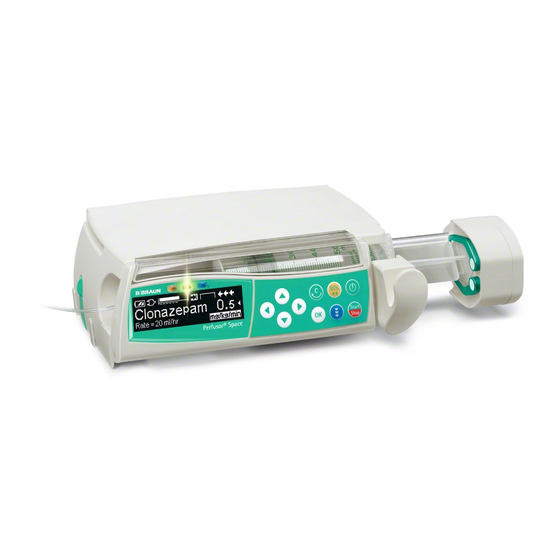
Дозатор шприцевой Perfusor Space ф.B Braun, Германия |
||||||
|
||||||
|
||||||
|
||||||
|
||||||
|
||||||
|
||||||
|
||||||
|
||||||
|
||||||
|
||||||
|
||||||
|
||||||
|
||||||
|
||||||
|
||||||
|
||||||
|
||||||
|
||||||
|
||||||
|
||||||
|
||||||
|
||||||
|
||||||
|
||||||
|
||||||
|
||||||
|
||||||
|
||||||
|
||||||
|
||||||
|
||||||
|
||||||
|
||||||
|
||||||
|
||||||
|
||||||
|
||||||
|
||||||
|
||||||
|












 На вид всё чисто!



Perfusor® Space
Service Manual
Version 1.3 English

0
|
This Service Manual is valid for: |
Designation |
Part No. |
|
Infusion syringe pump Perfusor® Space . . . . . . . . . . . |
. 0871 3030 |
|
|
This Service Manual is available under |
Designation |
Part No. |
|
the following part number: |
Service Manual Perfusor® Space, English. . . . . . . . . . . |
8713 9020 |
|
Languages of this Manual |
The Service Manual for this unit can be supplied in the following |
|
|
languages: |
||
|
Designation |
Part No. |
|
|
Service Manual Perfusor® Space, German . . . . . . . . . . |
8713 9010 |
|
|
Service Manual Perfusor® Space, English (US). . . . . . |
8713 9020U |
|
|
Service Manual Perfusor® Space, French . . . . . . . . . . . |
8713 9030 |
|
2 |
Perfusor® Space, 1.2 gb |

Table of Contents 0
|
Important Preliminary Remarks |
Service Work |
Page |
0 — 5 |
|
Technical Safety Checks |
Page |
0 — 5 |
|
|
Current Versions |
Page |
0 — 5 |
|
|
Revision Service |
Page |
0 — 5 |
|
|
Quality Management |
Page |
0 — 6 |
|
|
Checks and Repair |
Page |
0 — 6 |
|
|
Notes on ESD |
Page |
0 — 6 |
|
|
Spare Parts and Test Equipment |
Page |
0 — 7 |
|
|
Setting Off |
Page |
0 — 7 |
|
|
Contact Persons |
Technical Training |
Page |
0 — 11 |
|
Entry for Technical Training |
Page |
0 — 11 |
|
|
Ordering of Spare Parts and Test Equipment |
Page |
0 — 11 |
|
|
Service Hotline International |
Page |
0 — 11 |
|
|
Return of Spare Parts and Test Equipment |
Page |
0 — 11 |
|
|
Safety Officer |
|||
|
(§ 30 MPG) |
Page |
0 — 11 |
|
|
Translation |
Page |
0 — 11 |
|
|
System Overview |
Description |
Page |
1 — 1 |
|
System Overview |
Page |
1 — 1 |
|
|
Physical Construction |
Page |
1 — 2 |
|
|
Function |
Page |
1 — 3 |
|
|
Unit Software |
Page |
1 — 6 |
|
|
Service Program |
Page |
1 — 7 |
|
|
Technical Data |
Page |
1 — 12 |
|
|
Options |
Page |
1 — 12 |
|
|
Accessories |
Page |
1 — 12 |
|
|
Unit Diagnosis / Calibration |
General |
Page |
2 — 1 |
|
Alarms and Error Codes |
Page |
2 — 3 |
|
|
The Most Important Error Modes |
Page |
2 — 8 |
|
|
Device Check |
Page |
2 — 9 |
|
|
Calibration |
Page |
2 — 14 |
|
|
Procedural Instructions for Calibration |
Page |
2 — 14 |
|
|
Trouble Shooting |
Page |
2 — 29 |
|
|
Disassembly / Assembly |
General |
Page |
3 — 1 |
|
Battery Module |
Page |
3 — 9 |
|
|
Unit Foot |
Page |
3 — 11 |
|
|
Operating Unit |
Page |
3 — 12 |
|
|
Upper Part of Housing |
Page |
3 — 17 |
|
|
Release Button |
Page |
3 — 19 |
|
|
Loudspeaker |
Page |
3 — 19 |
|
|
Drive |
Page |
3 — 20 |
|
|
Syringe Holder with Piston Brake |
Page |
3 — 27 |
|
|
Processor PCB |
Page |
3 — 34 |
|
|
Assembly / Installation |
Page |
3 — 35 |
|
|
Checks after Repair |
Page |
3 — 47 |
|
Perfusor® Space, 1.0 gb |
0 — 3 |

|
Servicing the Unit |
Cleaning |
Page |
4 |
— 1 |
|
Servicing the Battery |
Page |
4 |
— 1 |
|
|
Technical Safety Check (TSC) |
Perfusor® Space 1 |
|||
|
Technical Safety Check (TSC) |
Power Supply SP 1 |
|||
|
Procedural Instructions on the TSC |
Visual Inspection |
Page |
7 |
— 1 |
|
Electrical Safety |
||||
|
according to IEC/EN 60601-1 |
||||
|
or VDE 0750 and VDE 0751 |
Page |
7 |
— 2 |
|
|
Functional Inspection Perfusor® Space |
Page |
7 |
— 3 |
|
|
Functional Inspection Power Supply SP |
Page |
7 |
— 6 |
|
|
Test Equipment and Special Tools |
Test equipment |
Page |
8 |
— 1 |
|
Special Tools |
Page |
8 |
— 3 |
|
|
Spare Parts List |
Page |
9 |
— 1 |
|
|
Revision Documentation |
Description of Version |
Page |
10 |
— 1 |
|
Version List of the Individual Pages |
Page |
10 |
— 1 |
|
|
Index |
Page |
11 |
— 1 |
|
0 — 4 |
Perfusor® Space, 1.0 gb |

Important Preliminary Remarks 0
Service Work |
The present manual is for your information only. The possession of |
|
this manual does not authorize the performance of service work. |
|
|
Service tasks may only be executed by persons, who |
|
|
— have received appropriate training on the system from |
|
|
B. Braun |
|
|
— are included in the revision service |
|
|
— possess the necessary test equipment and mechanical aids, |
|
|
and |
|
|
— fulfill the personal requirements (training and knowledge). |
|
Technical Safety Checks |
The user is obliged to perform or to have performed the Technical |
|
Safety Checks on those medial products for which these checks |
|
|
have been prescribed by the manufacturer and to carry them out |
|
|
according to the indications of the manufacturer as well as the |
|
|
generally approved technical standards while adhering to the |
|
|
periods stated (§ 6 MP BetreibV). |
|
|
B. Braun also recommends training on the Technical Safety |
|
|
Checks, or to perform at least the steps indicated in the current |
|
|
version of the manual, as: |
|
|
— the TSC requires that the instructions in the manuals are |
|
|
observed |
|
|
— the manuals are a reference for measurements |
|
|
— depending on the unit type, the Service Program must be |
|
|
called which may lead to a dangerous unit condition in case |
|
|
of inappropriate operation. Furthermore, a special service |
|
|
connector may be necessary. |
|
Current Versions |
This manual version corresponds to the state when the manual |
|
was written. B Braun reserves the right to make technical |
|
|
modifications. The state of the revision is indicated by the index |
|
|
number in the footer of every page. |
|
Revision Service |
The possession of this manual does not automatically mean |
|
inclusion in the revision service. You will be included in the |
|
|
revision service after: |
|
|
— technical training by B. Braun Melsungen or |
|
|
— a written order placed with the sales department of B. Braun |
|
|
(fee required). |
|
Perfusor® Space, 1.1 gb |
0 — 5 |

|
0 |
Important Preliminary Remarks |
|
Responsibility of the Manufacturer |
The manufacturer, person who assembles, installs or imports the |
|
device can only be held responsible for safety, reliability and |
|
|
performance if |
|
|
— mounting, enhancements, new settings, changes or repairs |
|
|
are carried out by duly authorized persons, |
|
|
— the electrical installation in the corresponding room meets |
|
|
the requirements of the VDE 0107, VDE 0100 part 710 or |
|
|
IEC 60364-7-710 and the national standards, |
|
|
— the device is used in accordance with the instructions for use |
|
|
and the Service Manual, |
|
|
— the Technical Safety Checks are performed at regular |
|
|
intervals, |
|
|
— a current manual which corresponds to the revision state is |
|
|
used when carrying out maintenance, repair and service, |
|
|
— the service technician takes part in the revision service, |
|
|
— the technician has participated in a technical training course |
|
|
for the specific B. Braun unit. |
|
Quality Management |
B. Braun is certified in accordance with DIN EN ISO 9001 and |
|
ISO 13485. This certification also includes maintenance and |
|
|
service. |
|
|
The unit has the CE label. The CE label confirms that the device |
|
|
corresponds to the “Directive of the Council for Medical Products |
|
|
93/42/EC” of June 14, 1993. |
|
Checks and Repair |
Training may only be performed by B. Braun. The possession of the |
|
manual does not authorize the performance of repairs. The |
|
|
instructions on electrostatic sensitive components (ESD |
|
|
standards) must be observed. |
|
|
After repair a device check or diagnosis is to be carried out. |
|
Notes on ESD |
Semiconductors can be destroyed by electrostatic discharge. |
|
Especially MOS components can be damaged by interference from |
|
|
electrostatic fields, even without discharge via contact. This type |
|
|
of damage is not immediately recognizable. Unit malfunctions |
|
|
can even occur after a longer period of operation. |
|
0 — 6 |
Perfusor® Space, 1.1 gb |

|
Important Preliminary Remarks |
0 |
Fig.: 0 — 1
Spare Parts and Test Equipment
Setting Off
Each workstation must be equipped according to the recommendations with the necessary static protective measures, if ESD components or boards are handled.
Each workstation must be equipped with a conductive table surface. The conductive surface, the soldering iron or the soldering stations must be grounded via protective resistors.
Chairs must be of antistatic design. The floor or floor mats should be of electrically conductive material.
Personnel must wear conductive wristbands which are connected to a central ground potential via protective resistors, e.g. the ground contact of a wall outlet. Furthermore it is recommended that personnel wear cotton clothing and electrically conductive shoes to prevent electrostatic charge.
Only use original spare parts from the manufacturer. Do not tamper with assembly groups which can only be exchanged completely. The spare parts required are listed in the repair descriptions.
Service personnel are responsible for the calibration of their test equipment. Original test equipment can be calibrated at the works of B. Braun. Further information is available upon request.
Additional notes and warnings are set off as follows:
Note
Is used for additional or special notes concerning information and working steps.
CAUTION
Is used for working steps which may result in damage to the unit, system or to a connected device.
WARNING
IS USED FOR WORKING STEPS WHICH MAY RESULT IN PERSONAL INJURY.
|
Perfusor® Space, 1.1 gb |
0 — 7 |

|
0 |
Important Preliminary Remarks |
References to chapters are shown as follows (see “Setting Off“ pg. 0 — 7)
References to figures and tables are shown as follows
Fig.: 2 — 3 or Table 2 — 1
References to item numbers in figures are shown as follows (Fig.: 1 — 1 / Item 1)
In this case “Fig.: 1 — 1“ is the figure number and “Item 1“ the item number within the figure.
When the Service Manual is stored as pdf-file, these references are displayed green. Click with the mouse button on a reference to jump to the corresponding source.
Menu commands are described as: Menu File.
|
0 — 8 |
Perfusor® Space, 1.1 gb |

|
Important Preliminary Remarks |
0 |
|
List of Abbreviations |
Abbreviations which are not generally known, but are used in this |
|
|
manual, are listed below. |
||
|
CAN |
Controller Area Network |
|
|
CE |
Communauté Européenne |
|
|
(European Communities) |
||
|
CS |
Calibration Step |
|
|
DIN |
Deutsche Industrie Norm |
|
|
(German Industrial Standard) |
||
|
EN |
European Standard |
|
|
ESD |
Electrostatic Discharge |
|
|
FuP |
Function Microprocessor |
|
|
IEC |
International Electrotechnical |
|
|
Commission |
||
|
ISO |
International Standardization |
|
|
Organization |
||
|
ISP |
Infusomat® Space |
|
|
ISPS |
Infusomat® Space, Silicon |
|
|
ISPP |
Infusomat® Space, PVC |
|
|
KuP |
Monitoring Microprocessor |
|
|
LCD |
Liquid Crystal Display |
|
|
MOS |
Short for the following |
|
|
company name: |
||
|
MOS Technology, Inc. |
||
|
(Commodore Semiconductor |
||
|
Group) |
||
|
PCA |
Patient-Controlled Analgesia |
|
|
PSP |
Perfusor® Space |
|
|
SP |
Space (System) |
|
|
SPC |
SpaceCover |
|
|
SPCC |
SpaceCover comfort |
|
|
SPCS |
SpaceCover standard |
|
|
SPCO |
SpaceCom |
|
|
SPCT |
SpaceControl |
|
|
SPS |
SpaceStation |
|
|
TEMP |
Temperature |
|
|
TS |
Troubleshooting Step |
|
|
TSC |
Technical Safety Checks |
|
Perfusor® Space, 1.2 gb |
0 — 9 |

|
0 |
Important Preliminary Remarks |
|
UTS |
Unit Test Step |
|
VDE |
Verband der Elektrotechnik, |
|
Elektronik und |
|
|
Informationstechnik e.V. |
|
|
(German electrical engineering |
|
|
association) |
|
0 — 10 |
Perfusor® Space, 1.2 gb |

Contact Persons 0
Technical Training |
Via local representative. |
||
Entry for Technical Training |
Application for a technical training course must be made via the |
||
|
responsible representative. |
|||
Ordering of Spare Parts and Test Equipment |
Please contact your local B. Braun subsidary. |
||
|
International Technicians (Intercompany) |
|||
|
Nadja Machal |
|||
|
Fax: |
+49 5661 / 75 — 47 89 |
||
|
e-mail: |
nadja.machal@bbraun.com |
||
Service Hotline International |
Karl Tippel, Tanja Kördel |
||
|
Fax: |
+49 5661 / 71 — 35 26 |
||
|
e-mail: |
karl.tippel@bbraun.com |
||
|
e-mail: |
tanja.koerdel@bbraun.com |
||
Return of Spare Parts and Test Equipment |
B. Braun Melsungen AG |
||
|
Schwarzenberger Weg 73-79 |
|||
|
Wareneingang Werk C |
|||
|
34 212 Melsungen |
|||
|
Germany |
|||
|
Safety Officer |
Dr. Ludwig Schütz |
||
|
(§ 30 MPG) |
e-mail: ludwig.schuetz@bbraun.com |
||
Translation |
Cs2 Informatik GmbH & Co. KG, Germany |
|
Perfusor® Space, 1.3 gb |
0 — 11 |

|
0 — 12 |
Perfusor® Space, 1.0 gb |

System Overview 1
Description |
The Perfusor® Space (PSP) is according to IEC/EN 60601 resp. IEC/ |
|
|
EN 60601-2-24 a transportable infusion syringe pump for |
||
|
administrating fluids in the nutritional therapy and infusion |
||
|
technique as well as for home care applications. |
||
|
The medical specialist must decide on suitability for application |
||
|
on the basis of the warranted properties and the technical data. |
||
System Overview |
The Space system is a modular design of modern infusion |
|
|
technology for stationary, mobile or private use. The key modules |
||
|
and their connection to the peripheral devices are shown in |
||
|
Fig.: 1 — 1. |
||
|
All the pump types, Perfusor® Space, Infusomat® Space and |
||
|
Infusomat® Space P, as well as the other devices of the system are |
||
|
1 |
||
|
of modular design. Up to three pumps can be connected together |
||
|
mechanically using L rails on the bottom of the unit and grooves |
||
|
2 |
on the top. They can then be fastened to a drip stand or |
|
|
appropriate rail using the pole clamp. |
||
|
The SpaceControl module can be used to extend operation. One |
||
|
3 |
single pump can be inserted onto this module. The pump is then |
|
|
connected via connectors to the module. |
||
|
The SpaceStation module allows the set-up of a complete pump |
||
|
system with up to 24 pumps. Up to four pumps can be installed in |
||
|
4 |
every SpaceStation. The pumps are supplied with power via the |
|
|
5 |
integrated power supply and the built-in connectors. The pumps |
|
|
are connected to the optional SpaceCom via these connectors. |
||
|
SpaceControl can also be integrated into the system. |
||
|
Up to six SpaceStations can be set-up as a column with a total of |
||
|
24 pumps. SpaceStation placed next to each other can be |
||
|
Fig.: 1 — 1 Space system |
connected via special connection cables, if the maximum number |
|
|
of 24 pumps in maximum three columns is not exceeded. |
||
|
Legend of fig. 1 — 1: |
SpaceCover Standard or SpaceCover Comfort forms the top of |
|
|
ItemDesignation |
||
|
each column. Alarms are signalled by a row of LEDs and a |
||
|
1 SpaceCover |
||
|
loudspeaker in the SpaceCover Comfort. |
||
2Infusion pump Infusomat® Space
3Infusion syringe pump Perfusor® Space
4SpaceControl
5SpaceStation
|
Perfusor® Space, 1.0 gb |
1 — 1 |

Physical Construction
5
4
3
 6
6
Fig.: 1 — 2 Perfusor® Space
Legend of fig. 1 — 2:
ItemDesignation
|
1 |
Perfusor® Space |
6 |
Connector “P2“ for SpaceStation module, external 12 V DC |
|
2 |
Drive head |
and accessories |
|
|
3 |
Syringe holder with piston brake |
7 Connector “P3“, connection to SpaceControl module |
|
|
4 |
Operating Unit |
8 |
Battery compartment cover |
|
5 |
Syringe area |
|
1 — 2 |
Perfusor® Space, 1.0 gb |

|
The Perfusor® Space housing mainly consists of the bottom part |
|
|
and the upper part. |
|
|
The battery module is inserted in the rear of the housing upper |
|
|
part. The opening is covered by the battery compartment cover. |
|
|
The operating unit is attached to the front of the bottom part with |
|
|
two hinges. This operating unit covers the area for the syringes. |
|
|
The complete drive assembly, consisting of lead screw and drive |
|
|
head with driving tube is located directly behind the syringe area |
|
|
in the bottom part of the housing. The housing bushing for the |
|
|
driving tube is located in the side of the housing. |
|
|
The syringe holder is mounted in the right side of the housing |
|
|
bottom part. |
|
|
The processor PCB with the permanently connected external |
|
|
connectors “P2” and “P3” is located at the bottom of the housing |
|
|
bottom part. |
|
Function |
There are two power options for the Perfusor® Space: |
|
— via the inserted battery module |
|
|
— via an external 12 V DC power supply (e.g. SpaceStation, |
|
|
SpaceControl, an external power supply or from an |
|
|
ambulance car) connected to connector “P2” |
|
|
The voltage supplied is converted to the internal voltages required |
|
|
through a voltage transforming and monitoring circuit on the |
|
|
processor PCB. |
|
|
An independent circuit in the battery module monitors the battery |
|
|
cells and controls their charge condition. |
|
|
The Perfusor® Space is connected to a SpaceControl by connector |
|
|
“P3”. |
|
|
The function processor controls all the functions of the Perfusor® |
|
|
Space. Data is stored in a non-volatile memory which also |
|
|
controls the external data transfer. |
|
|
The control microprocessor monitors all important responses of |
|
|
the function processor to incoming information. If a response |
|
|
does not correspond with that expected by the control |
|
|
microprocessor, an error message is generated and the device is |
|
|
switched to a safe stop state. |
|
|
The drive motor is monitored by a detector for speed and direction |
|
|
of rotation. The extended end position of the drive head is |
|
|
detected by a switch on the processor PCB. |
|
Perfusor® Space, 1.0 gb |
1 — 3 |

The pressure in the infusion system is measured through a strain gauge measuring in the drive head and monitored in the device electronics. The data from the strain gauge is continuously compared with the limit values which are calculated dependent on the selected syringe type and the pressure settings. When the limit values are exceeded an alarm is automatically triggered and the pressure in the infusion system is reduced. The maximum pressure is additionally limited by a second, independent system. This maximum pressure limitation is performed using the motor current control.
The syringe size detection is performed via the syringe holder. The syringe holder is connected to a potentiometer. The syringe size is determined from the resistance of the potentiometer.
The syringe is fixed with the syringe holder and the axial fastening device. The syringe piston is fastened with two claws in the drive head. When a syringe is inserted the syringe piston is held by the piston brake, until the piston has been caught by the claws.
Keyboard and display as well as the syringe area are illuminated.
|
1 — 4 |
Perfusor® Space, 1.0 gb |

|
System Overview |
1 |
|
Fig.: 1 — 3 Block diagram Perfusor® Space |
|
Perfusor® Space, 1.0 gb |
1 — 5 |

Unit Software |
Approved Software Versions |
|||||||||||||||
|
688A030032 |
||||||||||||||||
|
— |
Basic software |
|||||||||||||||
|
Position |
1 |
2 |
3 |
4 |
5 |
6 |
7 |
8 |
9 |
10 |
||||||
|
Digit |
6 |
8 |
8 |
C |
0 |
3 |
0 |
0 |
0 |
1 |
688A030035 |
|||||
|
— |
Improved functions |
|||||||||||||||
|
688A030040 |
||||||||||||||||
|
Revision level |
||||||||||||||||
|
— |
Improved functions |
|||||||||||||||
|
Hardware |
||||||||||||||||
|
Software group |
— |
Languages French and Swedish added |
||||||||||||||
|
688B030002 |
||||||||||||||||
|
Device type: Perfusor® Space |
||||||||||||||||
|
Fig.: 1 — 4 |
— |
Improved functions |
||||||||||||||
|
688B030003 |
||||||||||||||||
|
— |
CAN bus functioning |
|||||||||||||||
|
688C030001 |
||||||||||||||||
|
— |
Dose calculation |
|||||||||||||||
|
— |
Changed CAN log |
|||||||||||||||
|
688D030001 |
||||||||||||||||
|
— Drug list data base |
||||||||||||||||
|
— |
Changed user language |
|||||||||||||||
|
688E030003 |
||||||||||||||||
|
— |
Improved functions |
|||||||||||||||
|
— |
Piggyback |
|||||||||||||||
|
— |
Soft limits |
|||||||||||||||
|
688F030006 |
||||||||||||||||
|
— |
PCA |
|||||||||||||||
|
— |
Changed claw configuration |
|||||||||||||||
|
— |
Optimized alarm handling |
|||||||||||||||
|
688G030002 |
||||||||||||||||
|
— |
Improved functions |
|
1 — 6 |
Perfusor® Space, 1.0 gb |

Service Program
Software Update of the Unit
The instructions for updating the software are supplied with the software itself.
CAUTION
If the device is disconnected while the software is being updated or the device or PC is switched off, a component of the software may be seriously damaged so that repairs are no longer possible. In such a case the software cannot be updated via the PC and the device must be returned to B. Braun.
Approved Version
Note
Please note that text and / or functions of the Service Program may change depending on the software version. The following screen illustrations are only examples and represent the state when the manual was printed.
—0.0.28
—1.0.0
—1.1.2
—1.1.3
—1.1.4
—1.2.1
—1.3.5
—1.5.0
—2.0.1
—3.1.0
—4.0.0
—5.1.0
Starting the Service Program
Note
Installation and further operation of the Service Program is described in its separate instructions for use.
|
Perfusor® Space, 1.0 gb |
1 — 7 |

Fig.: 1 — 5
Fig.: 1 — 6
Fig.: 1 — 7
1.Start the “HiBaSeD.exe” program (History, Barcode, Service, Drug list) on the PC. The Service Program is loaded and started and the initial window of the Service Program is displayed.
2.Read the notes carefully.
3.Mark the field “I accept all conditions” and then the field “Yes” to confirm that you have read the notes.
Note
Click the field “English” to switch the language of the notes over to English.
4.Enter the password and confirm it by clicking the field “Start”.
The Service Program checks the PC interfaces for connected devices of the Space system. Units that were found are displayed for a short moment on the screen.
|
1 — 8 |
Perfusor® Space, 1.0 gb |

The work window of the Service Program appears on the screen. All devices recognized are listed in the left column.
Fig.: 1 — 8
5. Activate the desired device from the list on the left in the work window with a double-click. The device data is then displayed below the device name.
|
Perfusor® Space, 1.0 gb |
1 — 9 |

If the unit software version is not compatible with the Service Program version, a window opens prompting the operator to change the Service Program version. This window displays a compatibility list of the Service Programand unit software versions.
If Service Programand unit software versions are compatible, all the Service Program functions are activated.
Fig.: 1 — 9
Fig.: 1 — 10
|
1 — 10 |
Perfusor® Space, 1.0 gb |

Fig.: 1 — 11
Fig.: 1 — 12
Service Program Version
1.Open the “HiBaSeD“ window via Help Info …. The current version of the Service Program is shown in this window.
2.Close the window by clicking “OK”.
Compatibility List
1.Open the “Unit — Compatibility” window via Help Compatibility. This window displays the compatibility of the HiBaSeD-version and the unit software version.
2.Close the window by clicking “OK”.
Quit the Service Program
1.Exit the Service Program via Application Quit.
2.Disconnect a power supply which might be connected from the unit.
3.Switch off the unit.
4.Remove the battery module.
5.The device can be restarted after appr. 10 seconds.
|
Perfusor® Space, 1.0 gb |
1 — 11 |

Technical Data
Options
Accessories
All technical data is indicated in the instructions for use.
The functions of the individual options are detailed in the instructions for use.
Perfusor® Space
Designation Part No.:
Power supply Euro . . . . . . . . . . . . . . . . . . . . . . . . . . . . 0871 3110A Power supply UK. . . . . . . . . . . . . . . . . . . . . . . . . . . . . . 0871 3111A Power supply USA / Japan . . . . . . . . . . . . . . . . . . . . . . 0871 3112A Power supply Australia. . . . . . . . . . . . . . . . . . . . . . . . . 0871 3113A Power supply South Africa. . . . . . . . . . . . . . . . . . . . . . 0871 3115A
|
Designation |
Part No.: |
|
Charger SP . . . . . . . . . . . . . . . . . . . . . . . . . . . . . . . . . . . |
0871 3170 |
|
battery charging station |
|
|
Connection cable staff call SP. . . . . . . . . . . . . . . . . . . . |
0871 3232 |
|
Power supply cable 12 V . . . . . . . . . . . . . . . . . . . . . . . . |
0871 3231 |
|
for ambulance cars |
|
|
CombiLead SP 12 V . . . . . . . . . . . . . . . . . . . . . . . . . . . . |
0871 3133 |
|
connection cable, pump — pump |
|
|
InterfaceLead SP . . . . . . . . . . . . . . . . . . . . . . . . . . . . . . |
0871 3234 |
|
interface cable RS232 |
|
|
InterfaceLead SP . . . . . . . . . . . . . . . . . . . . . . . . . . . . . . |
0871 3230 |
|
interface cable CAN SP |
|
|
SpaceClamp SP . . . . . . . . . . . . . . . . . . . . . . . . . . . . . . . . |
0871 3130 |
|
The SpaceClamp is a holder attached on beds for one |
|
|
or several Space system pumps. |
|
|
Short stand SP . . . . . . . . . . . . . . . . . . . . . . . . . . . . . . . . |
0871 3135 |
|
Space PCA kit (PCA button) . . . . . . . . . . . . . . . . . . . . . |
0871 3554 |
|
Syringe Anti Removal Cap PSP . . . . . . . . . . . . . . . . . . . |
0871 3556 |
|
1 — 12 |
Perfusor® Space, 1.3 gb |

Unit Diagnosis / Calibration 2
General
WARNING
WHILE TESTING THE UNIT AND TROUBLE SHOOTING THE
OPERATOR/SERVICE TECHNICIAN MUST WORK WITH VOLTAGES
UP TO 115 / 230 V AC. THESE VOLTAGES MAY CAUSE INJURIES
WHICH ARE DANGEROUS TO LIFE AND LIMB. THE NATIONAL AND
INTERNATIONAL SAFETY REGULATIONS ARE TO BE ADHERED TO.
Before each disassembly and assembly of a unit subsystem check the connectors, plug contacts and connections for corrosion and tight fit. These fault types are not described again in the following trouble shooting list.
The following equipment and gauges are necessary for testing the unit and/or performing troubleshooting:
— PC
— Service connector SP
— Service Program HiBaSeD — Interface cable
— Syringe 2 ml / 3 ml — Syringe 10 ml
— Syringe 30 ml
— Diameter gauge 32.0 mm — Diameter gauge 23.4 mm — Diameter gauge 15.7 mm — Diameter gauge 9.0 mm — Length gauge PSP
— Syringe gauge “#Lehre OPS 50“with push-button plate and motor power test adapter for Perfusor® Space
There are pictures of the gauges in Chapter “Special Tools“ ( pg. 8 — 3).
CAUTION
Take special care when carrying out measurements on an open and switched-on unit. Short circuits and wrong measuring methods can cause serious damage to or destroy the subsystems of the device.
|
Perfusor® Space, 1.1 gb |
2 — 1 |

|
2 |
Unit Diagnosis / Calibration |
The unit check, calibration and trouble shooting are subdivided into numbered working steps (Unit Test Step UTS, Calibration Step CS, Trouble Shooting TS) and are based on each other.
Beginning with UTS 1 the operation described here has to be executed. The consequences of the steps performed are listed in the “Function“ column. If the result corresponds to the consequence, the working step must be carried out to which reference is made in the column “If yes”. If the result does not correspond with the function described, the working step in column “If no” is to be executed.
One example is given in Fig.: 2 — 1.
|
UTS |
Activity |
Function |
If yes |
If no |
|
1 |
UTS 2 |
|||
|
2 |
UTS 3 |
TS 1 |
||
|
3 |
UTS 4 |
|||
|
4 |
UTS 5 |
TS 4 |
||
|
5 |
||||
|
Model table 1 |
||||
|
TS |
Activity |
Function |
||
|
1 |
UTS 3 |
TS 2 |
||
|
2 |
TS 3 |
TS 4 |
||
|
3 |
UTS 3 |
|||
|
4 |
UTS 4 |
TS 4 |
||
|
5 |
UTS 4 |
|||
|
Model table 2 |
||||
|
Fig.: 2 — 1 Model tables |
Steps for which additional information is required are described after the table in detail.
|
2 — 2 |
Perfusor® Space, 1.0 gb |

|
Unit Diagnosis / Calibration |
2 |
Alarms and Error Codes
The alarms of the Perfusor® Space are classified in 5 categories. These categories are listed hereafter according to their importance.
—Alarm advice
In case of unacceptable inputs corresponding messages are displayed (e.g. “Caution! Rate out of range“, “The parameter cannot be changed“) and a beep sounds.
—Pre-alarm
Pre-alarms are triggered several minutes (depending on the service settings) before the operating alarms.
—Reminder alarm
A reminder alarm is triggered if the device is not operated for two minutes when input or operation was not finished.
—Operating alarm
In case of an operating alarm the infusion is stopped. An audible signal is released, the red LED flashes and a staff call is triggered. The message “Alarm” and the cause of the alarm appear on the display.
—Device alarm
The most important alarms and error codes as well as their meaning and possible fault clearance are specified in the following lists.
Note
The device should be checked after every repair or service (see “Device Check“ pg. 2 — 9).
|
Perfusor® Space, 1.0 gb |
2 — 3 |

|
2 |
Unit Diagnosis / Calibration |
|
Alarms |
|||
|
Alarm |
Possible Cause |
Fault Clearance |
|
|
1 |
Battery nearly discharged (type: pre- |
The device was not connected to the |
Operate the device with battery until the |
|
alarm) |
mains long enough |
message “Battery discharged“ is |
|
|
displayed and the unit is switched off. |
|||
|
Then connect the unit to the mains for at |
|||
|
least 6 hours. |
|||
|
Battery module defective or too old |
Replace battery module |
||
|
2 |
Battery discharged (type: operating |
The device was not connected to the |
Connect the unit to the mains for at least |
|
alarm) |
mains long enough |
6 hours |
|
|
Battery module defective |
Replace battery module |
||
|
3 |
Battery cover open (type: operating |
The battery compartment cover is |
Insert the battery compartment cover |
|
alarm) |
not correctly closed |
correctly |
|
|
The magnet in the battery |
Exchange the battery compartment cover |
||
|
compartment cover is missing |
|||
|
The battery compartment cover is |
Replace battery module |
||
|
not recognized by the battery |
|||
|
module |
|||
|
4 |
Drive blocked (type: operating alarm) |
The drive was manually blocked |
Eliminate blockage |
|
Driving force too low |
Connect the unit to the mains for at least |
||
|
6 hours and charge battery |
|||
|
Re-calibrate the device |
|||
|
The drive is physically damaged |
Replace drive. |
||
|
5 |
Malfunction of claws (type: operating |
The syringe piston was not |
Select or insert correct syringe type |
|
alarm) |
recognized |
||
|
Loosen the syringe via the emergency |
|||
|
release button in the drive head and |
|||
|
insert again |
|||
|
Re-calibrate the device |
|||
|
The claws or the claw drive are/is |
Replace drive head |
||
|
damaged |
|||
|
6 |
Push-button has no contact (type: |
Negative pressure in the syringe |
See instructions for use |
|
operating alarm) |
system |
||
|
Syringe was removed without |
See instructions for use |
||
|
opening the syringe holder |
|||
|
Push-button sensor defective |
Replace drive head |
||
|
7 |
Device alarm (type: device alarm) |
A serious internal fault was detected in |
Switch device off and on |
|
the system |
|||
|
Carry out a device check (see “Device |
|||
|
Check“ pg. 2 — 9) |
|||
|
Table 2 — 1 Alarms |
|
2 — 4 |
Perfusor® Space, 1.0 gb |

|
Unit Diagnosis / Calibration |
2 |
|
Device Alarms of the Function Processor |
||||
|
Error Code |
Definition |
Possible Cause |
Fault Clearance |
|
|
1 |
1001 … 1013 |
Internal Error |
||
|
2 |
1014 |
Loudspeaker not off |
Loudspeaker connector |
Check the loudspeaker connector |
|
Loudspeaker |
Check the loudspeaker |
|||
|
3 |
1015 |
Loudspeaker lost |
Loudspeaker connector |
Check the loudspeaker connector |
|
Loudspeaker |
Check the loudspeaker |
|||
|
4 |
1016 |
Loudspeaker shorted |
Loudspeaker connector |
Check the loudspeaker connector |
|
Loudspeaker |
Check the loudspeaker |
|||
|
5 |
1017 |
KuP switchoff path defect |
Switch off path |
|
|
(K_SM_CLK) |
||||
|
6 |
1018 |
ADC pressure out of range |
Pressure measurement in drive |
Carry out calibration |
|
head |
||||
|
7 |
1019 |
Internal Error |
||
|
8 |
1020 |
FUP Flash Memory Error Software |
Software |
Update unit software |
|
9 |
1021 |
FUP different version KuP to FuP |
Software |
Update unit software |
|
10 |
1022 |
FUP pressure zero test fail |
Pressure measurement in drive |
Carry out calibration |
|
head |
||||
|
11 |
1023 |
FUP pressure offset test fail |
Pressure measurement in drive |
Carry out calibration |
|
head |
||||
|
12 |
1024 |
FUP EA key closed too long 20sec |
Keyboard defective |
Carry out device check |
|
13 |
1025 |
Internal Error |
||
Table 2 — 2 Device alarms of the function processor
|
Perfusor® Space, 1.0 gb |
2 — 5 |

|
2 |
Unit Diagnosis / Calibration |
|
Device Alarms of the Control Microprocessor |
||||
|
Error Code |
Definition |
Possible Cause |
Fault Clearance |
|
|
1 |
1100 |
Timebase too fast |
Quartz of the processor PCB |
Exchange processor PCB |
|
2 |
1101 |
Timebase too slow |
Quartz of the processor PCB |
Exchange processor PCB |
|
3 |
1102 |
Timebase fail |
Quartz of the processor PCB |
Exchange processor PCB |
|
4 |
1103 |
Keyboard High |
Keyboard defective |
Carry out device check |
|
5 |
1104 |
EA_KEY defect 25sec |
Keyboard defective |
Carry out device check |
|
6 |
1105 |
No keydecode |
Keyboard defective |
Carry out device check |
|
7 |
1106 |
ROM Romtest defect Software |
Software |
Update unit software |
|
8 |
1107 |
ROM Program defect |
Software |
Update unit software |
|
9 |
1108 |
CM State without set |
||
|
K_V_KM_ON |
||||
|
10 |
1109 |
MPU_Test failed |
Software |
Update unit software |
|
11 |
1110 |
RAM_Test failed |
Software |
Update unit software |
|
12 |
1111 |
active reset |
Voltage supply during operation |
|
|
interrupted |
||||
|
13 |
1112 … 1114 |
Internal Error |
||
|
14 |
1115 |
Drive too fast |
Motor drive |
Exchange processor PCB |
|
Recognition of direction of |
||||
|
rotation |
||||
|
15 |
1116 |
Drive too slow |
Motor drive |
Exchange processor PCB |
|
Recognition of direction of |
||||
|
rotation |
||||
|
16 |
1117 … 1118 |
Internal Error |
||
|
17 |
1119 |
lcd backlight on defect |
LC display defective |
Exchange operating unit |
|
18 |
1120 |
lcd backlight off defect |
LC display defective |
Exchange operating unit |
|
19 |
1121 |
red led on defect |
LC display defective |
Exchange operating unit |
|
20 |
1122 |
red led off defect |
LC display defective |
Exchange operating unit |
|
21 |
1123 |
key pressed too long (without EA- |
Keyboard defective |
Carry out device check |
|
Key) 60sec |
||||
|
22 |
1124 … 1127 |
Internal Error |
||
|
23 |
1128 |
Drive motion rightless forward |
Motor drive |
Exchange processor PCB |
|
Recognition of direction of |
||||
|
rotation |
||||
|
24 |
1129 |
Drive motion rightless backward |
Motor drive |
Exchange processor PCB |
|
Recognition of direction of |
||||
|
rotation |
||||
|
25 |
1130 … 1200 |
Internal Error |
||
Table 2 — 3 Device alarms of the control microprocessor (Part 1 of 2)
|
2 — 6 |
Perfusor® Space, 1.0 gb |

|
Unit Diagnosis / Calibration |
2 |
|
Error Code |
Definition |
Possible Cause |
Fault Clearance |
|
|
26 |
1201 |
different version FuP to KuP |
Software |
Update unit software |
|
Software |
||||
|
27 |
1202 |
E_ERROR_STEPMOTOR_1 Phase |
Drive motor, lead screw |
Exchange processor PCB |
|
not ok |
||||
|
28 |
1203 |
E_ERROR_STEPMOTOR_2 Current |
Motor drive |
Carry out calibration |
|
value not 0x55 |
Recognition of direction of |
|||
|
rotation |
||||
|
29 |
1204 |
E_ERROR_STEPMOTOR_3 |
Motor drive |
Carry out calibration |
|
K_SM_CLK defect |
Recognition of direction of |
|||
|
rotation |
||||
|
30 |
1205 |
E_ERROR_STEPMOTOR_4 Phase |
Motor drive |
Carry out calibration |
|
not ok |
Recognition of direction of |
|||
|
rotation |
||||
|
31 |
1206 |
E_ERROR_STEPMOTOR_5 |
Motor drive |
Carry out calibration |
|
Current value not 0 |
Recognition of direction of |
|||
|
rotation |
||||
|
32 |
1207 |
E_ERROR_STEPMOTOR_6 Current |
Motor drive |
Carry out calibration |
|
value not 0x55 |
Recognition of direction of |
|||
|
rotation |
||||
|
33 |
1208 |
E_ERROR_STEPMOTOR_7 Current |
Motor drive |
Carry out calibration |
|
value not 0xAA |
Recognition of direction of |
|||
|
rotation |
||||
|
34 |
1209 |
E_ERROR_STEPMOTOR_8 Phases |
Motor drive |
Carry out calibration |
|
not 0 |
Recognition of direction of |
|||
|
rotation |
||||
|
35 |
1210 |
E_ERROR_DCMOTOR_1 |
Piston brake drive motor def. |
|
|
Claw drive in drive head defective |
||||
|
36 |
1211 |
E_ERROR_DCMOTOR_2 |
||
|
Piston brake light barrier def. |
||||
|
37 |
1212 |
E_ERROR_DCMOTOR_3 |
||
|
38 |
1213 |
E_ERROR_DCMOTOR_4 |
||
|
39 |
1214 |
E_ERROR_DCMOTOR_5 |
||
|
40 |
1215 |
no V_MOT |
Voltage transformer defective |
Exchange processor PCB |
|
41 |
1216 |
overvoltage test fail |
||
|
42 |
1217 |
no V_MOT |
||
|
43 |
1218 |
undervoltage test fail |
||
|
44 |
1220 |
syringeholder defect |
Syringe holder or potentiometer |
Replace syringe holder |
|
def. |
Exchange processor PCB |
|||
|
45 |
1221 |
syringe change timeout |
||
|
46 |
1237 … 1238 |
Internal Error |
||
|
47 |
1239 |
plunger plate sensor defect |
Pressure measurement in drive |
Replace drive head |
|
head |
||||
|
48 |
1240 … 1254 |
Internal Error |
||
Table 2 — 3 Device alarms of the control microprocessor (Part 2 of 2)
|
Perfusor® Space, 1.0 gb |
2 — 7 |

|
2 |
Unit Diagnosis / Calibration |
The Most Important Error Modes |
The following list specifies the most important error modes and |
||||
|
their clearance. |
|||||
|
Note |
|||||
|
The device must be checked after every repair or service (see |
|||||
|
“Device Check“ pg. 2 — 9). |
|||||
|
Error |
Possible Cause |
Fault Clearance |
|||
|
1 |
The battery module discharges too fast |
The device was not used for a longer time. |
Discharge and charge battery module |
||
|
The battery module was not discharged |
several times |
||||
|
and charged at regular intervals. |
Replace battery module |
||||
|
Table 2 — 4 |
|
2 — 8 |
Perfusor® Space, 1.0 gb |

|
Unit Diagnosis / Calibration |
2 |
Device Check
|
UTS |
Activity |
Function |
If yes |
If no |
|
|
1 |
The device is inserted in a SpaceStation or |
UTS 2 |
UTS 3 |
||
|
connected to a SpaceControl. |
|||||
|
2 |
Remove the device. |
UTS 4 |
|||
|
3 |
Loosen all connections from the device. |
UTS 4 |
|||
|
4 |
Remove syringe and close syringe holder. |
UTS 5 |
|||
|
5 |
Plug service connector SP on connector “P2”. |
UTS 6 |
|||
|
6 |
Connect power supply to the device via service |
All LEDs light up for a short moment. |
UTS 7 |
TS 1 |
|
|
connector SP. |
|||||
|
7 |
The battery charge state and the mains connection |
UTS 8 |
TS 5 |
||
|
are displayed at the top left of the LC display |
|||||
|
(without lighting). |
|||||
|
8 |
Switch on unit. |
All LEDs light up (from left: yellow, green, blue). |
UTS 9 |
TS 5 |
|
|
9 |
A short deep and then a short high beep sound. |
UTS 10 |
TS 7 |
||
|
10 |
The colour of the middle LED changes from green to |
UTS 11 |
TS 8 |
||
|
red, then the LED goes out. The yellow and the blue |
|||||
|
LED remain on for a short moment. |
|||||
|
11 |
The message “Self-test active” and the current |
UTS 12 |
TS 8 |
||
|
software version are displayed. |
|||||
|
12 |
Keyboard, LC display as well as the syringe area are |
UTS 13 |
TS 9 |
||
|
illuminated. |
|||||
|
13 |
The drive head moves to the extended end position. |
UTS 14 |
TS 11 |
||
|
14 |
The claws in the syringe head close and open. |
UTS 15 |
TS 14 |
||
|
15 |
The message “Drive moves back / Syringe change” |
UTS 16 |
TS 16 |
||
|
appears on the display. |
|||||
|
16 |
“Open syringe holder and insert syringe or press “C“ |
UTS 17 |
TS 16 |
||
|
to input parameters“ is displayed. |
|||||
|
17 |
Open syringe holder. |
“Syringe change / Please insert syringe …” is |
UTS 18 |
TS 17 |
|
|
displayed. |
|||||
|
18 |
Press the “>” key. |
The service information: |
UTS 19 |
TS 19 |
|
|
— Brake: not started or active |
|||||
|
— drivetest ok |
|||||
|
— Size: 35.4 KuP 35.4 FuP |
|||||
|
is displayed on the LC display. |
|||||
|
19 |
Insert syringe 30 ml. |
The syringe piston is fastened with the syringe |
UTS 20 |
TS 21 |
|
|
holder blade. |
|||||
|
20 |
On the LC display “Brake: stopped by current” |
UTS 21 |
TS 21 |
||
|
appears in the line. |
|||||
|
Table 2 — 5 Device check |
(Part 1 of 5) |
|
Perfusor® Space, 1.1 gb |
2 — 9 |

|
2 |
Unit Diagnosis / Calibration |
|
UTS |
Activity |
Function |
If yes |
If no |
|
21 |
Insert 2 ml / 3 ml syringe. |
On the LC display “Brake: stopped by holder” |
UTS 22 |
TS 21 |
|
appears in the line. |
||||
|
22 |
Open syringe holder and remove syringe. |
On the LC display “Brake: stopped by light barrier” |
UTS 23 |
TS 21 |
|
appears in the line. |
||||
|
23 |
3.54 is shown for FuP on the LC display. The value |
UTS 24 |
CS 1 |
|
|
displayed for FuP may have a maximum tolerance of |
||||
|
± 0.04. |
||||
|
24 |
Close syringe holder. |
The value for FuP changes to 7.0 ± 0.4. |
UTS 25 |
CS 1 |
|
25 |
Insert diameter gauge 9.0 mm. |
The value for FuP changes to 9.0 ± 0.4. |
UTS 26 |
CS 1 |
|
26 |
Insert diameter gauge 15.7mm. |
The value for FuP changes to 15.7 ± 0.4. |
UTS 27 |
CS 1 |
|
27 |
Insert diameter gauge 23.4 mm. |
The value for FuP changes to 23.4 ± 0.4. |
UTS 28 |
CS 1 |
|
28 |
Insert diameter gauge 32.0 mm. |
The value for FuP changes to 32.0 ± 0.4. |
UTS 29 |
CS 1 |
|
29 |
The sum of the tolerances of UTS 23 to UTS 28 must |
UTS 30 |
CS 1 |
|
|
not exceed 1.0. |
||||
|
30 |
Insert 2 ml / 3 ml syringe. |
UTS 31 |
||
|
31 |
Press the “>” key. |
The syringe selection is displayed. |
UTS 32 |
|
|
32 |
Select a syringe. |
The drive head moves to the syringe piston, the |
UTS 33 |
TS 26 |
|
claws in the drive head close and the message |
||||
|
“Syringe is caught / Please wait” is displayed. |
||||
|
33 |
Test all buttons on the operating unit during a |
When the buttons are pressed the desired reaction |
UTS 34 |
TS 29 |
|
functional check (carry out infusion). |
is carried out. |
|||
|
34 |
Open syringe holder while the infusion is |
The red LED on the operating unit flashes and the |
UTS 35 |
TS 31 |
|
administered. |
red LED of the service connector SP lights up. The |
|||
|
message “Alarm / Syringe holder” is displayed. |
||||
|
35 |
Close syringe holder and continue infusion. |
UTS 36 |
||
|
36 |
Stop infusion. |
UTS 37 |
||
|
37 |
Open syringe holder. |
“Syringe change / Initiate change? Yes / No” is |
UTS 38 |
|
|
displayed. |
||||
|
38 |
Confirm with “Yes”. |
The claws in the drive head open and the drive head |
UTS 39 |
|
|
moves to the extended end position. |
||||
|
39 |
Remove syringe. |
UTS 40 |
||
Table 2 — 5 Device check (Part 2 of 5)
|
2 — 10 |
Perfusor® Space, 1.1 gb |

|
Unit Diagnosis / Calibration |
2 |
|
UTS |
Activity |
Function |
If yes |
If no |
||
|
40 |
Insert syringe gauge for the strain gauge |
UTS 41 |
||||
|
measurement, close syringe holder and select |
||||||
|
syringe type „#Lehre OPS50“. The syringe gauge |
||||||
|
must not be tipped. Therefore fix the syringe gauge |
||||||
|
so far into the syringe recess by hand that the |
||||||
|
piston brake moves back and the claws surrounds |
||||||
|
the pressure element. |
||||||
|
WARNING |
||||||
|
DURING THE STRAIN GAUGE MEASUREMENT WITH |
||||||
|
SYRINGE GAUGE THE SYRINGE HOLDER MUST NOT |
||||||
|
BE OPENED. THE SYRINGE GAUGE IS UNDER VERY |
||||||
|
HIGH PRESSURE AND MAY CAUSE INJURIES IF THE |
||||||
|
PRESSURE IS RELIEVED SUDDENLY. |
||||||
|
41 |
Input a delivery rate of 200 ml/h, select pressure |
When the maximum pressure of this pressure stage |
UTS 42 |
CS 1 |
||
|
stage 1 and start infusion. |
is reached, the delivery is stopped, the red LED on |
|||||
|
the operating unit flashes and the message “Alarm |
||||||
|
/ Pressure too high” is displayed. |
||||||
|
The value read on the syringe gauge (in N) must |
||||||
|
match the value indicated for the strain gauge |
||||||
|
measurement of this pressure stage in the TSC. |
||||||
|
42 |
Confirm alarm. |
UTS 43 |
||||
|
43 |
Select pressure stage 3 and start infusion. |
When the maximum pressure of this pressure stage |
UTS 44 |
CS 1 |
||
|
is reached, the delivery is stopped, the red LED on |
||||||
|
the operating unit flashes and the message “Alarm |
||||||
|
/ Pressure too high” is displayed. |
||||||
|
The value read on the syringe gauge (in N) must |
||||||
|
match the value indicated for the strain gauge |
||||||
|
measurement of this pressure stage in the TSC. |
||||||
|
44 |
Confirm alarm. |
UTS 45 |
||||
|
45 |
Select pressure stage 8 and start infusion. |
When the maximum pressure of this pressure stage |
UTS 46 |
CS 1 |
||
|
is reached, the delivery is stopped, the red LED on |
||||||
|
the operating unit flashes and the message “Alarm |
||||||
|
/ Pressure too high” is displayed. |
||||||
|
The value read on the syringe gauge (in N) must |
||||||
|
match the value indicated for the strain gauge |
||||||
|
measurement of this pressure stage in the TSC. |
||||||
|
46 |
Confirm alarm and pull syringe holder briefly. |
UTS 47 |
||||
Table 2 — 5 Device check (Part 3 of 5)
|
Perfusor® Space, 1.3 gb |
2 — 11 |

|
2 |
Unit Diagnosis / Calibration |
|
UTS |
Activity |
Function |
If yes |
If no |
||
|
47 |
Confirm syringe change, release syringe gauge and |
UTS 48 |
||||
|
remove gauge. |
||||||
|
WARNING |
||||||
|
WHILE CHECKING THE MOTOR POWER LIMITATION |
||||||
|
WITH THE SYRINGE GAUGE THE SYRINGE HOLDER |
||||||
|
MUST NOT BE OPENED. THE SYRINGE GAUGE IS |
||||||
|
UNDER VERY HIGH PRESSURE AND MAY CAUSE |
||||||
|
INJURIES IF THE PRESSURE IS RELIEVED SUDDENLY. |
||||||
|
48 |
Insert the motor power test adapter in the drive |
UTS 49 |
||||
|
head to check the motor power limitation. |
||||||
|
49 |
Dismount the push-button plate from the syringe |
UTS 50 |
||||
|
gauge and insert syringe gauge. |
||||||
|
50 |
Select syringe type “#Lehre OPS 50“. The threaded |
UTS 51 |
||||
|
end of the syringe gauge must be introduced in the |
||||||
|
opening of the motor power test adapter. To do this, |
||||||
|
hold on to the syringe gauge, if necessary by hand, |
||||||
|
in the syringe area. |
||||||
|
51 |
Select pressure stage 1 and start infusion. |
When the maximum pressure of this pressure stage |
UTS 52 |
CS 1 |
||
|
is reached, the delivery is stopped, the red LED on |
||||||
|
the operating unit flashes and the message “Alarm |
||||||
|
/ Drive blocked” is displayed. |
||||||
|
The value read on the syringe gauge (in N) must |
||||||
|
match the value indicated for the motor power |
||||||
|
limitation in the TSC. |
||||||
|
52 |
Confirm alarm. |
UTS 53 |
||||
|
53 |
Select pressure stage 3 and start infusion. |
When the maximum pressure of this pressure stage |
UTS 54 |
CS 1 |
||
|
is reached, the delivery is stopped, the red LED on |
||||||
|
the operating unit flashes and the message “Alarm |
||||||
|
/ Drive blocked” is displayed. |
||||||
|
The value read on the syringe gauge (in N) must |
||||||
|
match the value indicated for the motor power |
||||||
|
limitation in the TSC. |
||||||
|
54 |
Confirm alarm. |
UTS 55 |
||||
Table 2 — 5 Device check (Part 4 of 5)
|
2 — 12 |
Perfusor® Space, 1.0 gb |

|
Unit Diagnosis / Calibration |
2 |
|
UTS |
Activity |
Function |
If yes |
If no |
||
|
55 |
Select pressure stage 6 and start infusion. |
When the maximum pressure of this pressure stage |
UTS 56 |
CS 1 |
||
|
is reached, the delivery is stopped, the red LED on |
||||||
|
the operating unit flashes and the message “Alarm |
||||||
|
/ Drive blocked” is displayed. |
||||||
|
The value read on the syringe gauge (in N) must |
||||||
|
match the value indicated for the motor power |
||||||
|
limitation in the TSC. |
||||||
|
56 |
Confirm alarm and pull syringe holder briefly. |
UTS 57 |
||||
|
57 |
Confirm syringe change, release syringe gauge and |
UTS 58 |
||||
|
remove gauge. |
||||||
|
WARNING |
||||||
|
WHILE CHECKING THE MOTOR POWER LIMITATION |
||||||
|
WITH THE SYRINGE GAUGE THE SYRINGE HOLDER |
||||||
|
MUST NOT BE OPENED. THE SYRINGE GAUGE IS |
||||||
|
UNDER VERY HIGH PRESSURE AND MAY CAUSE |
||||||
|
INJURIES IF THE PRESSURE IS RELIEVED SUDDENLY. |
||||||
|
58 |
Insert syringe type 50/60 ml and lock PCA-lock with |
The syringe holder cannot be opened. |
UTS 59 |
TS 32 |
||
|
PCA-key. |
||||||
|
59 |
Open PCA-lock and remove syringe. |
UTS 60 |
||||
|
60 |
Insert syringe type 10 ml and lock PCA-lock with |
The syringe holder cannot be opened. |
UTS 61 |
TS 32 |
||
|
PCA-key. |
||||||
|
61 |
Open PCA-lock and remove syringe. |
UTS 62 |
||||
|
62 |
Switch device off. |
The message “Pump is switched off in 3 .. 2 .. 1 sec” |
UTS 63 |
|||
|
is displayed. |
||||||
|
63 |
“Drive is parked …/ Please wait …“ is displayed. The |
UTS 64 |
||||
|
drive head moves to the retracted park position. |
||||||
|
64 |
The device switches off. |
UTS 65 |
TS 35 |
|||
|
65 |
Pull off the power supply. |
The blue LED lights up for a short moment. |
UTS 66 |
TS 35 |
||
|
66 |
Switch on unit. |
UTS 67 |
||||
|
67 |
Open the battery compartment cover when the |
An alarm signal sounds, the red LED flashes and |
UTS 68 |
TS 36 |
||
|
drive head has moved to the extended end position. |
“Alarm / Battery cover open / Confirm with “OK” is |
|||||
|
displayed. |
||||||
|
68 |
Remove battery. |
A permanent alarm is triggered. |
UTS 69 |
TS 38 |
||
|
69 |
Insert battery, close battery compartment cover and |
The message “Devicealarm / 1111” is displayed. |
UTS 70 |
|||
|
switch on the device. |
||||||
|
70 |
Switch the device off, remove service connector SP |
This step |
terminates |
|||
|
and dismount test structure. |
the device check. |
|||||
Table 2 — 5 Device check (Part 5 of 5)
|
Perfusor® Space, 1.3 gb |
2 — 13 |

|
2 |
Unit Diagnosis / Calibration |
Calibration
|
CS |
Activity |
Function |
If yes |
If no |
|
1 |
Connect unit to PC with interface cable. |
CS 2 |
||
|
2 |
Start Service Program on the PC (see “Starting the |
The desired device is found by the Service Program |
CS 3 |
|
|
Service Program“ pg. 1 — 7). |
and then displayed. |
|||
|
3 |
Start calibrating the unit (see “Starting Calibration“ |
CS 4 |
||
|
pg. 2 — 14). |
||||
|
4 |
Carry out calibration of the claws (see “Claw |
Calibration of the claws was terminated |
CS 5 |
|
|
Calibration“ pg. 2 — 23). |
successfully. |
|||
|
5 |
Carry out calibration of the syringe holder (see |
Calibration of the syringe holder was terminated |
CS 6 |
|
|
“Syringe Holder Calibration“ pg. 2 — 23). |
successfully. |
|||
|
6 |
Carry out pressure calibration (see “Pressure |
Pressure calibration was terminated successfully. |
CS 7 |
|
|
Calibration“ pg. 2 — 26). |
||||
|
7 |
Close the Service Program (see “Quit the Service |
UTS 23 |
||
|
Program“ pg. 1 — 11). |
||||
Table 2 — 6 Calibration
Procedural Instructions for Calibration
Starting Calibration
Note
Calibration must be carried out with power supply connected, since the calibration can be interrupted suddenly if the unit is battery-operated and the battery gets discharged so that the device is switched off.
Note
Please note that text and / or functions of the Service Program may change depending on the software version. The following screen illustrations are only examples and represent the state when the manual was printed.
|
2 — 14 |
Perfusor® Space, 1.1 gb |

|
Unit Diagnosis / Calibration |
2 |
1. Start the Service Program (see “Starting the Service Program“pg. 1 — 7).
2. Select the unit to be calibrated in the left column of the window with a double mouse-click. The blue and the yellow LED blinks in opposite with the red LED.
3. Select the register tab “Calibration”.
Fig.: 2 — 2
4. Press the “New device” button in the frame “Calibration procedure”. The window “Worker ID” is opened.
Note
If you do not have an allocated worker id, enter “0001”.
|
Perfusor® Space, 1.2 gb |
2 — 15 |

|
2 |
Unit Diagnosis / Calibration |
Fig.: 2 — 3
Fig.: 2 — 4
Fig.: 2 — 5
5.Input your user number in the window “Worker ID” as well as the six-digit serial number of the device, if necessary.
6.Confirm the input with “OK”.
Note
If HiBaSeD could not clearly read the device serial number, the number must be entered according to the rating plate.
If the unit is not yet switched on, the window “Device on/off” opens and the user is asked to select the desired language.
7.Select the desired language. The respective operating steps are explained in detail in the instructions for use.
After the language was confirmed the unit switches on and the window “Device on/off” closes.
Note
If calibration is interrupted, data is written back to the device and marked as invalid if this is still possible. When the Service Program is started again the data is marked as faulty and highlighted red when the “Modify” button is selected in the “Calibration procedure” frame.
|
2 — 16 |
Perfusor® Space, 1.2 gb |
 Loading…
You can only view or download manuals with
Sign Up and get 5 for free
Upload your files to the site. You get 1 for each file you add
Get 1 for every time someone downloads your manual
Buy as many as you need
- Manuals
- Brands
- Braun Manuals
- Health Care Products
- Perfusor Space
- Instructions for use manual
-
Contents
-
Table of Contents
-
Bookmarks
Quick Links
Perfusor® Space
and Accessories
Instructions for Use
It is recommended that all pumps at
your care unit are equipped with the
same software version.
GB
Valid for software 688M
Related Manuals for Braun Perfusor Space

Summary of Contents for Braun Perfusor Space
-
Page 1
Perfusor® Space and Accessories Instructions for Use It is recommended that all pumps at your care unit are equipped with the same software version. Valid for software 688M… -
Page 2: Table Of Contents
CONTENTS Perfusor® Space Overview………………………3 Symbols on Product ……………………….5 Patient Safety ……………………….6 Menu Structure / Navigation……………………11 Chapter 1 Operation ……………………..14 1.1 Start of Infusion …………………….14 1.2 Entry With Different Combinations of Rate, VTBI (= Volume To Be Infused) and Time……………………….15 1.3 Bolus Application ……………………16 1.4 Syringe Change and New Therapy Start …………….17 1.5 End of Infusion……………………..18 1.6 Standby Mode ……………………..18…
-
Page 3: Perfusor® Space Overview
PERFUSOR SPACE® OVERVIEW P E R F U S O R ® S PA C E O V E R V I E W Arrow up and -down Press to reset single values Drive head with Scroll through menus, change setting of numbers from 0-9,…
-
Page 4
For vertical fixation of PoleClamp push lever down and rotate either way until lever clicks into notch. Push lever for rotation. Caution: A maximum of three B. Braun Space pumps can be stacked together when used with the PoleClamp SP. -
Page 5: Symbols On Product
SYMBOLS ON PRODUCT S Y M B O L S O N P R O D U C T Symbol Explanation Mandatory action: see instruction for use. See accompanying documents. Type CF unit with defibrillation protection Protection class II device Symbol indicating separate collection for electrical and electronic equipment (2002/96/EC) CE mark compliant to Directive 93/42/EEC…
-
Page 6: Patient Safety
Operation • The initial training of the Perfusor® Space is to be performed by B. Braun sales personnel or other authorized persons. After each software update, the user is required to inform himself of the changes to the device and accessories by referring to the Instructions for Use.
-
Page 7
PATIENT SAFETY • Only connect to patient once the syringe has been inserted correctly and there is proper fixation of the syringe pressure plate by the claws of the drive head. Interrupt connection during syringe change to prevent incorrect dose delivery. -
Page 8
PATIENT SAFETY Enteral Nutrition The Perfusor® Space may be used for enteral nutrition. Do not use enteral fluids for intravenous infusion as this may harm your patient. For this reason only use disposables dedicated and labeled for enteral nutrition. Other components •… -
Page 9
TCI and properly trained in using the present device. • The use of TCI with B. Braun Space does not limit the responsibility of the anaesthetist for administration of drugs. They need to be fully aware of the available literature for any parameter set used in association with a drug and need to refer to the prescribed information for rate and dosing limits. -
Page 10
PATIENT SAFETY • While using TCI an appropriate patient monitoring is mandatory. • Take care of using the right dilution/concentration of the drug and make sure the right dilution is selected at the pump. • Never administer Propofol or Remifentanil by a second infusion as long as you use TCI. -
Page 11: Menu Structure / Navigation
MENU STRUCTURE / NAVIGATION MENU STRUCTURE / NAVIGATION Cutline On/Off button OK button Start/Stop button Keypad with arrow up, -down, -left, -right button Bolus button Connection button Clear button All display screen shots are examples and may be different when related to an individual patient and individualized therapy.
-
Page 12
MENU STRUCTURE / NAVIGATION Display Meaning All status information is available in the bottom line of the dislplay. The desired information can be selected by using and will be displayed permanently thereafter (e. g. drug long name, time until syringe empty, current system pressure etc.). -
Page 13
MENU STRUCTURE / NAVIGATION Start Up Main Special Options Status Menu Menu Functions Menu Menu Syringe Dose Rate Occlusion Intermediate Dose selection Calculation Pressure volume Intermediate Prime ? Concentration Drug Library OccluGuard amount Change-over Use last Pressure Intermediate Weight therapy ? from Leap/Drop time… -
Page 14: Chapter 1 Operation
OPERATION Chapter 1 OPERATION 1.1 Start of Infusion • Ensure correct installation of the pump device. If the pump is connected to mains, the display states information such as the battery status, the mains connection symbol and the last therapy. •…
-
Page 15: Entry With Different Combinations Of Rate, Vtbi (= Volume To Be Infused) And Time
OPERATION Chapter 1 • Press to commence infusion. Running arrows on display and green LED above display indicate pump is infusing. Note: Stop the infusion at any time by pressing . The pump can be turned off at any time by pressing for 3 sec (Exception: Data lock level 2) and as long a disposable is inserted.
-
Page 16: Bolus Application
OPERATION Chapter 1 a) Target symbol is placed in front of VTBI: • Change of VTBI => Adjustment of time. Old and new target: VTBI • Change of time => Adjustment of rate. Old and new target: VTBI b) Target symbol is placed in front of time: •…
-
Page 17: Syringe Change And New Therapy Start
OPERATION Chapter 1 1.4 Syringe Change and New Therapy Start Note: To avoid incorrect dosing, always disconnect the pump from the patient when changing the syringe. Never leave the pump device unattended during syringe change. Before inserting a new syringe check if the axial fixation is properly working. •…
-
Page 18: Standby Mode
OPERATION Chapter 1 • Open pump cover. Remove the syringe, move the syringe holder into an upright position and close the front door. • Press for 3 sec. to switch the pump off. The drive moves into parking position. Note: The settings will be permanently saved by the switched off device.
-
Page 19: Chapter 2 Advanced Operations
OPERATION Chapter 1 ADVANCED OPERATIONS 2.1 Status Request of Pump when Infusion is Running Press to switch between run display and Main Menu while the device is infusing. Navigate through the menu using to check parameters. In order to check the menu parameters in the Status-/Options Menu, select «Status»…
-
Page 20: Chapter 3 Special Functions
ADVANCED OPERATIONS Chapter 2 SPECIAL FUNCTIONS 3.1 Dosing Units and Dose Rate Calculation (Overview) The following list shows the units used in the pump: Gram family: ng, mcg, mg, g Unit family: mIU, IU, kIU, MIU Equivalents family: mEq Mole family: mmol Kilocalorie family: kcal Millitliter family:…
-
Page 21: Dose Rate Calculation (Operation)
SPECIAL FUNCTIONS Chapter 3 3.2 Dose Rate Calculation (Operation) a Select dose rate calculation with l. a Select the unit of the active ingredient with and confirm it with l. a Enter the concentration by entering the amount of the active ingredient and the volume.
-
Page 22
SPECIAL FUNCTIONS Chapter 3 On the one hand, a drug name including the according therapy data can be taken from the drug library. On the other hand, if a rate, VTBI and/or time were already defined in the Main Menu, the drug name and the adjusted values of the data set will be loaded. -
Page 23
SPECIAL FUNCTIONS Chapter 3 • Select the desired drug with and press l. Before the initial bolus begins, the bolus menu is displayed to allow editing the bolus with q. • Check the parameter and start infusion with Hard Limits: If the set rate/dose/bolus volume and bolus rate exceed the values stored in the drug library (hard limits), the drug will be rejected, a hint will be displayed and the pump will fall back into the drug selection. -
Page 24: Patient Controlled Analgesia (Pca) (Optional)
SPECIAL FUNCTIONS Chapter 3 The Drug Library Upload starts as soon as the pump is in Passive mode. You can cancel the upload by pressing c. Note: Please contact your local sales represantative in case you like to use Remote Drug Library update.
-
Page 25
SPECIAL FUNCTIONS Chapter 3 In this state the patient is allowed to demand boli. Depending on the status of the therapy these are either administered or denied. Changing the syringe is also possible by using the code for level 1 or level 2. Altering the settings for PCA or other therapies however is only possible with the code for level 3. -
Page 26: Target Controlled Infusion (Tci) (Optional)
The pharmacokinetic model and its parameters are schematically depicted by the following illustration: B. Braun Space is offering two modes for TCI: • TCI by targeting the plasma concentration In this mode the user selects the desired concentration of a drug in the…
-
Page 27
TCI. A pharmacokinetic model modi- fied in such way is schematically depicted by the illustration on the next page. TCI with B. Braun Space is possible with two drugs: Propofol and Remifentanil. For Propofol the user can choose between two parameter sets. The parameter… -
Page 28
SPECIAL FUNCTIONS Chapter 3 Drug / Parameter Propofol Remifentanil [Litre] 0,228 * Weight 4,27 5,1 — 0,0201 * (Age — 40) + 0,072 * (LBM — 55) [min 0,119 0,443 + 0,0107 * (Weight — [2,6 — 0,0162 * (Age — 40) + 77) — 0,0159 * (LBM — 59) + 0,0191 * (LBM — 55)] / [5.1 — 0,0062 * (Height — 177) -
Page 29
Chapter 3 Important note: Before installing an additional drug list please contact your local B. Braun representative! Setting up the pump For TCI a drug list with at least one drug activating the profile TCI is necessary. The drug list in this version is pre-defined. By this the conditions for an effective and safe therapy are defined. -
Page 30
SPECIAL FUNCTIONS Chapter 3 Important notes: • Be sure to enter the data corresponding to the respective patient. • Once the TCI is started patient data can not be altered! Editing a target and starting TCI The editor window for setting the target comes up with the default value from the drug list. -
Page 31
SPECIAL FUNCTIONS Chapter 3 Useful information while pump is running By pressing additional information can be requested. Pressing a second time is offering a graphical overview. The line describes the course of Cp over the time and the area describes the course of Ce over the time. -
Page 32: Barcoding
SPECIAL FUNCTIONS Chapter 3 Barcoding The barcoding functionality is included but initially not activated. Please contact your local sales representative in case you like to use barcoding. Ramp and Taper Mode The Ramp and Taper Mode is designed to deliver infusions with gradual ramp up and taper down rates.
-
Page 33
SPECIAL FUNCTIONS Chapter 3 Set Profile Parameters: The therapy can be started directly via the drug library or via the Main Menu/Special functions. Starting Ramp and Taper via Drug Library: Note: Ramp and Taper settings have been configured in the Drug List Manager before and have been uploaded into the pump. -
Page 34: Program Mode
SPECIAL FUNCTIONS Chapter 3 Taper phase The pump linearly decreases the rate in the predefined time until it reaches the KVO rate Note: After starting infusion it is only possible to change rates, time and VTBI in the continuous phase. By editing (increasing/decreasing) the plateau rate, the therapy is recalculated.
-
Page 35
SPECIAL FUNCTIONS Chapter 3 Example: Program Mode should only be performed by an experienced user being familiar with the principles of the Program Mode function and properly trained in using the present device. Note: The active Program Mode function always displays this icon in the Display Note: Bolus function is disabled for Program Mode. -
Page 36: Intermittent Mode
SPECIAL FUNCTIONS Chapter 3 The pump can be started now by pressing Starting Program Mode via Special Function Menu: • Switch on pump with and wait until self-check is finished. • Insert disposable. • Go to Special Functions Menu and select Program Mode. •…
-
Page 37
SPECIAL FUNCTIONS Chapter 3 Example: Intermittent Mode should only be performed by an experienced user being familiar with the principles of the Intermittent Mode and properly trained in using the present device. Note: The active Multi Dose Mode function always displays this icon in the Display Note: Regular Bolus function is disabled for Intermittent Mode. -
Page 38
SPECIAL FUNCTIONS Chapter 3 Starting Intermittent Mode via Special Function Menu: • Switch on pump with and wait until self-check is finished. • Insert disposable. • Go to Special Functions Menu and select Intermittent Mode. • Press to enter parameters and to confirm. -
Page 39: Dose Over Time
Note: The feature Dose Over Time always requires the usage of dosing units (i.e., mg or mg/kg patient weight). Before using Dose Over Time contact your local B. Braun representative! Starting Dose Over Time via Drug Library: Note: Dose Over Time settings have been configured in the Drug List Manager before and have been uploaded into the pump.
-
Page 40
SPECIAL FUNCTIONS Chapter 3 • Insert disposable and use the drug library according to the Instructions for Use. • Select a drug by using and press l. The pump now offers the possible therapy profiles. Select “Dose over Time” with press l. -
Page 41: Take Over Mode (Tom) (Optional)
SPECIAL FUNCTIONS Chapter 3 3.11 Take Over Mode (TOM) Take Over Mode is a feature to support the user during syringe changes by auto- matically starting a second Perfusor® Space pump when the first has run empty. The second pump automatically takes over the infusion rate from the first pump. Activation: •…
-
Page 42
SPECIAL FUNCTIONS Chapter 3 • Navigate through the list with and select in alphabetical order (all drugs) or within a category with l. The drug selected in the second pump must be the same as the first. • Navigate through the list with and select a concentration with l. -
Page 43
SPECIAL FUNCTIONS Chapter 3 Note: Start-up behaviour is not influenced by TOM. See Chapter Start Up Graphs and Trumpet Curves. Note: Please use a seperate patient connection for Take Over Mode infusion (e.g. smallbore extension set) or use a back check valve for lines at the same access which are not used for Take Over Mode. -
Page 44
SPECIAL FUNCTIONS Chapter 3 Recommendation Ensure first Perfusor® Space pump is infusing Ensure first Perfusor® Space pump must be running in ‘continuous mode’ (i.e. ml/h or a dose rate; not KVO, PCA etc.) Deactivate Data Lock Data connection must be active between pumps –… -
Page 45
SPECIAL FUNCTIONS Chapter 3 Changes in TOM system: Change Reaction Rate changed in pump No user interaction necessary, will start infusion at new rate when syringe is empty. pump is stopped pump shows “connection lost – TOM aborted” alarm. TOM may be reactivated by pump is put in standby pressing and then… -
Page 46: Chapter 4 Autoprogramming
AUTOPROGRAMMING Chapter 4 A U TO P R O G R A M M I N G Note: All normal pump functions remain in place when orders are received via autoprogramming. The pump can accept drug orders wirelessly from the EHR system or from SpaceStation with SpaceCom.
-
Page 47
AUTOPROGRAMMING Chapter 4 Note: Order may be cancelled prior to confirming order. • Once all values are confirmed, the Main Menu is displayed. Note: Soft Limit alert will be issued if value exceeds any soft limits set in drug library, soft limit may be overridden or value re-programmed per institutional policy. -
Page 48
AUTOPROGRAMMNG Chapter 4 • Follow prompt, pressing to accept order or key to cancel and hold order for later. New Primary Infusion: • To accept a new PRIMary order, stop infusion and clear current PRIMary infusion by pressing key and responding “yes” to clear current infusion. PIGGYback Orders: Orders received after PRIMary has been set will be for PIGGYback infusions, follow prompts on screen to stop the PRIMary to accept the PIGGYback order. -
Page 49
AUTOPROGRAMMING Chapter 4 Note: Changing values on any incoming order may only be done after confir- ming all values. Once all values are confirmed you may scroll to any value and open editor with to change value. Alternately, order may be cancelled and request made for revised order to be sent. -
Page 50: Chapter 5 Options
OPTIONS Chapter 5 OPTIONS The options functions may be selected and changed while the pump is infusing or stopped. To edit a menu item, select “Options” in the Main Menu and press l. Then select desired function with and follow the Instructions for Use as described. 5.1 Occlusion Pressure The higher the pressure level is set at, the higher the pressure level must rise before triggering an occlusion pressure alarm.
-
Page 51
OPTIONS Chapter 5 OccluGuard activation / deactivation from the Main Menu • Go to Options Menu and press l. • Navigate through the list with and select OccluGuard. • OccluGuard can be activated with and deactivated with d. Pressure Leap/Drop detection The pressure leap/drop software detects sudden increases and decreases in infu- sion pressure respectively which can be caused by problems in IV access, or changes in pump position in the SpaceStation. -
Page 52
OPTIONS Chapter 5 OccluGuard Meaning Recommendation Symbol OccluGuard is active. Infusion is running stably Pending – OccluGuard has not enough data OccluGuard will automatically reactivate as soon as infusion rate OccluGuard Inactive drops below threshold levels – see above. Confirm alarm and check IV access, IV setup and syringe for cause of Occlusion has been occlusion. -
Page 53: Data Lock
OPTIONS Chapter 5 When a change is made to the infusion system (e.g. addition or removal of a pump to a SpaceStation, a change of infusion rate, a bolus application) the OccluGuard and pressure leap/drop are temporarily set to ‘pending’ ( ) to allow the system to reach a hydrostatic balance, and so prevent false alarms.
-
Page 54: Bolus Rate
OPTIONS Chapter 5 Activation of the function: • Open data lock in Options Menu with l. • Select between level 1, 2 or 3 (if activated) with and confirm with k. • Enter code with and press in order to activate data lock. Changes to the protected values and the bolus function which are marked withy are only possible after entering the code.
-
Page 55: Alarm Volume
OPTIONS Chapter 5 5.7 Alarm Volume Chose between 9 different alarm volume levels. • Open alarm volume in Options Menu with l. • Set volume with and confirm entry with k. 5.8 Date / Time • Open date/time in Options Menu with l. •…
-
Page 56: Chapter6 Alarms
ALARMS Chapter 5 ALARMS The Perfusor® Space is equipped with a audible and optical alarm signal. Audible Alarm- Optical signal Staff call User confirmation type signal Red LED Yellow LED Text Device flashes device Press and follow Alarm alarm and the instruction on the alarm code display.
-
Page 57
ALARMS Chapter 6 Display message Pre-alarm reason “Syringe nearly empty“ Very little fluid is left in syringe. “VTBI near end“ The preselected volume is nearly infused. “Time near end“ The preselected time is almost over. “Battery nearly empty“ The battery is almost discharged. “KVO mode“… -
Page 58
ALARMS Chapter 6 the alarm message, and the staff call (optional) are all cleared by pressing k. Corrections should be made in accordance with the alarm reason. Display message Alarm reason “Syringe empty“ There is no fluid left in the syringe. Due to varying syringe tolerances of syringes from other manufacturers, some fluid may be left inside the syringe. -
Page 59
ALARMS Chapter 6 “Calibrate device“ Pump calibration data have changed (e.g. after an update). Recalibrate device via the service program. “Claw malfunction“ The emergency release button was pressed and the claws manually opened. Take out syringe and contact technical service department. “Plunger plate not prop. -
Page 60: Reminder Alarms
ALARMS Chapter 6 6.3 Reminder Alarms Reminder alarms only occur in two cases: 1. A syringe is inserted, the pump doesn’t administrate, no value is being edited and the device is not operated for two minutes. An acoustic tone sounds, the yellow LED is constantly on and a staff call is activated.
-
Page 61: Battery Operation And Maintenance
BATTERY OPERATION AND MAINTENANCE Chapter 7 BATTERY OPERATION AND MAINTENANCE The battery has an operating lifetime of 8 hours at 25 ml/h when new. For optimal treatment of the battery, the device is equipped with protection against overcharge and deep depletion. The battery pack is charged by the pump during connection to mains.
-
Page 62
BATTERY OPERATION AND MAINTENANCE Chapter 7 • If a battery, which is not completely discharged, is charged several times, its capacity can be reduced. • Under normal temperature conditions a battery can be charged and discharged approx. 500 times before its lifetime decreases. •… -
Page 63: Chapter 8 Compatible Syringes
) to ensure specific syringe brand compatibility. The Time to Occlusion alarm has been measured at 5 ml/h. The measured data are typical values which may vary because of possible syringe tolerances. Manufacturer: B. Braun Syringe Type Omnifix Omnifix Omnifix Omnifix Omnifix B.
-
Page 64
COMPATIBLE SYRINGES Chapter 8 Manufacturer: TYCO USA Syringe Type Monoject Monoject Monoject Monoject Monoject Monoject 3 ml 6 ml 12 ml 20 ml 35 ml 50/60 ml TYCO USA Mat. No. 8881- 8881- 8881- 8881- 8881- 8881- 513934 516937 512878 520657 535762 560125… -
Page 65
COMPATIBLE SYRINGES Chapter 8 Manufacturer: TERUMO Syringe Type 3 ml 5 ml 10 ml 20 ml 30 ml 50 ml 60 ml TERUMO EU/USA/JAP Mat. No. 3SS*03L 3SS*05L 3SS*10L 3SS*20L 1SS*30LZ1 2BS-50LG 3SS*60L 1SS*05LZ1 1SS*10LZ1 SS*20ES typ. typ. typ. typ. typ. -
Page 66
COMPATIBLE SYRINGES Chapter 8 Manufacturer: Becton-Dickinson Syringe Type BD Precise BD Precise B-D Precise 50 ml A/P 20 ml A/P Mat. No. 300144 300141 Time to Occl. [mm:ss] 03:17 01:11 [mm:ss] 16:36 05:03 Manufacturer: Polfa Syringe Type Polfa 50 ml Mat. -
Page 67
COMPATIBLE SYRINGES Chapter 8 Syringes not specified in IEC/EN 60601-2-24 Nutrition pumps, in contrast to infusion pumps, are not classified as Class IIa according to the infusion pump norm IEC/EN 60601-2-24. There are therefore no direct guide- lines concerning the technical characteristics (accuracy of infusion rate, alarm parameters etc) of the relevant disposables. -
Page 68: Start Up Graphs And Trumpet Curves
START UP GRAPHS AND TRUMPET CURVES Chapter 9 START UP GRAPHS AND TRUMPET CURVES Start Up Curves Trumpet Curves The graphs show the accuracy/uniformity of flow in relation to time. They allow for the following: The delivery behaviour or delivery precision is essentially influenced by the type of (disposable syringe) used.
-
Page 69: Is Depending On Chapter10 Technical Data
Moisture protection IP 22 (fluid protected for horizontal usage) External power supply: • Rated voltage Via B. Braun SpaceStation or optional mains adaptor (rated voltage 100 … 240 V AC~, 50/60 Hz) for stand alone operation • External low voltage 11 ……
-
Page 70
Delivery rate 1 ml/h: KVO-rate = set rate (default setting 0.1 ml/h) Computer connection USB connection in combination with B. Braun interface lead CAN SP (8713230) including electrical insulation. Please pay attention to safety notices. History protocol < 3000 last history entries. -
Page 71
TECHNICAL DATA Chapter 10 • Only use combined with approved devices/accessories by the manufacturer, otherwise this may lead to higher emission or reduced immunity. • Use only compatible combinations of equipment, accessories, working parts and disposables with luer lock connectors. Essential Performance for Infusion pumps: •… -
Page 72
TECHNICAL DATA Chapter 10 EMC (ELECTROMAGNETIC COMPATIBILITY) -
Page 73
TECHNICAL DATA Chapter 10… -
Page 74
TECHNICAL DATA Chapter 10… -
Page 75
TECHNICAL DATA Chapter 10… -
Page 76: Warranty / Tsc* / Service / Training / Cleaning / Disposal
• the Technical Safety Checks are carried out regularly. Warranty The CE mark confirms that this B. Braun provides 24 months warranty, as from the date of delivery, for every medical product Perfusor® Space (12 months for every Battery-Pack SP). This covers repair or complies with the replacement of parts damaged as a result of design/manufacturing errors or «Council Directive…
-
Page 77
Note: Do not use Hexaquart® or other alkylamine containing disinfectants. Recommended: disinfectant for wiping available from B. Braun: Meliseptol® Foam pure, Melsitt 10% and Melsept SF 10%. Note: Keep instrument upright and do not allow any part of instrument to become saturated with or submersed in fluid during cleaning operation. -
Page 78
Disposal The pumps as well as battery packs can be returned to B. Braun for further disposal. When taking care of disposing of disposables as well as infusion soluti- ons, please consider the applicable hygiene and disposal regulations. -
Page 79: Instructions For Use Accessory
Comfort additionaly includes a central alarm management and alarm LEDs. PoleClamp SP (8713130) A maximum of three B. Braun Space pumps and one SpaceControl can be stacked together when used with the PoleClamp SP. For detailed instructions on secure fixation of the PoleClamp SP please refer to «Overview Perfusor® Space»…
-
Page 80
INSTRUCTIONS FOR USE ACCESSORY Chapter 12 3.) Push plug of Connection Lead SP into 12 V connector. Note: A maximum of three plugs can be stacked upon each other in socket P2. Battery-Pack SP (NiMH) (8713180) Battery-Pack SP (NiMH) incl. Pin (8713180A) For further information on the Battery-Pack SP (NiMH) see “Battery Operation”. -
Page 81
INSTRUCTIONS FOR USE ACCESSORY Chapter 12 Connection Lead SP (12 V) (8713231) Install the Connection Lead SP (12 V) in the following way: 1.) Connect plug to socket P2 on back of pump or F3 on SpaceStation respectively. 2.) Put the connection lead into the car socket. 3.) If necessary, remove red adaptor of motor vehicle connector by slightly turning and simultanously pulling. -
Page 82
INSTRUCTIONS FOR USE ACCESSORY Chapter 12 Caution: The user should always closely observe the local pump alarms as well. Note: A maximum of three plugs can be stacked upon each other in socket P2. Technical Data Connecting Wire white and green white and brown Alarm disconnected… -
Page 83
INSTRUCTIONS FOR USE ACCESSORY Chapter 12 P C A — A c c e s s o r i e s • Space PCA-Kit (REF 8713554) consisting of: : — Demand button — Hook and loop tape for fixation of the demand button at the patient s arm — Line fixation connection between hook and loop tape… -
Page 84: Ordering
ORDERING Art. No. B. Braun Perfusor® Space (100 – 240 V) ……….871 3030 Recommended accessories for the B. Braun Perfusor® Space: SpaceStation ………………..871 3140 SpaceCover Standard ………………871 3147 SpaceCover Comfort ………………871 3145 PoleClamp SP…………………871 3130 Power Supply SP EU III ……………….871 3110D Power Supply SP EU III 3.0m……………..871 3123D…
-
Page 85
ORDERING 50ml, yellow inked cylinder and aspiration needle…….87 28801 F 50ml, yellow inked cylinder, aspiration needle and 15 µm particle filter …………….872 8800 F 50ml, black, aspiration needle and particle filter……..872 8828 F Omnifix® syringes Omnifix® 50/60 ml Luer Lock……………461 7509F Omnifix®… -
Page 86
ORDERING Type PCA, PVC tube 1,5 mm, 150 cm, Luer Lock ……..872 6019 with 0.2 µm Sterifix filter, PVC tube 1,5 mm, 200cm, Luer Lock …………………872 3001 with SafeSite valve, PVC tube 1,5 mm, 150 cm, Luer Lock………………..872 2820… -
Page 90
Manufactured by: B. Braun Melsungen AG B. Braun Melsungen AG Sparte Hospital Care 34209 Melsungen 34209 Melsungen Germany Germany Tel +49 (0) 56 61 71-0 Tel.: +49 (0) 56 61 71-0 Fax: +49 (0) 56 61 71-20 44 38916517 • Drawing No. I0688700201 Printed on pulp bleached 100 % chlorine-free www.bbraun.com…